Answer

Webroot missing text

  • June 3, 2019
  • 3 replies
  • 33 views

Forum|alt.badge.img+1
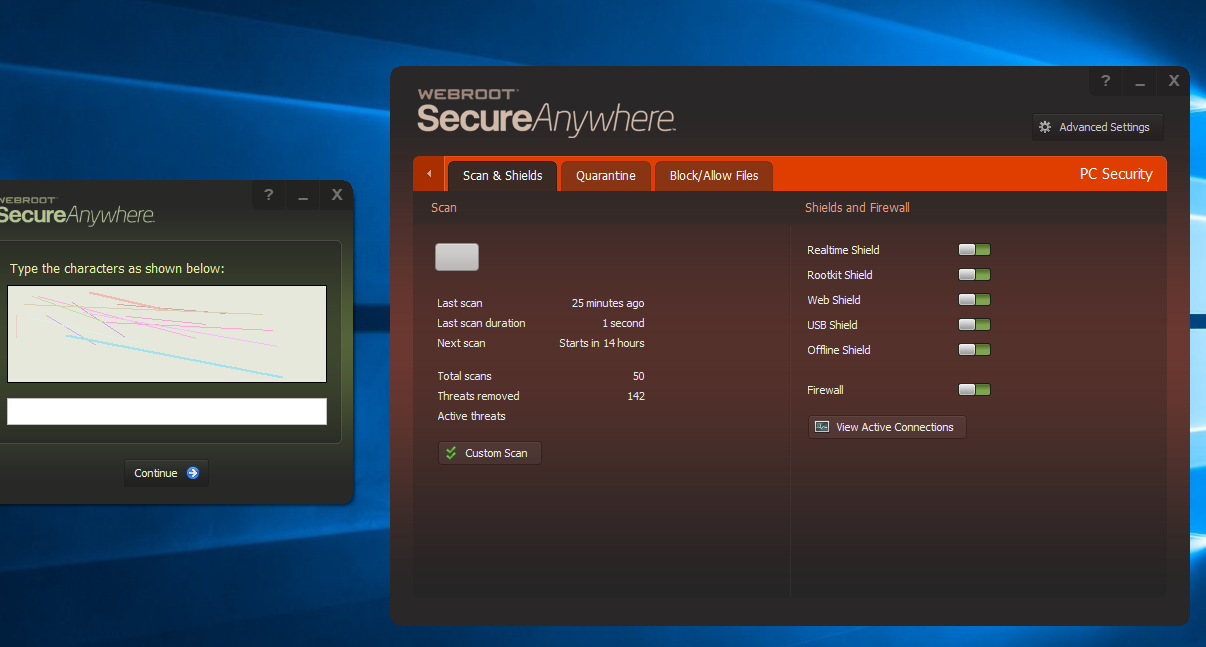
My Webroot states it's infected and has identified 143 threats on my desktop within 7 days. Mostly, it was Trusted Installer, Skype, Phots, and a file called "wauduit" or something like that causing the problems and these same threats were identified after every scan.


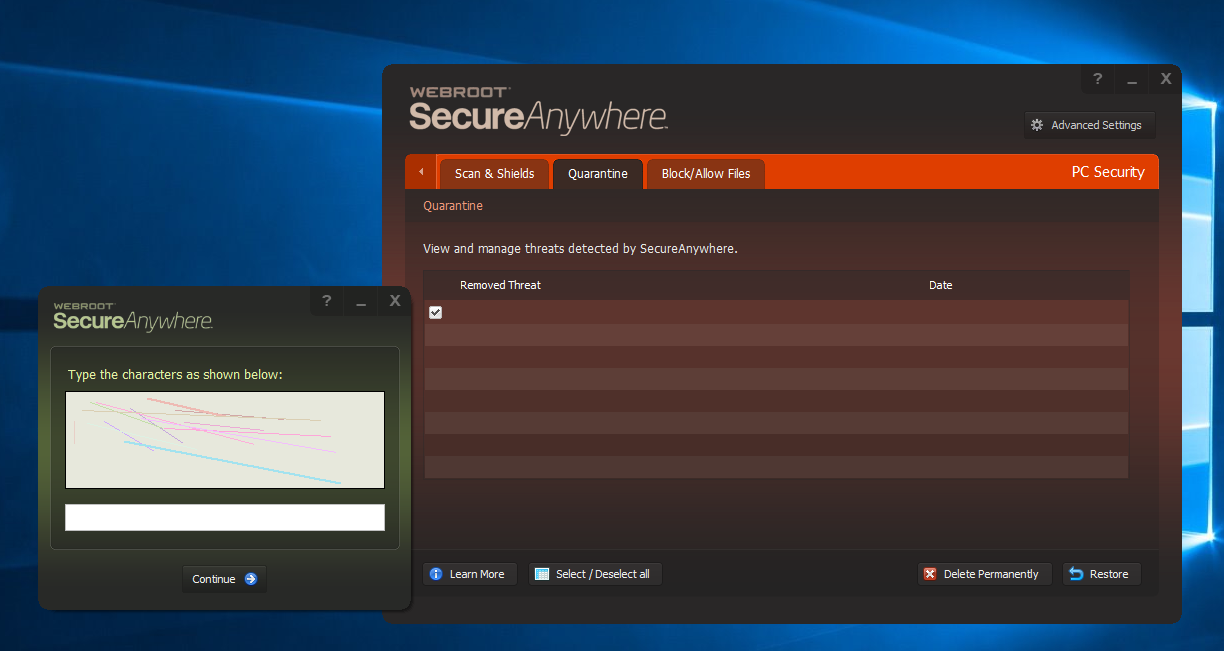
So I started using the option to delete the files. But not, the text identifying the threats are missing in Webroot and I am unable to see the capcha text to delete now. Any suggestions?

Best answer by ProTruckDriver

Hello @Jjohnson8163, Welcome to the Webroot Community Forum. ☺️

The 143 threats are a lot of threats. If these files are in Quarantine please do not remove the files. Get in contact With Webroot Support. When sending in a Support Ticket a Webroot Log is automatically sent also. They will look over the files and direct you on what you should do. Also DO NOT uninstall Webroot at this point until you contact Support.

Please submit a Support Ticket or Contact Webroot Support to sort this problem. This service is FREE with a Paid Subscription.
Support Ticket System is Open 24/7

Note: When submitting a Support Ticket, Please wait for a response from Support. Putting in another Support Ticket on this problem before Support responses will put your first Support Ticket at the end of the queue.

HTH,
Dave.

3 replies

ProTruckDriver
Moderator
Hello @Jjohnson8163, Welcome to the Webroot Community Forum. ☺️

The 143 threats are a lot of threats. If these files are in Quarantine please do not remove the files. Get in contact With Webroot Support. When sending in a Support Ticket a Webroot Log is automatically sent also. They will look over the files and direct you on what you should do. Also DO NOT uninstall Webroot at this point until you contact Support.

Please submit a Support Ticket or Contact Webroot Support to sort this problem. This service is FREE with a Paid Subscription.
Support Ticket System is Open 24/7

Note: When submitting a Support Ticket, Please wait for a response from Support. Putting in another Support Ticket on this problem before Support responses will put your first Support Ticket at the end of the queue.

HTH,
Dave.

Forum|alt.badge.img+1
  • Author
  • Fresh Face
  • June 3, 2019
Thanks, ProTruckDriver.

I created the ticket and will wait to hear from them

Thanks again.

Jjohnson8163

Forum|alt.badge.img+1
  • Author
  • Fresh Face
  • June 4, 2019
As a follow-up to my original post, :whoever" trashed my computer yesterday after my original post in an attempt to cover their tracks and I was unable to reboot it. I finally ended up having to reset since I had work to do. I took that opportunity to upgrade to the new 1903 Windows version. I'll monitor to see how it goes.