

Answer

definitions not updating need help!

  • July 21, 2014
  • 7 replies
  • 49 views

Been over a week since definitions uodated.
Why
I'm a paying customer and use on android.
Please fix.
Email me.
Thanks.

Best answer by Ssherjj

swat4hire wrote:
Been over a week since definitions uodated.
Why
I'm a paying customer and use on android.
Please fix.Email me.
~~~~~~~~~~~~~~~~~~~~~~~~~~~~~~~~~~~~~~~~~~~~~~~~~~~~~~~~~~~~~~~~~~~~~~~~~~~~~~~~~~~~~~~~~~~
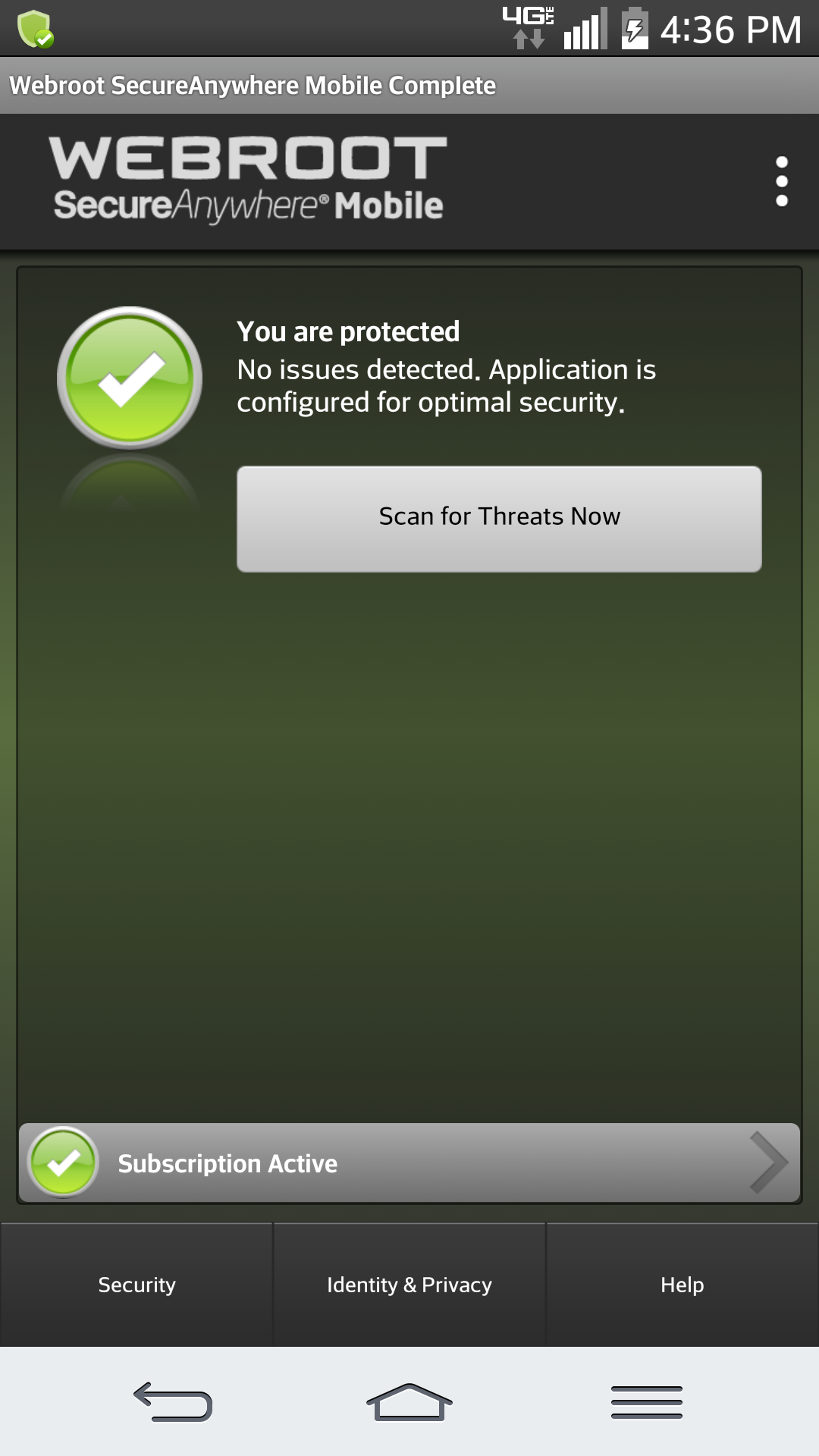
1- Open Webroot SecureAnywhere Mobile/ /Click Security


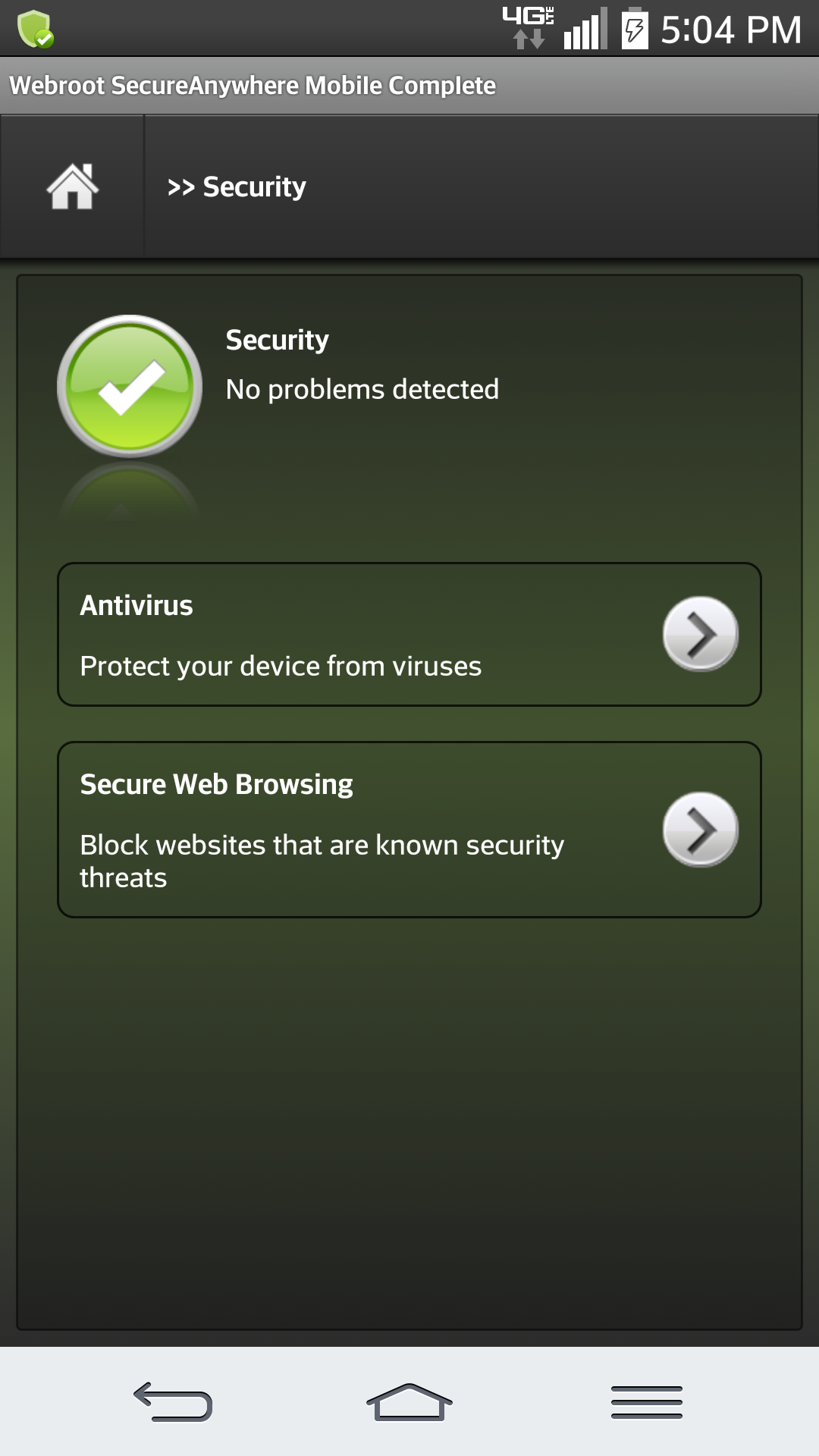
2. Click Antivirus


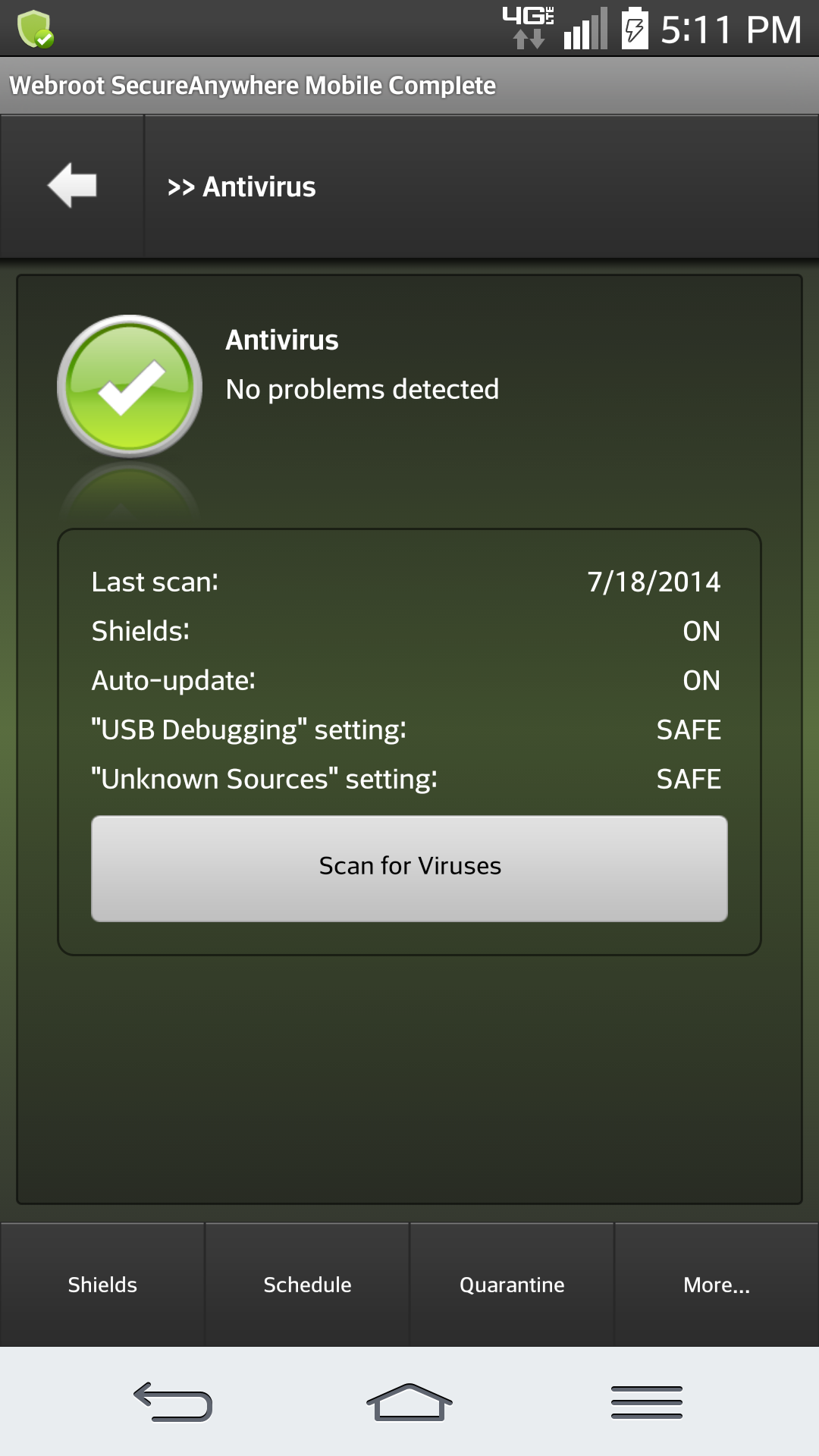
3- Click Schedule at bottom of WSA


4- Then Click  Force Definitions Update Now
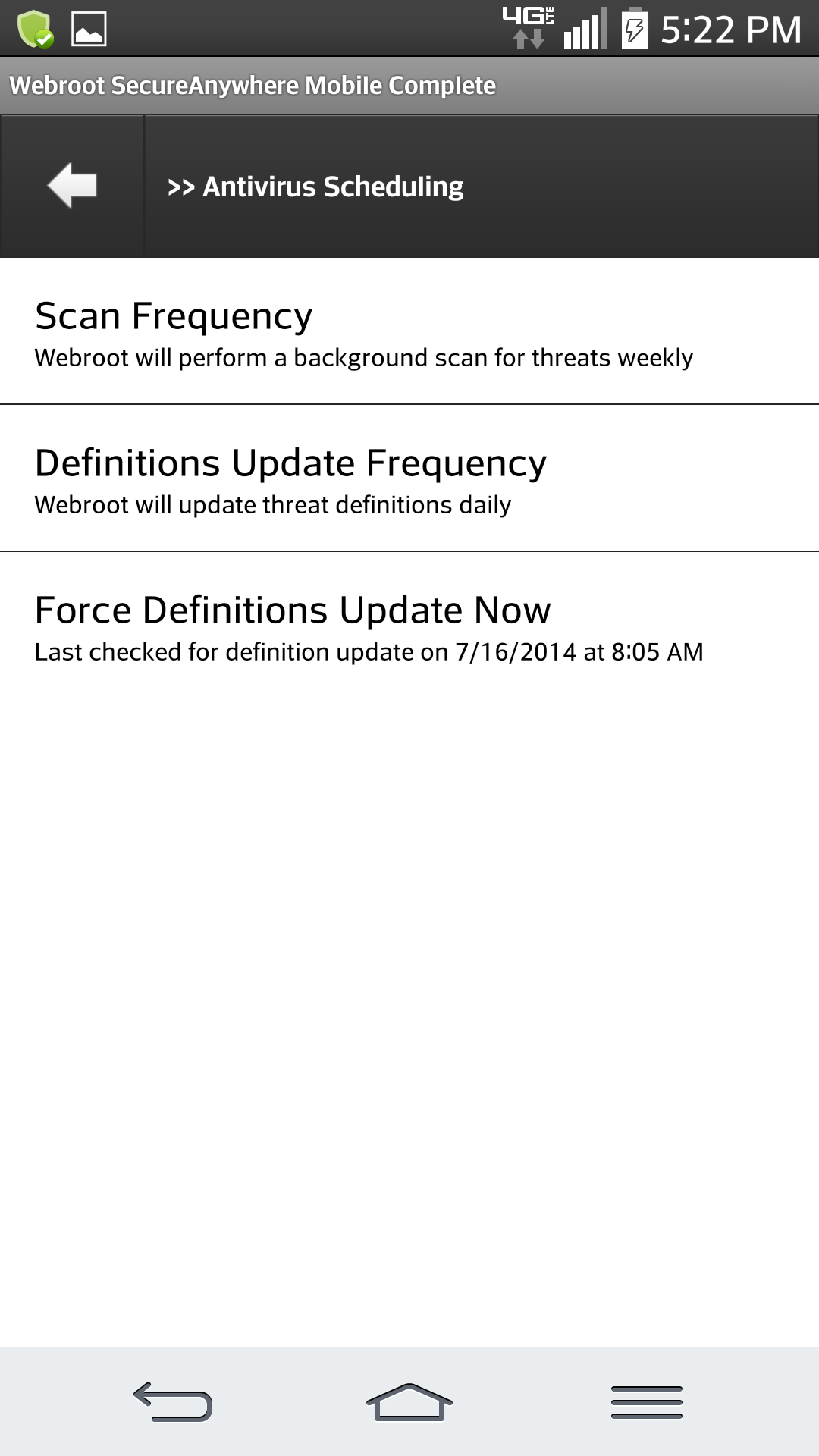


Scan Frequency
Definitions Update Frequency
Force Definitions Update Now
 
And heres what you'll see
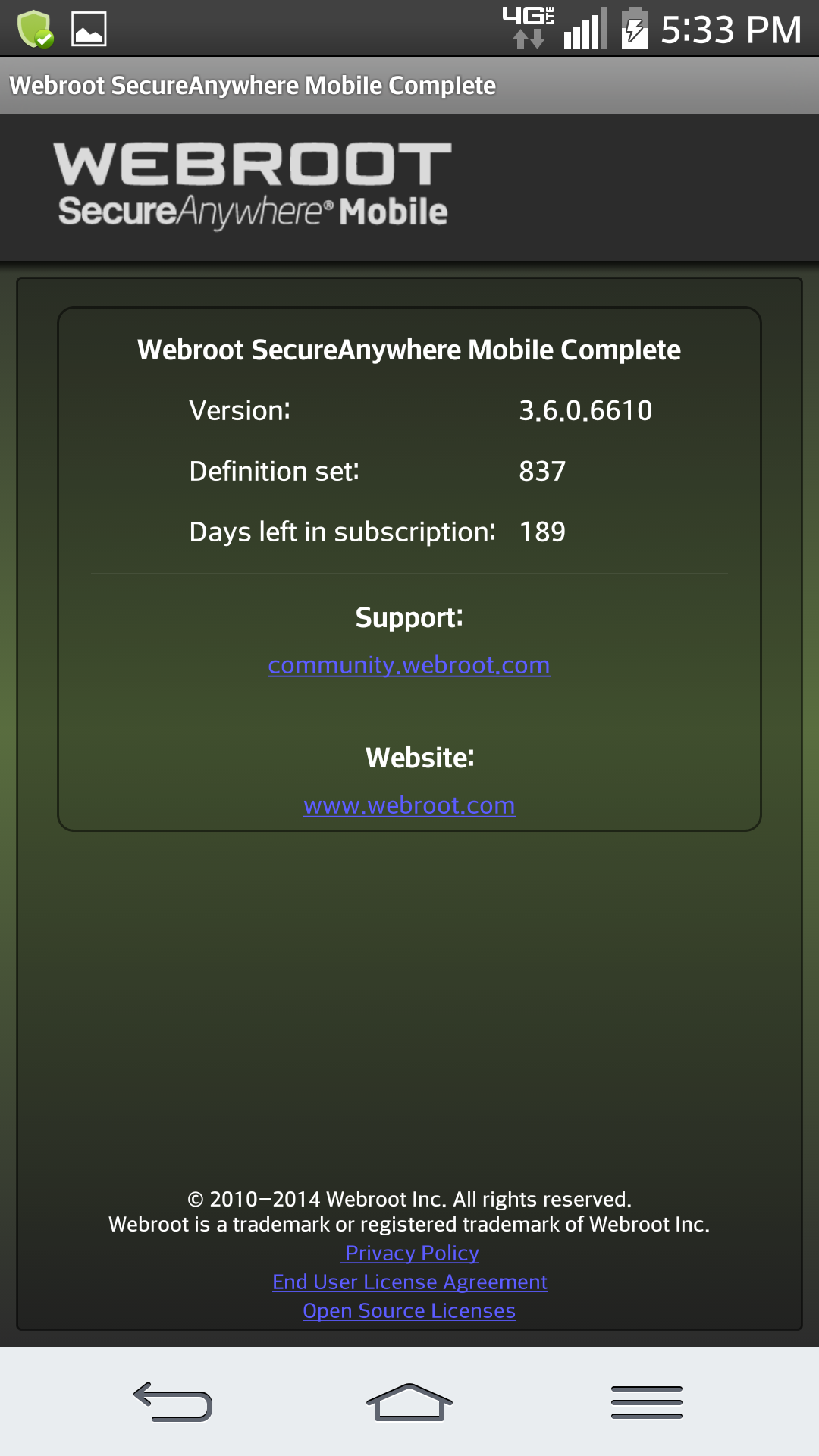


In the left right hand corner 
 for more help go HERE:
 

7 replies

Ssherjj
Moderator
Forum|alt.badge.img+62
  • Moderator
  • July 21, 2014
@ wrote:
Been over a week since definitions uodated.
Why
I'm a paying customer and use on android.
Please fix.
Email me.
Thanks.
Hello swat4hire!! Cute name I must admit! Welcome to the Forum and I was wondering if you are on a cell phone or Android tablet.
 
Thank you,

Baldrick
Gold VIP
  • Gold VIP
  • July 21, 2014
Hi swat4hire
 
Welcome to the Community Forums.
 
Will leave you in Sherry's capable hands in things Android, etc.;)
 
Regards
 
 
Baldrick

Ssherjj
Moderator
Forum|alt.badge.img+62
  • Moderator
  • July 21, 2014
@ wrote:
Been over a week since definitions uodated.
Why
I'm a paying customer and use on android.
Please fix.
Email me.
Thanks.
Again I'm guessing swat4hire ...that you are talking about an Android cell phone? Please let me know because I can give you documentation on updating your Android device!
 
Cheers!:D

  • Author
  • Fresh Face
  • July 21, 2014
HI Sherry!
Cell!
And name is my company name:-) thanks for the compliment!
Trisha

Ssherjj
Moderator
Forum|alt.badge.img+62
  • Moderator
  • July 21, 2014
@ wrote:
HI Sherry!
Cell!
And name is my company name:-) thanks for the compliment!
Trisha
Okay this will take a minute to post so hang in there while I copy the information for you! Ok? BRB!:D

  • Community Leader
  • July 21, 2014
Welcome to the community Trisha, Sherry will have you up and running in no time!
 
Enjoy the community!
 
Beth
 

Ssherjj
Moderator
Forum|alt.badge.img+62
  • Moderator
  • Answer
  • July 21, 2014
swat4hire wrote:
Been over a week since definitions uodated.
Why
I'm a paying customer and use on android.
Please fix.Email me.
~~~~~~~~~~~~~~~~~~~~~~~~~~~~~~~~~~~~~~~~~~~~~~~~~~~~~~~~~~~~~~~~~~~~~~~~~~~~~~~~~~~~~~~~~~~
1- Open Webroot SecureAnywhere Mobile/ /Click Security


2. Click Antivirus


3- Click Schedule at bottom of WSA


4- Then Click  Force Definitions Update Now


Scan Frequency
Definitions Update Frequency
Force Definitions Update Now
 
And heres what you'll see


In the left right hand corner 
 for more help go HERE:





