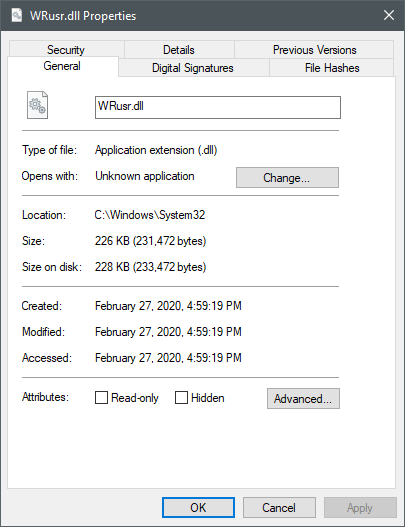
These two temp files are resistant to deletion by Webroot, Malwarebytes, CCleaner and by Windows 10 & Disk Cleanup utilities. Are these tmp files necessary? Or can I permanently erase these files with Webroot?
Best answer by TripleHelix
Hello @ahhiyawa and Welcome to the Webroot Community!
That file if located in one of these places it’s part of WSA and should not be removed.
C:\Windows\System32\WRusr.dll
or C:\Windows\SysWow64\WRusr.dll
- This loads for user mode analysis. It's responsible for WRSA running as a user mode service. WRSA will be loaded equally proportionately to the number of user profiles that are loaded because of this file.
But if you are having issues you can try a clean reinstall of WSA!
Please follow the steps closely!
Make sure you have a copy of your 20 Character Alphanumeric Keycode! Example: SA69-AAAA-A783-DE78-XXXX
All the above apps and programing are running the latest releases and updated daily.
The WRusr.dll files are always loaded in the C:\Windows\Temp directory.
Searched the Windows Registry for these dlls. Not there or invisible.
Each file consumes 227 kilobytes.
I recently loaded Malwarebytes and CCleaner to see if these apps would clean these tmp files. Did not.
Do not experience observable problems due to these tmp files, or the installation of Malwarebytes and CCleaner. Just cannot delete these tmp files from the C:\Windows\Temp directory.
Should I be concerned? Leave the files alone? Or try forcing a deletion with Webroot?
Hello @ahhiyawa and Welcome to the Webroot Community!
That file if located in one of these places it’s part of WSA and should not be removed.
C:\Windows\System32\WRusr.dll
or C:\Windows\SysWow64\WRusr.dll
- This loads for user mode analysis. It's responsible for WRSA running as a user mode service. WRSA will be loaded equally proportionately to the number of user profiles that are loaded because of this file.
But if you are having issues you can try a clean reinstall of WSA!
Please follow the steps closely!
Make sure you have a copy of your 20 Character Alphanumeric Keycode! Example: SA69-AAAA-A783-DE78-XXXX
As I’m having no operating problems & discernible issues I’ll leave the temp files alone per your explanation. If there’s a need to take action I’ll keep this tech tip link stored for future reference.
As I’m having no operating problems & discernible issues I’ll leave the temp files alone per your explanation. If there’s a need to take action I’ll keep this tech tip link stored for future reference.
Thanks again.
Yes sure thing and IMO nothing to worry about in that Temp Folder and the reason you can’t remove or delete it, it’s WSA’s self protection.