

Hello,
since about a week ago on every login I get an UAC popup asking permission to run WSA.exe -ls. Any ideas what to do to get rid of this? My personal impression is this started after a (major) update to webroot. System is Windows 8 x64.
Answer
UAC on login?
Best answer by MikeR
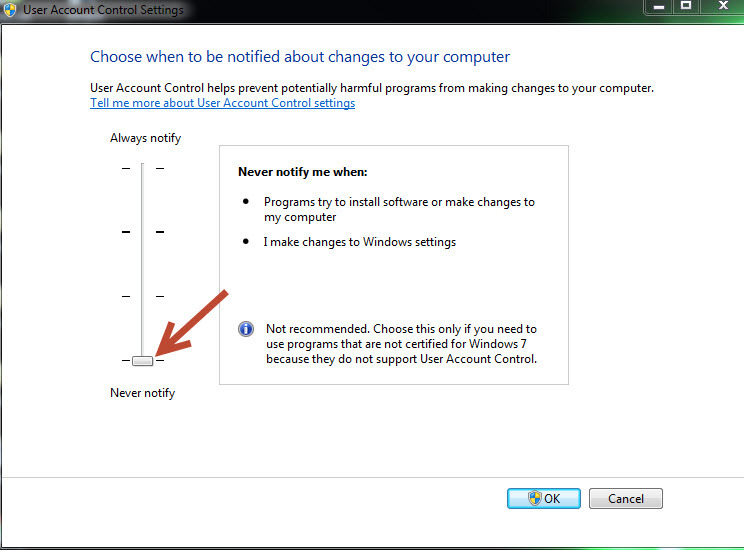
Search for and click on "User Account Control Settings">Change your setting to "Never notify" IF you would like to stop receiving these messages.
I keep mine off, they sure can be annoying. ;)
Update: I am not advising the average user to turn UAC off. I am simply showing the steps to decrease the persistant warnings given by UAC. Only experienced users should change these settings.
I keep mine off, they sure can be annoying. ;)
Update: I am not advising the average user to turn UAC off. I am simply showing the steps to decrease the persistant warnings given by UAC. Only experienced users should change these settings.


Login to the community
No account yet? Create an account
Enter your E-mail address. We'll send you an e-mail with instructions to reset your password.