Webroot® SecureAnywhere™ - Complete
Recently active
This evening I got a pop up evert from Webroot when I turned on my computer. It wants me to allow or block the request if I am unfamiliar with it. But there is nothing in the window where it usually lists who wants permission. And no details either if I click the button. It has put up 7 or 8 of those pop ups so far. How am I suppose to decide if it doesn’t tell who it is to allow or deny.Usually when I repeated pop ups, it it about Nvidia container. So maybe that’s what this is but how would I know with no information provided.I checked identity shield but there is nothing listed as blocked or allowed.I used my computer earlier today, but this didn’t happen.And I just got another one.
Sorry, but again multiple issues: some still unresolved from last contact here . #1: Cannot access console.“Error(SEL004): Console cannot be opened, please contact Webroot support”When I log into “My Account” , suggests I have 19 PCs protected !!#2: Webroot literally vanished from one of my PCs some time in the last couple of weeks.Not sure what precipitated this event.Empty Webroot Folder in ProgramsNo WRCore or WRData folders.Pretty comprehensive uninstall !!So:Reinstalled.Same base line settings as other my PCsNow hyperlinks in Emails disconnect the internet and will not load.Outlook will not receive.No bookmarks will load: Internet disconnects “ Cannot load Page : Check Connections etc etc”Disabling Webroot = fully functional Outlook and Ethernet connection. #3: I never had an answer as to why a scan quarantined a multiple Domain Zone Mappings in myu HKU registry.For the record 3 other PCs with Webroot installed years ago working fine.So: Problem with new install ??Really unhapp
BonjourJe viens d’acheter Wondershare Uniconverter 16.Il est possible d’améliorer les vidéos avec l’intelligence artificielle.Je découvre que le traitement des vidéos s’effectue à distance sur leurs serveurs. De grandes quantités de données leur sont donc transférées. Cela me rend méfiant, car je pensais que le logiciel traitait mes données sur le PC et non ailleurs, en Chine en l’occurrence.Il semble que certaines IP soient demandées en même temps :3.222.32.673.223.153.2253.165.136.1063.165.136.1243.165.136.115Les adresses IP 3.222.32.67 et 3.223.153.225 semblent rejoindre le domaine www.proxysite.comIl semble que si ces IP ne sont pas autorisées, le traitement de l’IA ne fonctionne pas, bien que le fichier vidéo ait déjà été transmis.Question 1 : Y a-t-il quelque chose à craindre qu’un proxy soit contacté, surtout en sachant qu’il est déclaré malveillant ou suspect par quatre sociétés de sécurité ?Question 2 : Comment puis-je savoir si Wondershare ne transmet que des fichiers vidéo à
While browsing in the website “The Conservative Treehouse” I repeatedly keep getting pop-up warnings, supposedly from Webroot, that it has blocked the following website as a suspected phishing site: “safebytetech.live”. Can anyone advise about this?
Hello Everyone.I have the Secure Anywhere CE 25.4. First, please look at my attachment regarding Update Keycode, should i do anything?My main computer is windows 11, but i have few older computer windows 10 that can not be updated to windows 11. I do have Webroot installed in all my computers.Whats going to happens since i have windows 10 installed into my older computerplease let me knowThanks.
I had Geek Support LLC clean my PC as requested by my Financal Institution. After the cleaning I noticed my History was still there ? Shouldn’t it been removed during the cleaning ? I paid for the service by on line check. Have I been scammed ?
Hello Everyone.I just scanned my computer, and noticed webfoot is Frozen at 11%. I tried scanning again, same issue. I did scan with my Malwarebyes, there was no issue. Here is the screen-shotThanks
I am playing an old windows xp mmo game on a private server. Webroot’s various shields crash the game every 60 seconds. If I turn off all of the shields then the game crashes after about six minutes. If I shut down Webroot protection entirely I can play the game for hours without interruption. I have placed the game’s exe on Webroot’s allow list. I then placed every .dll .dmy and .bin file in that game’s folder on the allow list. Then I placed the entire game folder into the allowed scripts folder and files list. Then I added the sub folder inside of the game folder to the list.None of that has prevented the game from crashing while Webroot is running.Ideally I would like to play my game and have Webroot function while not crashing my ancient mmo.What else can I do to get Webroot to stop crashing my game? Do I need to place every sub-folder and sub-sub-folder onto the allowed scripts list? I have checked and the game is entirely within it’s game folder, there is no other game
Hi When I log into my Carbonite Account, I don’t receive the the SMS/Text message and have to request the code be resent via email.Would this be because I am located in Australia? The +61 Country Code is included in my Phone Number.
How do I submit a suspicious file in Total Protection, specific to Total Protection GUI.I know how to do this in Webroot Secure Anywhere (did it many times), but that is missing in the Total Protection GUI.And/Or how to do it via a web browser.This website to a hotel asks to verify you are a human, upon which it downloads SaveBrowse.msix
I did a System Restore in Windows 11 and after I logged back in the error message was on screen.I disabled Webroot and tried the same System Restore Point again and the same message.Administrator Command Prompt ran in the order belowSFC /ScannowDISM /Online /Cleanup-Image /CheckHealth DISM /Online /Cleanup-Image /ScanHealthNo ErrorsUninstalled Webroot and reran the Same System Restore Point and Success.Webroot was installed again, had to input the Keycode.
Hi Happy Easter if you are celebrating.I scanned a new system with Webroot Secure Anywhere and a file that is part of an AMD Driver package is being flagged with W32.Coinminer.Gen.I uploaded the file to the Virus Total Website and Webroot was the only software that Detected the issue.I have also submitted the file using the report function within Webroot Secure Anywhere which again flagged the file.So if this is a false positive does anyone know what happens next and if it is not a false positive what should I do?Thank you.
Greetings!I'm trying to renew my Webroot Internet Security for three years, as I've done before. Following the instructions on https://support.carbonite.com/articles/Personal-Mac-Windows-Renewing-Your-Carbonite-Subscription, renewal for only one year appears, with no apparent way to change it. Assistance appreciated!
Hi all, I’ve been having issues with updating my Nvidia App and Nvidia Drivers while having the Webroot Antivirus installed, which is strange because before this month (March 2025) I used to be able to update both Nvidia App and the Nvidia game driver. I was wondering what could be the cause of this and if there’s a way to fix it because at the moment I have to constantly uninstall Webroot first, then update both Nvidia App and Nvidia Game Driver, and then afterwards reinstall Webroot. Please if anyone has any suggestions or know how to fix it please let me know. I do hope that Webroot fixes this bug soon as I’m not the only whose been affected by this and it’s very frustrating. Thank you and have a nice day. Specter
Hello Everyone.Inside my Webroot Secure Anywhere CE 25.1, I also have the Secure Erase, I remember years ago it was called Window Washer am i Correct??Years ago my friend who was an Computer Engineer, this is what he told me ,”Quote”If you have a SSD Drive, you should only use the Normal Level of Secure Erase, otherwise If you useMedium, or Maximum, there is a possibility you may Damage your SSD Drives…Is that True?Please let me knowThanks
Hello Everyone.I just purchased the yearly subscription. I have the Webroot secure Anywhere, CE 25.1, also, I am running the current version which Is 9.0.38.39, I have a question please:To see what is the current version and To make sure you have the Current CE, where do you see the Info. From what i know I have to Download the wsinstall and Right Click -Details Correct??What about CE.Thanks
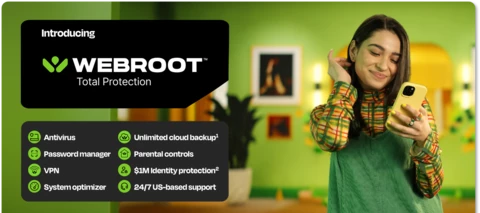
Announcing the Launch of Webroot Total Protection and Webroot Essentials! We are thrilled to announce the launch of Webroot Total Protection and Webroot Essentials! This milestone represents over three years of innovation and dedication. As customer needs have evolved from device protection to protection for their entire digital life, we recognized the necessity to adapt and elevate our offerings. What is Webroot Total Protection and Essentials? Webroot Total Protection is our most comprehensive solution to date, featuring a new, intuitive interface and a flexible platform designed to support our B2B2C marketing strategy and future growth. Total Protection is an all-in-one cybersecurity solution for individuals and families, combining our most used features with new capabilities:Device Protection (Antivirus) Identity Protection Password Manager VPN (new!) Parental Controls (new!) Unlimited Backup (new!)Webroot Essentials simplifies our previous Webroot AV, Plus, and Complete products u
Cyber threats. Identity theft. Online profiling. Financial fraud. Social media misuse. The list just gets longer. As more aspects of our lives move online and digital devices proliferate, staying safe from threats has become more important than ever.Consider all the connected devices you use for daily tasks—browsing, shopping, banking, gaming, and more. Then think about all the content that you share on these devices every day; much of it likely contains sensitive or critical information that, in the wrong hands, could lead to serious damage with long-lasting impact.The solution? Comprehensive digital protection. Webroot Total Protection is the latest release in our Customer Digital Life Protection strategy that checks all the boxes. It’s a top-end, true all-in-one offering based on a new platform that combines antivirus, password manager, identity protection, VPN, backup, and parental controls.1. Protect your devices from virusesHow confident are you that your digital music, photos, a
I am a software developer. I wrote a C# app that calls out to my email provider’s SMTP port (smtp.gmail.com). Only when Webroot is running, the traffic port (587) gets closed immediately with this error:System.Net.Mail.SmtpException Message=Service not available, closing transmission channel. The server response was: Cannot connect to SMTP server ::ffff:209.85.200.108 (::ffff:209.85.200.108:587), connect error 10060.This isn’t a problem with the code, or with Google, as it all works perfect when Webroot is NOT running. It’s only when I QUIT (shutdown) Webroot entirely, does it actually then work just fine. I’ve even disabled all the individual Webroot components (real time shield, web shield, firewall) - that didn’t help. I uninstalled and reinstalled Webroot - that didn’t help. I added my application (.exe) to the file and script exceptions settings - that didn’t help. I don’t see a way in Webroot SecureAnywhere CE to add firewall exceptions.
I’m getting constant messages in scan log: Sat 2023-11-04 00:55:08.0133 Genesis installation initiated.Sat 2023-11-04 00:55:09.0209 C:\Program Files (x86)\Webroot\Components\WR-886c946fa8282a3ec041571c8fbf02de93c38a7f5092c4e2a9c82bb7866d243f.msi installer failed (1603)Sat 2023-11-04 00:55:09.0209 Genesis installer (Install failed) When I run the MSI manually, I get this in the MSI log: MSI (s) (2C:E0) [02:10:54:951]: Executing op: ActionStart(Name=CA_WRCA_INSTALL,,)MSI (s) (2C:E0) [02:10:54:951]: Executing op: CustomActionSchedule(Action=CA_WRCA_INSTALL,ActionType=3074,Source=BinaryData,Target=/Install "C:\Program Files\Webroot\Core\\",)MSI (s) (2C:E0) [02:10:55:066]: Note: 1: 1722 2: CA_WRCA_INSTALL 3: C:\WINDOWS\Installer\MSI545C.tmp 4: /Install "C:\Program Files\Webroot\Core\\" CustomAction CA_WRCA_INSTALL returned actual error code 6 (note this may not be 100% accurate if translation happened inside sandbox)MSI (s) (2C:E0) [02:10:55:066]: Product: Core -- Error 1722. There
Hello Everyone.So, Technically every time i want to check to see If I am running the latest Software, I should go to this Link, and Download the wainstall.exe file, Later Right Click- Properties-Details.The Link:https://anywhere.webrootcloudav.com/zerol/wsainstall.exe Current version is 9.036.40Is that Correct???Is that how you check for a new software ?Also, I noticed one of my computers is not showing when I go to Carbonite Webroote My Account CE 24.3, But when I open the Webnroot from that computer it shows it is protectedPlease let me knowThanks.
Running Windows 10 Pro,22H2,x64 . Recently renewed my SecureAnywhere, and ran wsainstall.exe, entered new key and everything seemed good. Then started having Windows startup issues, not hardware, and I noticed in Task Manager, 5 processes running for Webroot, two of which show 32-bit. 3 processes have dark green circles with white W, the 2 32-bit ones have light green circle with black W. Two of the dark ones show associated with “WRCoreService” and “WRSkyClient” . One of the 32-bit ones shows “WRSVC”. Any chance that has anything to do with the startup issues? Thanks.
Ok so My webroot is expirecing in like 7 days , the popup keeps coming up onthe bottom right, so I purchased a new key from amazon and installed the new key and webroot works fine , it starts ike normal witht the green screen in the bottom right but the annoying messge also keeps poping up too saying “ Protection expiring soon! “ and I have to X it out every time. How do I stop this from occuring? its happening to all my devices even thought the program works fine with the new key entered.
As my Webroot subscription comes to renewal time, next month, I have the following observations on the sales tactics and general customer feedback. To begin with, there is no link to Customer Feedback. You can request technical support, but I wouldn’t bother that department with my feedback and/or personal complaints about the service. This leads to a customer feeling that the company doesn’t care what the end user feels about the service they are receiving. Also it would lead me to think that their technical support must deal with customers, who would like to voice their opinion about the functionality of these services. A general feedback link might alleviate such instances as well as give customers a general feeling of being important to the company they are forking out money to. I looked through everything and even Googled Webroot customer feedback. No such link existed so I found this community page. So, as I stated, about a month before my subscription expires, webroot gives me a
Hello Everyone.Its been a while since I post a review. I hope everyone is doing OK. I missed all of you, this is a very good Forum. I have 5 Subscriptions of Webroot Secure Anywhere CE 24.2 Installed in 5 Separate Computers, and I am happy without any issues. I thing it used to called another name. I wanted to purchase one more Subscription and Install It to my friends Computer as a Gift, But I could not find any Links to do that. Therefore I purchased One single Subscription alone Webroot SecureAnywhere Anti Virus 1 Device 1 Year Subscription for $29.99 and I was charge $9.99 for a CD Installation which i did not wanted, and there was no option to uncheck the CD Software so the total came up to $41.00.After the Installations in my friend’s computer, I noticed Inside Utilities there is no System Optimizer. What is the different between my Subscription, and the one I purchased today?Can I upgrade it?Is Baldrick around?Thanks.
Already have an account? Login
No account yet? Create an account
Enter your E-mail address. We'll send you an e-mail with instructions to reset your password.