Answer

Does Webroot support the Brave Browser?

  • October 19, 2020
  • 8 replies
  • 808 views

I am really tired of Google trying to control my life and be the censor czars.  As a result, I downloaded the Brave browser.  Do all the Webroot products support the Brave browser especially Web Shield?

Best answer by TripleHelix

Hello @DunnGoneFishing 


Not officially! But you can try to install the Web Shield from the Chrome store: https://chrome.google.com/webstore/detail/webroot-filtering-extensi/kjeghcllfecehndceplomkocgfbklffd


Let us know if it works!


Thanks,

8 replies

TripleHelix
Moderator
Forum|alt.badge.img+63
  • Moderator
  • Answer
  • October 19, 2020

Hello @DunnGoneFishing 


Not officially! But you can try to install the Web Shield from the Chrome store: https://chrome.google.com/webstore/detail/webroot-filtering-extensi/kjeghcllfecehndceplomkocgfbklffd


Let us know if it works!


Thanks,


TripleHelix
Moderator
Forum|alt.badge.img+63
  • Moderator
  • October 19, 2020

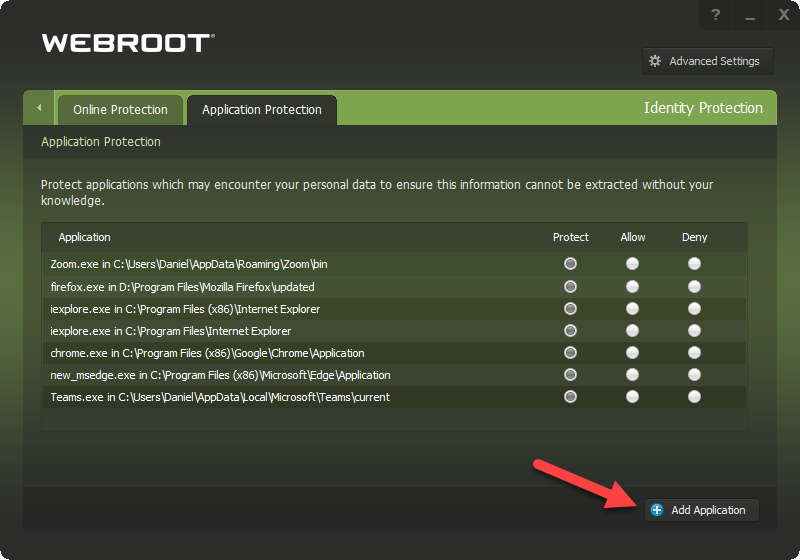
Also you can manually add Brave browser to Webroot’s Identity Shield and put it under protect: 


Thank you @TripleHelix.  I was able to install the extension without any errors.  Now I have to see if it actually works.  Hard to know since I don’t know any dangerous websites that will trigger the protection.

In addition, I added the brave.exe in the Application Protection tab as you suggested.  

I appreciate your help and suggestions.  Is there a way to lobby WebRoot to add full support of Brave?

Ok. Time to go fishing now.  The Red Drum are biting at Calaveras Lake outside of San Antonio.  Fish On!!


TripleHelix
Moderator
Forum|alt.badge.img+63
  • Moderator
  • October 20, 2020

Hello @DunnGoneFishing 


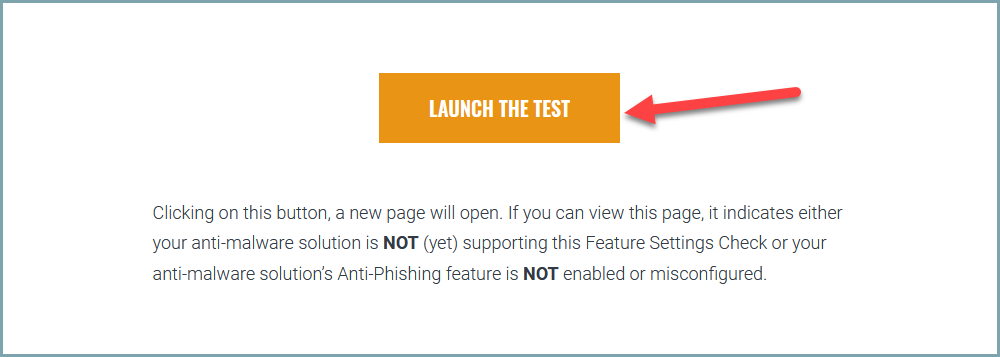
You can use this site to test! https://www.amtso.org/feature-settings-check-phishing-page/


Thanks,


Hello @TripleHelix,

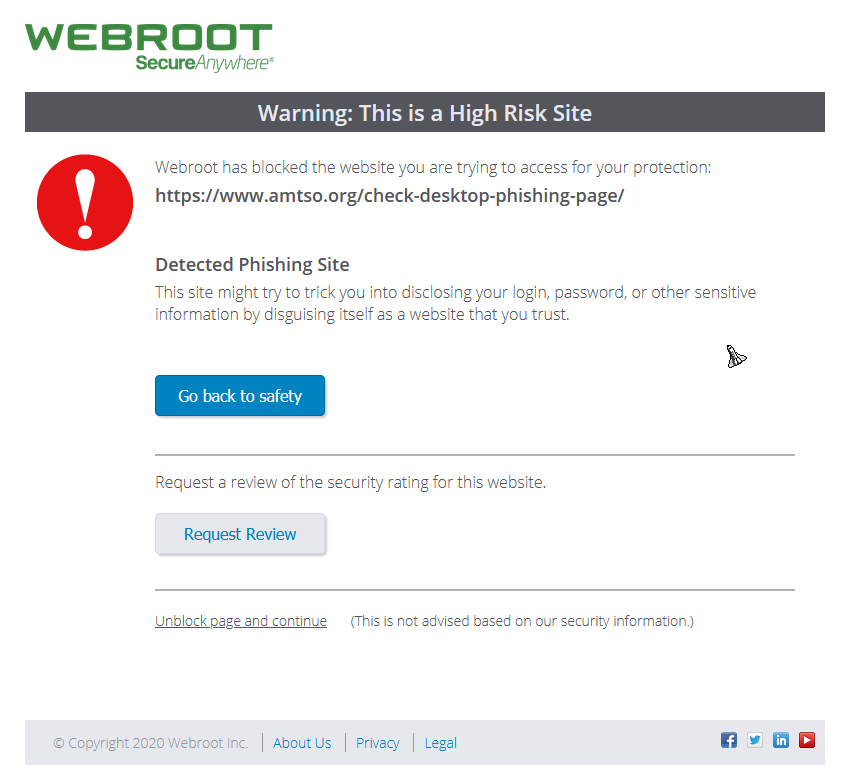
Your test worked like a charm!  I received the WebRoot Warning page.  Thank you for providing the link to the website test.  Much appreciated.


TripleHelix
Moderator
Forum|alt.badge.img+63
  • Moderator
  • October 21, 2020

Awesome! :wink:


pierrequiroule
New Voice
Forum|alt.badge.img+8

Hello ​@TripleHelix

I just found this thread today and decided to test the link you provided to ​@DunnGoneFishing four years ago. 

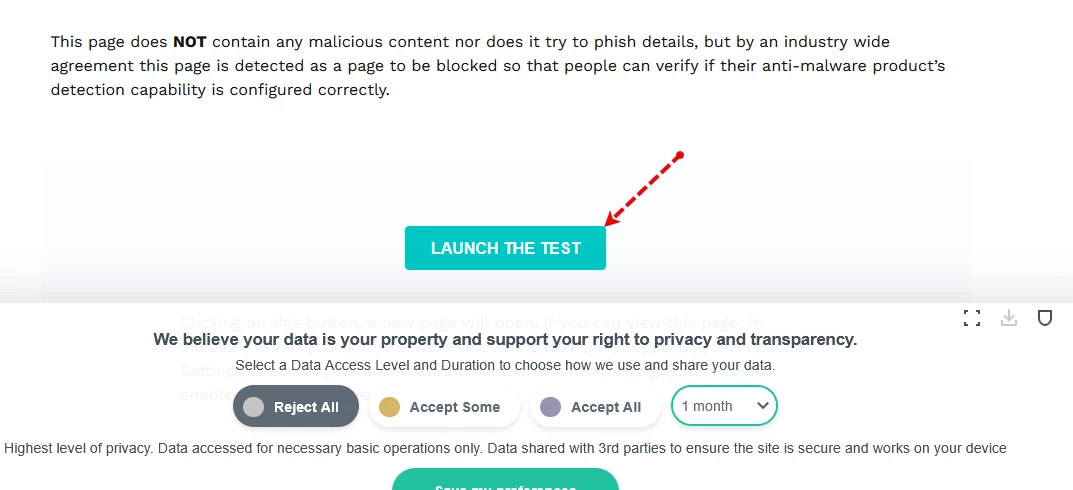
Surprisingly, accessing this fishing test webpage did not trigger any alarm from Webroot, even though I was using Firefox! (Which is officially supported by Webroot, isn’t it?)

I checked the "Application Protection" panel of WSA and can confirm that Firefox is on the list of “protected” applications.

Do you have any idea why this is happening?

Pierre


TripleHelix
Moderator
Forum|alt.badge.img+63
  • Moderator
  • October 16, 2025

Hello ​@TripleHelix

I just found this thread today and decided to test the link you provided to ​@DunnGoneFishing four years ago. 

Surprisingly, accessing this fishing test webpage did not trigger any alarm from Webroot, even though I was using Firefox! (Which is officially supported by Webroot, isn’t it?)

I checked the "Application Protection" panel of WSA and can confirm that Firefox is on the list of “protected” applications.

Do you have any idea why this is happening?

Pierre


Hey ​@pierrequiroule you must install the Extension from the Chrome Store: https://chromewebstore.google.com/detail/web-threat-shield/kjeghcllfecehndceplomkocgfbklffd?pli=1 on any Chromium based browser.


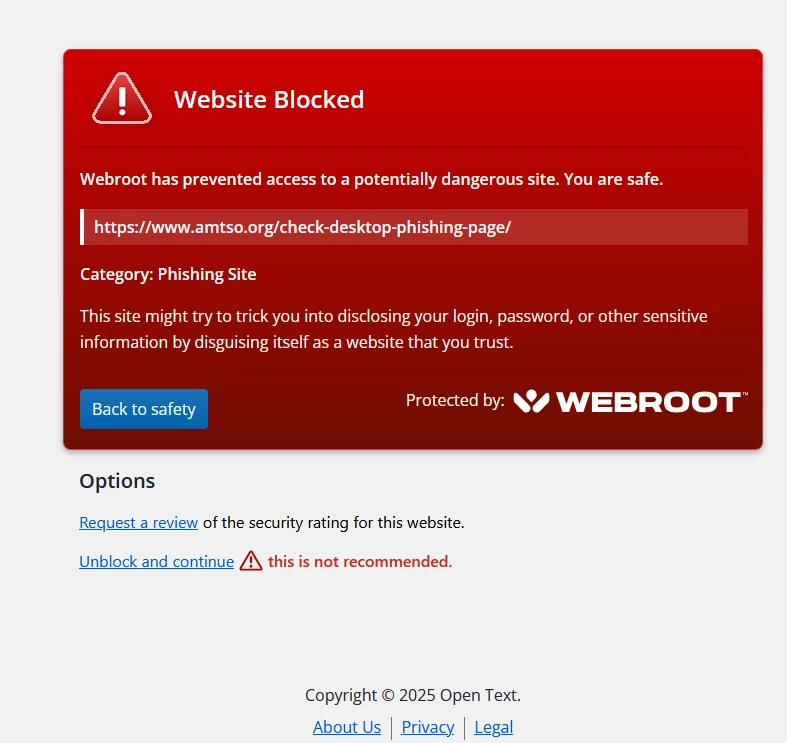
Also the Blocked window now shows it this way and my test was done with Firefox! You must click on the button on that test page!


I tried all 3 of my Browsers Microsoft Edge, Firefox and Chrome and they were all blocked!


https://www.amtso.org/feature-settings-check-phishing-page/