
Solved
Two identical copies of WR running in processes - but only one listed in Startup menu

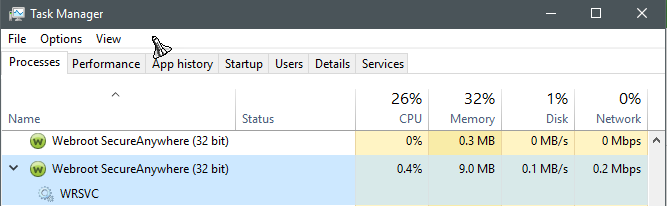
Two identical copies of Webroot Secure Anywhere are opening and running in processes (according to Task Manager), from the moment my Windows 10 boots. Each is the same exact file (installed on the same date at same moment, same version number). There is only one Webroot listed in Startup menu. Why might it be loading the program twice? If I close one of the Webroot copies running, it may close both of them or cause the remaining one to malfunction. And more importantly, how do I make it stop loading two Webroots in the first place? [Note: I am also seeing 2-3 Cortana processes automatically running, which I never even use - if I close those, they immediately reopen. And it opens multiple copies of Chrome, the little monster! But then that's a known issue with Chrome, one I have yet to solve.] At the moment, I just want to figure out the Webroot question. Thanks!
Best answer by TripleHelix
Completely normal as one process runs as a service and the other for the GUI!
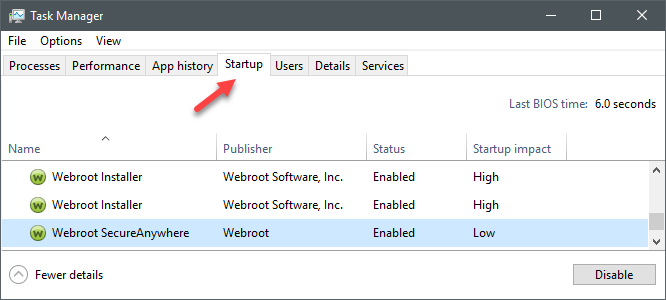
Also in the Startup Tab 2 are for the Password Manager if you have WSA-ISP or WSA-Complete and the 3rd one is for WSA Startup!
HTH,
Also in the Startup Tab 2 are for the Password Manager if you have WSA-ISP or WSA-Complete and the 3rd one is for WSA Startup!
HTH,




Login to the community
No account yet? Create an account
Enter your E-mail address. We'll send you an e-mail with instructions to reset your password.