

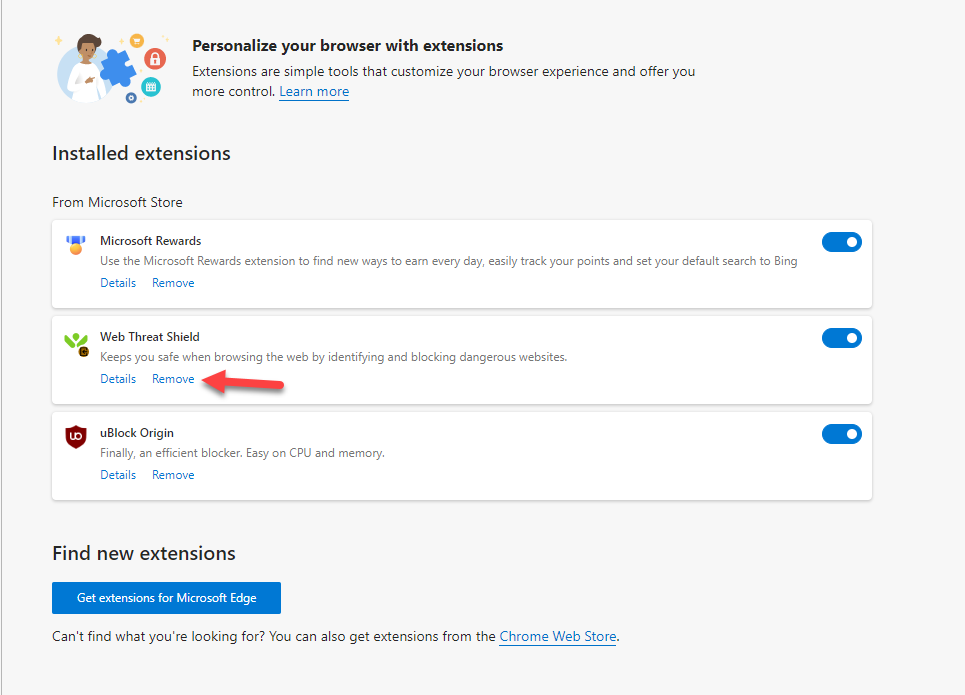
I’ve tried again and again to remove the Web Threat Shield after uninstalling Webroot. I cannot get the extenion to shut off or uninstall. I cannot even delete the files as they are locked by the system. This is my home computer, and I can’t remove this! How can you make software that is this invasive that I can’t remove it?!
Solved
Removal of Web Threat Shield from Edge
Best answer by TripleHelix
Sorry to hear. Please contact Webroot Support and they will remove it!
Webroot Support:
Submit a ticket 24/7/365
Call 1-866-612-4227 during the week Mon - Fri 7 AM to 5:30 PM (MDT)
Note: When submitting a Support Ticket, Please wait for a response from Support. Putting in another Support Ticket on this problem before Support responses will put your first Support Ticket at the end of the queue.
Thanks,



Login to the community
No account yet? Create an account
Enter your E-mail address. We'll send you an e-mail with instructions to reset your password.