



Instructions for updating SecureAnywhere® Mobile Protection for Android
Webroot released an essential update for SecureAnywhere® Mobile Protection for Android. To avoid service disruption, please be sure to your Android Mobile Security app to version 5.0.1 by April 24th.
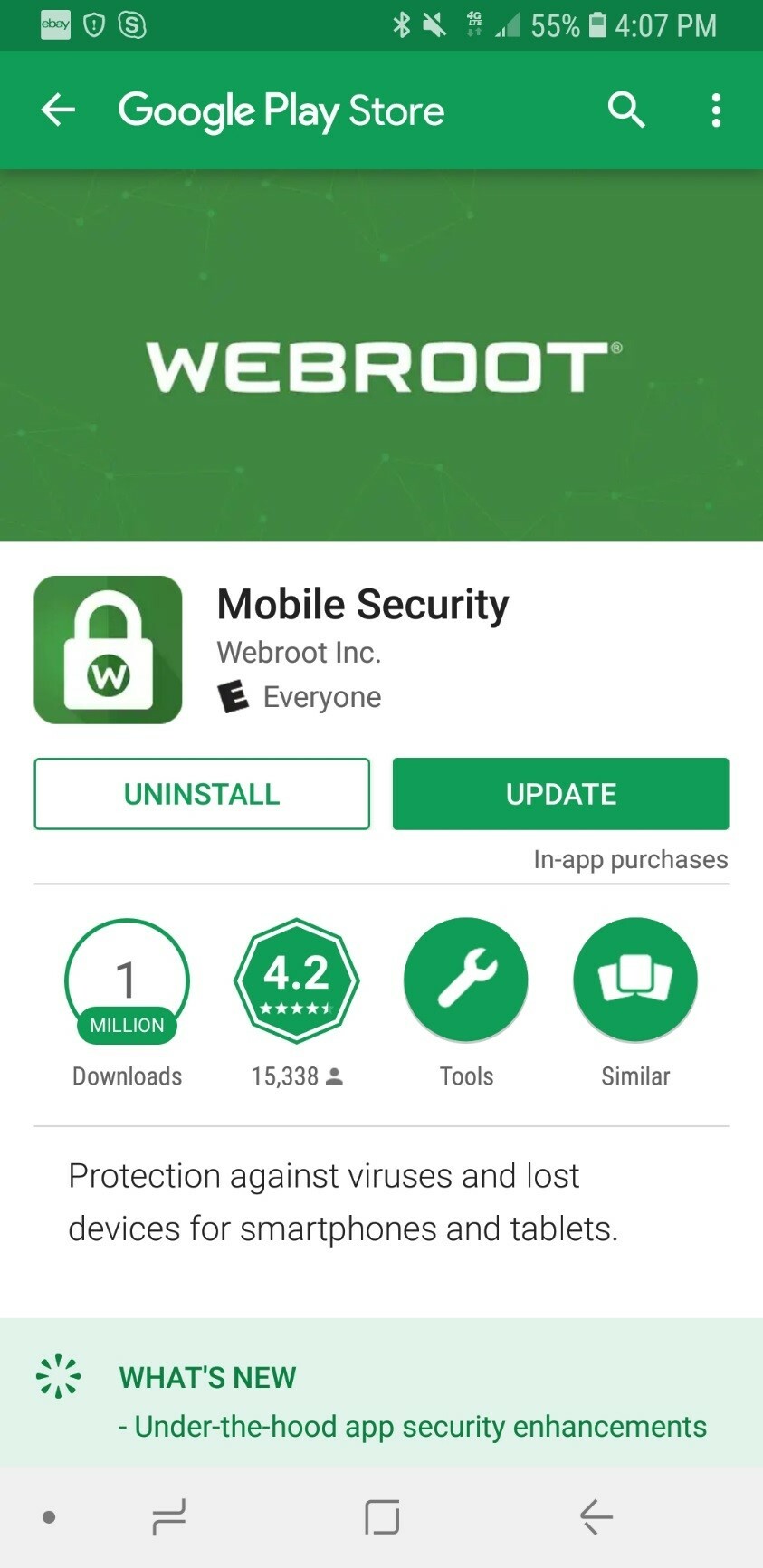
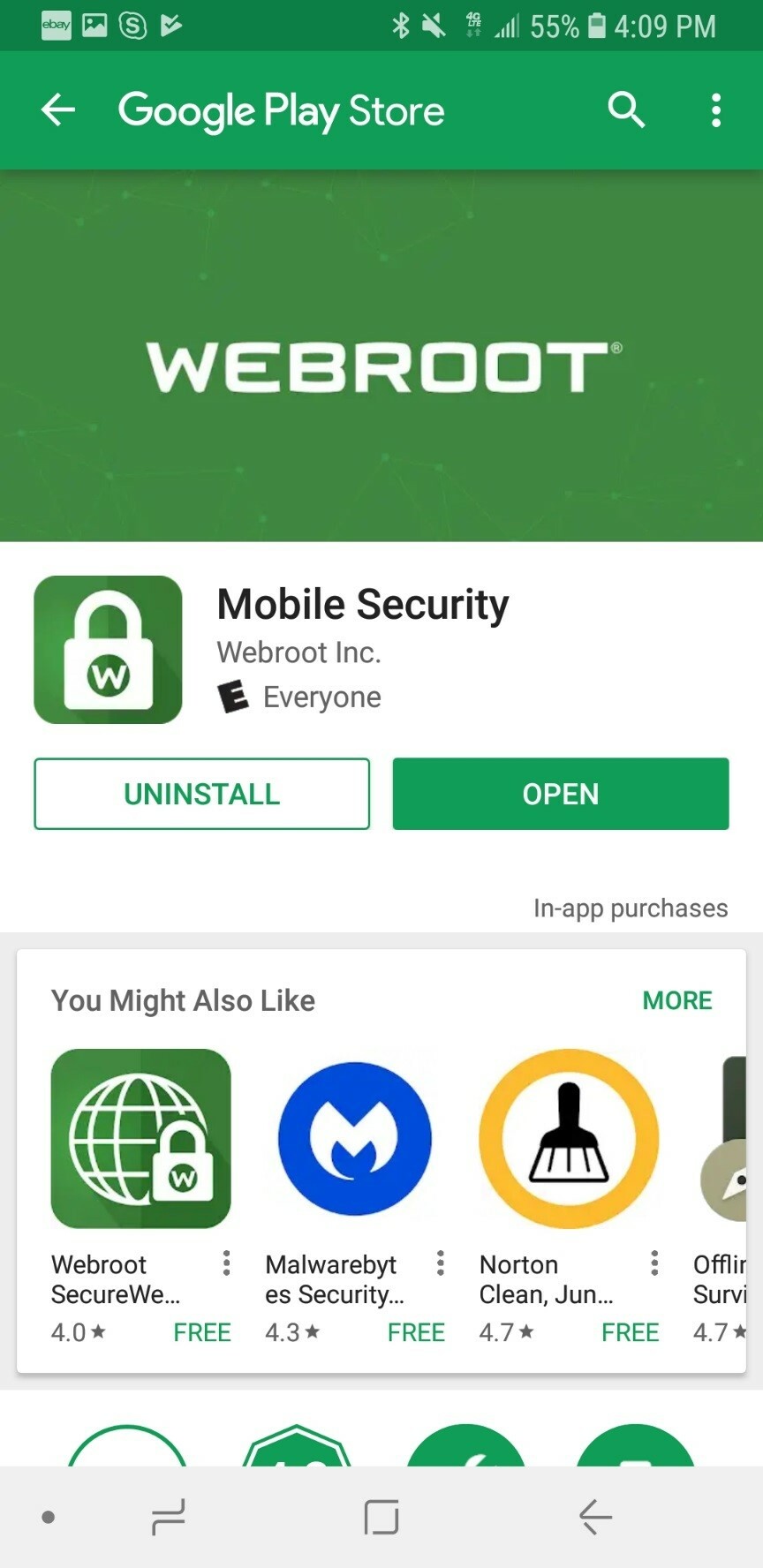
You can quickly tell if your app has this important update. From your Android device, click on this link or search for “Webroot” in the Play Store app and view the Mobile Security app. If you see a button that says “Open”, then you have the newest version and there’s nothing you need to do. However, if you see a button that says “Update” instead, then you are not on the latest version and you should update. Do this by tapping the “Update” button. See screenshots below for reference.
We recommend always staying up to date on the latest security enhancements by setting the Mobile Security app to automatically update whenever a new version is available. Click here for instructions on how to automatically update apps.
Thank you for your patience as we make updates to ensure delivery of the best possible product. We apologize for any inconvenience this may have caused.
Sincerely,
The Webroot Team


