

Yesterday my computer notified me that the theme was changed to Windows 7 Basic Scheme or something like that. Unfortunately the message went away before I could click on it. Now, I don't know how to switch back to the old theme because the one it switched to is pretty irritating. I have attached a screenshot of what it looks like. I don't have any screenshots of the old theme I'm used to, but I'm sure it's the Default theme. Instead of blue at the top of a window you could see the desktop behind it... Anyway, I've tried different things, personalizing the themes, but that only seemed to make things worse. And I rebooted the computer yet I'm still using the new theme.
I would also like to know what I can do to prevent it from changing themes by itself. Hopefully you guys could help with this?
Screenshot of the new theme:
http://imgur.com/C7o8Kgl
Answer
How to go back to the old Windows theme?
Best answer by RetiredTripleHelix
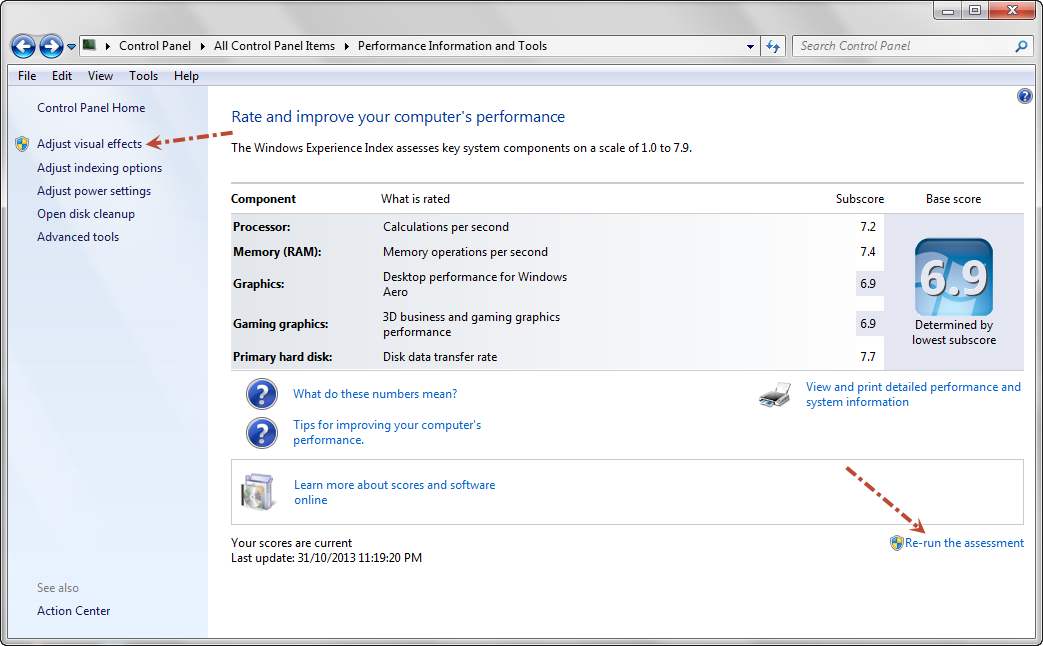
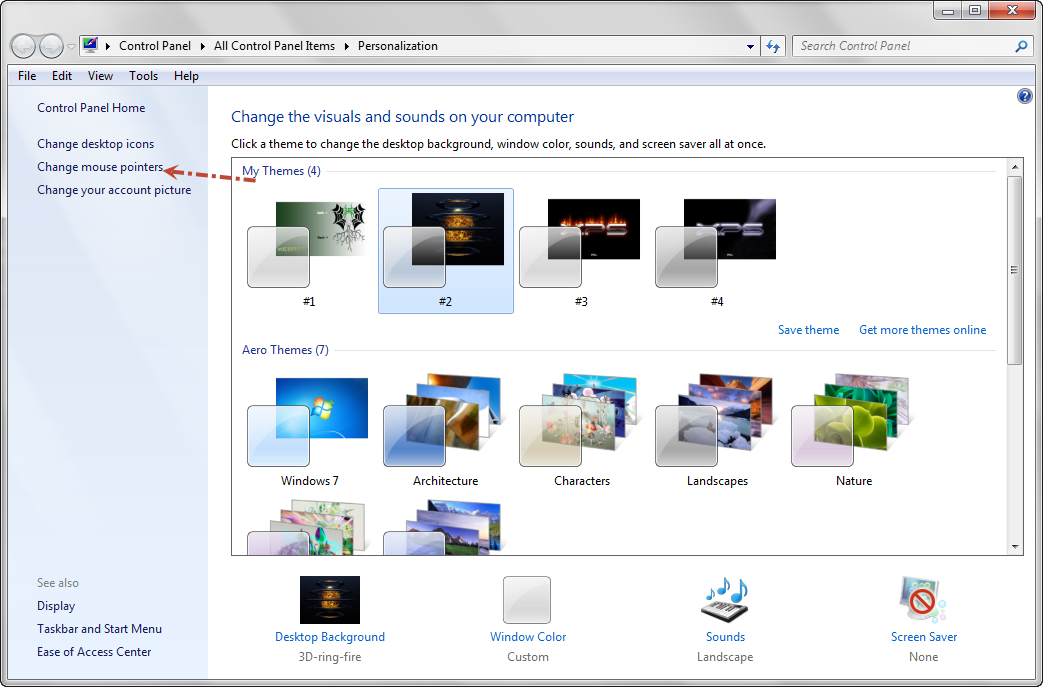
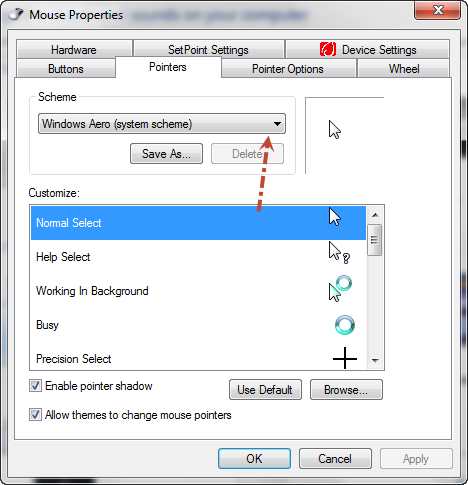
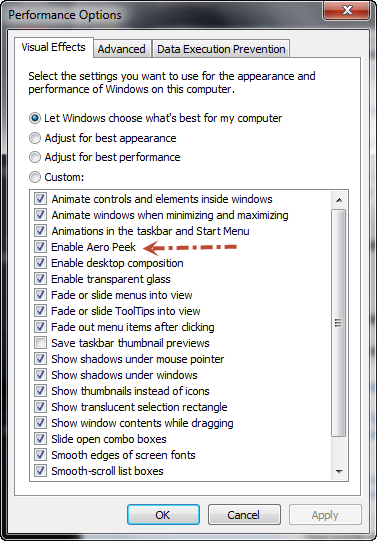
Set everything I posted above then Right Click on your Desktop and choose Personalize and pick the things you want and if you want to use a different BackGround with another picture just Right Click on the Picture and choose Set as Desktop BackGround.
HTH,
Daniel
HTH,
Daniel



Login to the community
No account yet? Create an account
Enter your E-mail address. We'll send you an e-mail with instructions to reset your password.