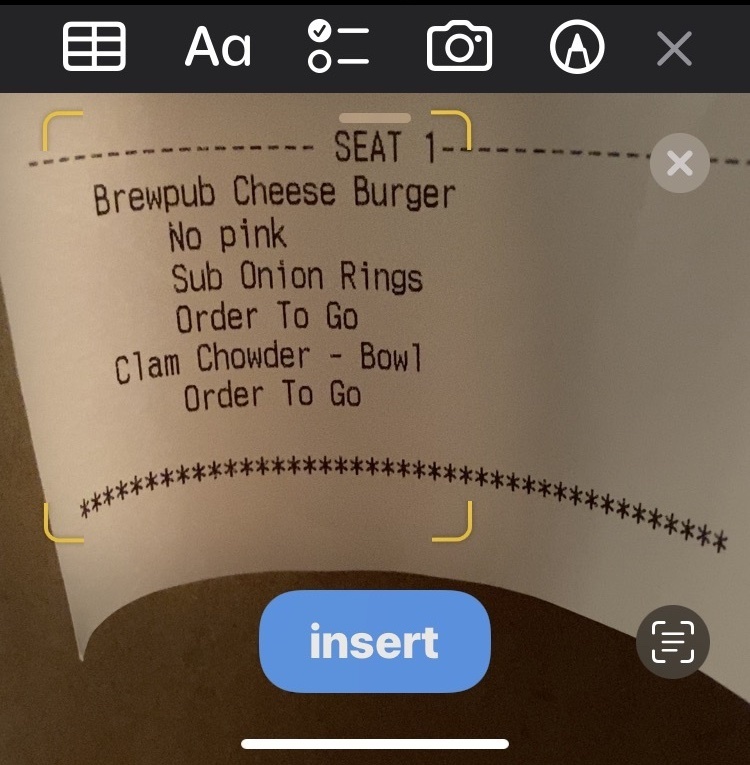
Scan Text Into Notes on iPhone & iPad

  • May 9, 2022
  • 4 replies
  • 24 views

ProTruckDriver
Moderator


The Notes app on modern iPhone and iPad system software versions includes a handy feature that lets you scan text directly into the notes app. The text you want to scan can be printed or handwritten, and the scanning is done directly within the Notes app instantaneously. After the text is scanned into the Notes app, you can edit it as needed at any time if you’d like to.


This is a great feature if you want to digitize a collection of anything that is printed or handwritten, be they letters, family recipes, receipts, manuscripts, books, magazines, flyers, or just about anything else you can imagine.


 

★★ Full Article ★★

4 replies

stlshark
New Member
Forum|alt.badge.img+1
  • New Member
  • May 9, 2022

Another great tip. I was aware of this one, but for those that are not it is a great one to learn. 


russell.harris
Popular Voice
Forum|alt.badge.img+5

Yes. Stumbled across this already too but it’s a really useful feature


Jamesharris85
New Voice
Forum|alt.badge.img+4

Ive always used the adobe scan app as i’m on android, no idea if they have a similar native feature like this though, pretty cool


russell.harris
Popular Voice
Forum|alt.badge.img+5

Just shown my mother-in-law this as she hates lots of typing!