

Hi,
This is affecting me, as well as others that work with VMware and use Webroot. Deactivating Webroot resolves the issue, which is why I would like to document this in this forum, just in case others are also having this problem.
If you install the Windows 10 Fall Creators Update Build 1709, and have VMWare (14.0 / 12.5.x) installed, before you update to Windows 10 Build 1709 VMWare works fine, after you upgrade to Windows 10 Build 1709 you are no longer able to start any virtual machines. Directories used by VMWare are locked in such a manner that VMWare is no longer able to access the directories.
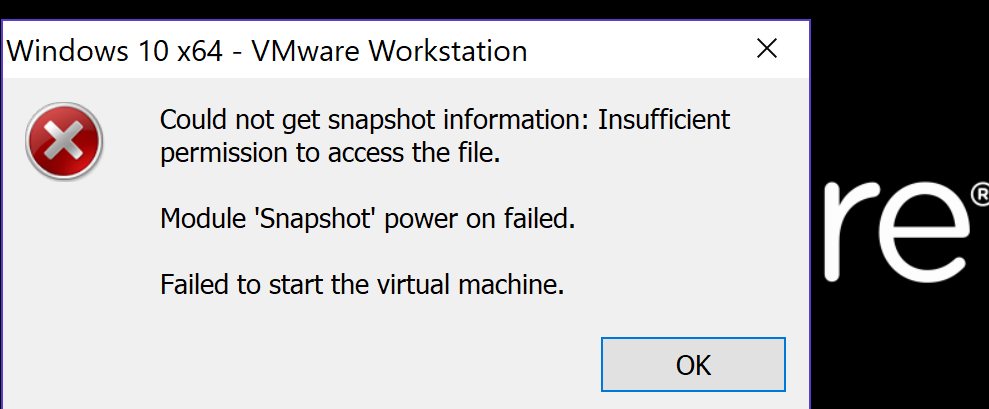
The reported error is
Could not get snapshot information: Insufficient permission to access the file.
Module 'Snapshot' power on failed.
Failed to start the virtual machine.
Here a link to the VMWare forum decribing the issue in more detail:
https://communities.vmware.com/message/2714417#2714417
I experienced other strange behaviour after the update. Dropbox was not able to start. The directory in which dropbox was installed was locked, and there was no way to gain access to the directory. I was still the owner, but even with elevated priveleges there was no way to open the directory and view the contents. Updating a new version of dropbox was impossible. Other programs were also being affected in a similar manner. Dectivating Webroot, or reverting to the previous version of Windows 10 resolved the issue.
The poster on the VMWare forum mentions reporting the issue to Webroot. Hope me mentioning this here will save someone grey hairs having the same issue.
Windows 10 Fall Creators Update / VMWare Could not get snapshot information: Insufficient permission



Login to the community
No account yet? Create an account
Enter your E-mail address. We'll send you an e-mail with instructions to reset your password.