

:catsad:I know it is not a very good way to start off an intro saying that I need help, but isn't that what we are here for? I downloaded the new Office 2013; Outlook will not process email. It will connect to the incoming server, but will not send the test email. I kept getting an error message. I finally found out what the error code meant. ( Error 0x800CCC0F when sending or receiving email. Usually caused by Antivirus software scanning email, but antispam scanners may cause Outlook to return this error as well. Disable the email scanning or increase the timeout setting. Also, make sure your firewall is allowing the scanner software to connect to the Internet).
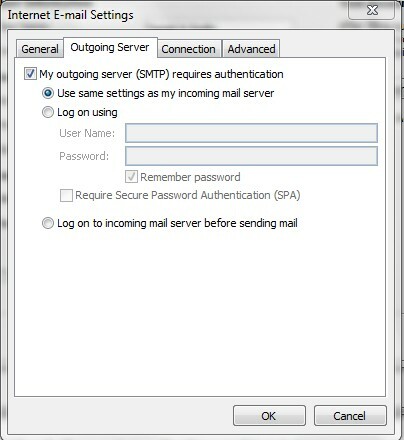
As you can see, I need to figure out how to increase the timeout setting. Does anyone have an idea on how to do this? I read through the instruction manual until I was blurry eyed and I still cannot figure it out. I really do need to use Outlook, now more then ever. My husband is getting ready to switch internet providers. He has never used the one we have; he uses his work address. I have used the address for over 12 years. Now I will have to change all of my addresses to my domain name. I will have to have a way to pick up that mail and have it sent to outlook as well. I won't be able to use the at&t website much longer.
I promise I will tell you more later....other then the fact that I have been suffering with kidney stones for two weeks....why can't those be in virtual reality?
Thanks. I will be praying for a result.
grettat
Solved
Hi All and I could use some help with the timeout setting....thanks
Best answer by MikeR
Opening a Support Ticket is the best way to proceed so that we can collect logs and investigate further. SecureAnywhere does not scan your email and uses on-execution protection that is explained in the video below.
If SecureAnywhere "Misses" a Virus
If SecureAnywhere "Misses" a Virus








Login to the community
No account yet? Create an account
Enter your E-mail address. We'll send you an e-mail with instructions to reset your password.