Solved

How do I hide the Webroot URL classification checkmarks?

  • February 14, 2015
  • 4 replies
  • 268 views

Hi, I recently purchased and installed Webroot and was annoyed to see the little checkmarks next to all my search engine results.  I understand that these can be useful in identifying unsafe websites, but to me having the green "trusted" checkmarks everywhere is just annoying and redundant.

Is there a way to hide the checkmarks altogether, or at least only show the ones that aren't green?

Best answer by BurnDaddy

Hi Benro,
 
Welcome to the Webroot Community.
 
You can disable the checkmarks in the WSA interface by doing the following:
 
Open WSA and click on Advanced Settings.
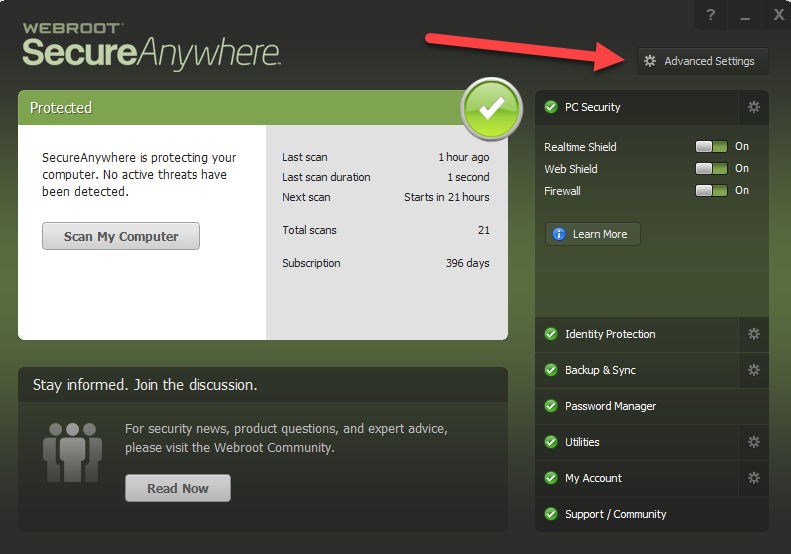


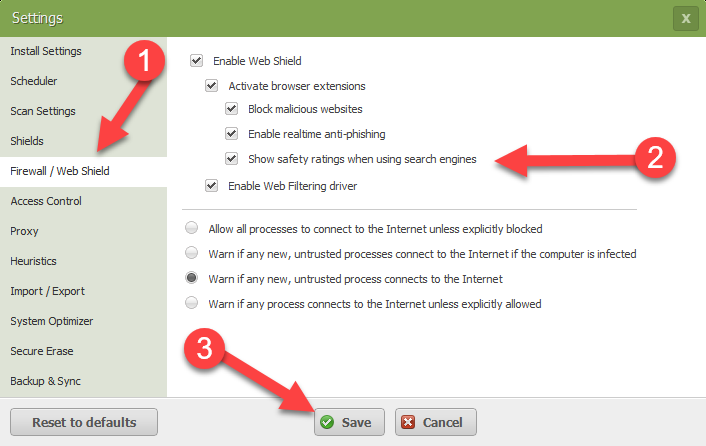
Then select Firewall/Web Shield from choices on the left and then uncheck the box for "Show safety ratings when using
search engines." Be sure to click "Save."


Hope this helps,
 
BD

4 replies

Baldrick
Gold VIP
  • Gold VIP
  • February 14, 2015
Hi UltimateWalrus
 
Welcome to the Community Forums.
 
All you need to do is to go into the Addons/Extensions Manager for the browser(s) that you are using, find the Webroot Filtering Extension, and disable it...that should remove the checkmarks.
 
As they say over here; 'Simples'
 
Regards, Baldrick

Miquell
Community Leader
  • Community Leader
  • February 14, 2015
Hi UltimateWalrus,
 
Welcome to the Community!
@ wrote:
Is there a way to hide the checkmarks altogether, or at least only show the ones that aren't green?
You can only hide all the checkmarks - disabling the Webroot Filtering Extension in your browser(s) - just as Baldrick has mentioned before.
Of course blocking malicious sites still works and protects you as well :D
 
Regards,
 
Mike

  • Fresh Face
  • December 15, 2016
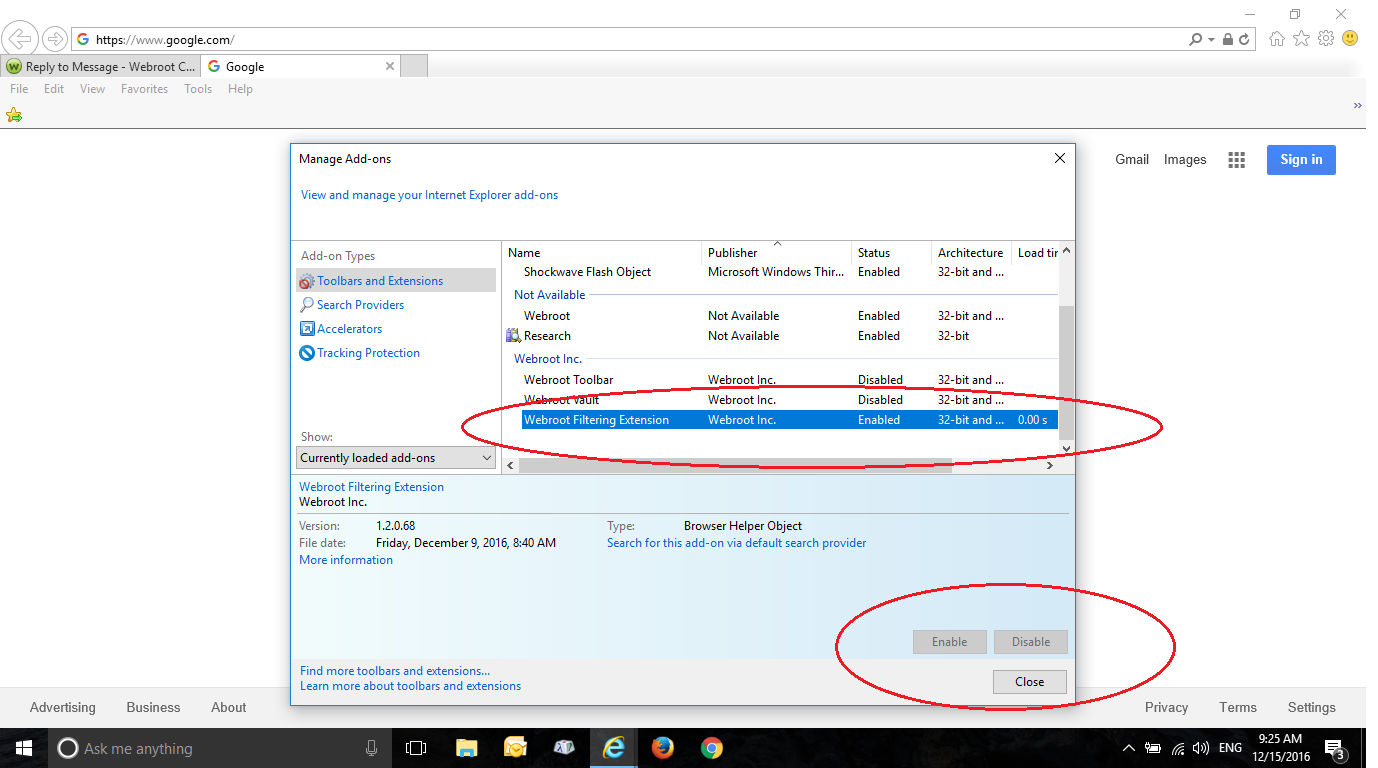
The option to disable the Webroot Filtering Extension is greyed out. Screen shot is attached.


@ wrote:
Hi UltimateWalrus,
 
Welcome to the Community!
@ wrote:
Is there a way to hide the checkmarks altogether, or at least only show the ones that aren't green?
You can only hide all the checkmarks - disabling the Webroot Filtering Extension in your browser(s) - just as Baldrick has mentioned before.
Of course blocking malicious sites still works and protects you as well :D
 
Regards,
 
Mike

  • Answer
  • December 15, 2016
Hi Benro,
 
Welcome to the Webroot Community.
 
You can disable the checkmarks in the WSA interface by doing the following:
 
Open WSA and click on Advanced Settings.


Then select Firewall/Web Shield from choices on the left and then uncheck the box for "Show safety ratings when using
search engines." Be sure to click "Save."


Hope this helps,
 
BD