
I want to know if there is anything special I need to do with Webroot in order to download Adobe Flash Player. I have tried through Firefox and Internet Explorer and neither will work. I go to this website https://get.adobe.com/flashplayer/download/?installer=FP_18_for_Firefox_-_NPAPI&os=Windows%207&browser_type=Gecko&browser_dist=Firefox&d=McAfee_Security_Scan_Plus_FireFox_Browser&dualoffer=false
uncheck the McCafee download offer, choose Windows 7 for operating system (32bit is not mentioned/is what I have) then press "Install or Download" Then I get the Run window, Then I get the window to say yes to allowing this to make changes to my computer. then the Download manager window comes up and it is blank and there is no activity whatsoever. I wait a few minutes then close everything. Firefox & do a restart with the computer and try again three times now and get the same results. Again is there something I need to do with Webroot to allow me to download Adobe Flash Player??
Thank you Bell Family
Solved
trouble installing Adobe Flash Player
Best answer by RetiredTripleHelix
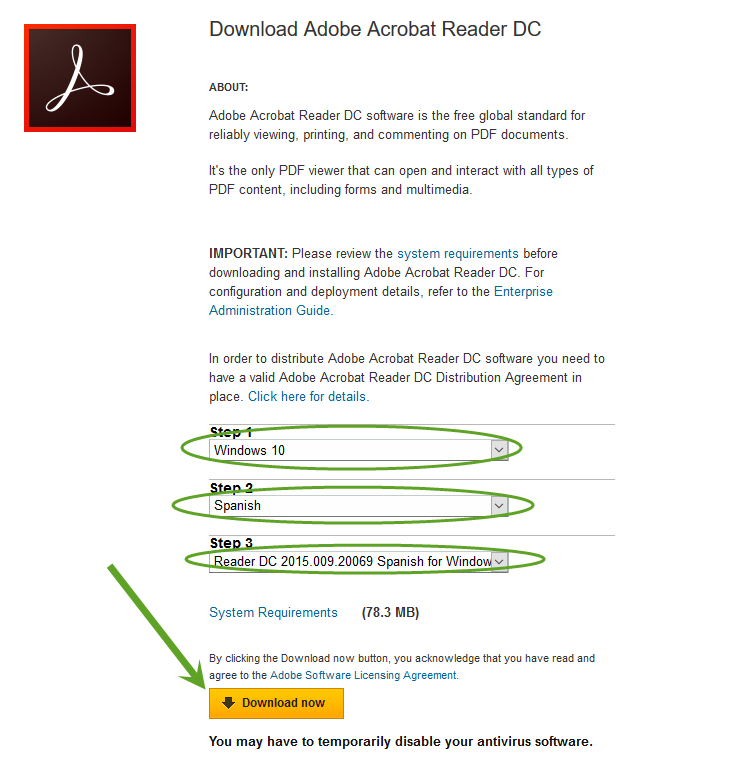
Hello try this link to see if you can get the right language: https://get.adobe.com/reader/enterprise/
HTH,
Daniel ;)
HTH,
Daniel ;)









Login to the community
No account yet? Create an account
Enter your E-mail address. We'll send you an e-mail with instructions to reset your password.