




I’ve lost count of how many times I’ve heard some version of, “We just use Microsoft Defender. It’s good enough.”
Most of the time, that’s not an unreasonable position. Defender has come a long way, and for a lot of environments it does exactly what people expect it to do. The problem is what happens when something convinces it to step aside before it ever gets a chance to work.
A recently observed Windows malware campaign stands out for a simple reason: it doesn’t try to sneak past Microsoft Defender. It focuses on getting Defender to step aside before anything else happens.
The attack chain uses familiar tools and trusted services, which makes the activity easy to miss in real environments. There’s no obvious exploit, no crash, and no dramatic failure of security controls. From Windows’ perspective, everything looks normal.
How the Infection Chain Starts
The attack begins with a compressed archive that appears to contain routine business content. Inside is a Windows shortcut file rather than a traditional document or executable.
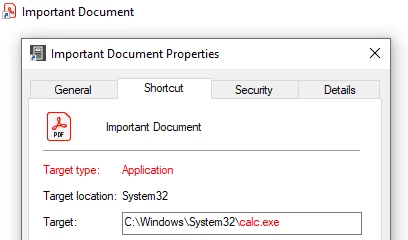
When the shortcut is opened, it launches PowerShell with execution policy bypassed and immediately pulls down the next stage of the malware. That script is hosted on legitimate platforms like GitHub, which helps the traffic blend into normal enterprise activity.
At this point, there’s nothing especially noisy or unusual. The entire sequence uses tools and behaviors that already exist in most Windows environments.
How Microsoft Defender Is Disabled
A publicly available research tool is repurposed to register a fake antivirus product with Windows Security Center. Once Windows believes another security solution is present, Microsoft Defender automatically disables itself. No exploit is needed. Defender isn’t killed or tampered with. It steps down because the operating system thinks it should.
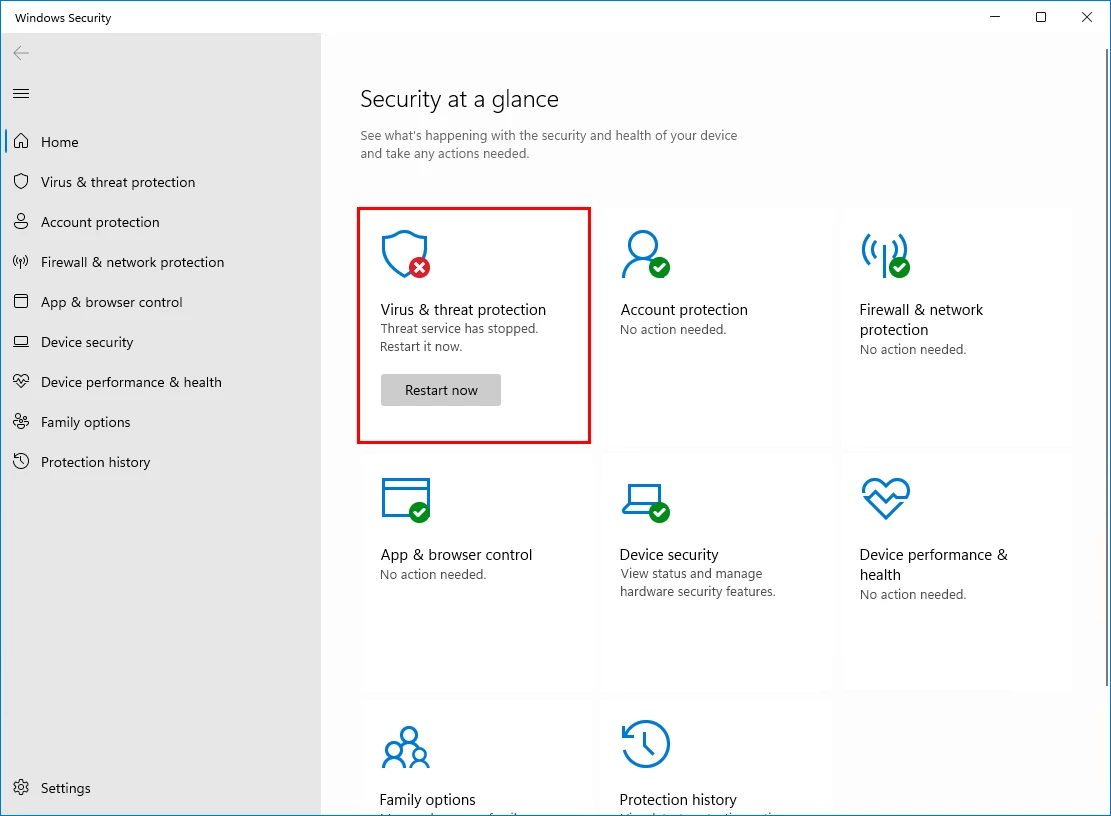
This distinction matters. In many environments, there’s no alert when this happens because nothing technically breaks.
The Whole Thing Looks Ordinary
Nothing here stands out on its own. PowerShell is native. Shortcut files are common. GitHub and Dropbox are trusted. Defender disabling itself doesn’t always trigger alarms because it’s behaving exactly as Windows designed it to.
This reflects a broader shift. Rather than attacking security tools directly, attackers are increasingly focused on getting the operating system to lower its own defenses early.
Follow-On Payloads and Activity
With endpoint protection out of the way, the malware proceeds to deploy additional components.
These include tools for collecting screenshots and system information, along with a remote access capability that allows attackers to interact with the system directly. In several observed cases, Amnesia RAT was used to maintain long-term access.
From there, the activity can branch. Some infections focus on surveillance and data theft. Others deploy ransomware that encrypts user files, or a WinLocker component that prevents access to the system altogether and applies pressure through countdown timers.
The same initial access supports all of these cybercriminal monetization tactics.
This Isn’t New
Techniques like this have been around for a while. Windows has long relied on trust assumptions around registered antivirus products, and those assumptions have been abused before.
One example is DefendNot, a publicly available proof-of-concept that demonstrates how Windows Security Center can be convinced another security product is present, causing Microsoft Defender to disable itself automatically. It was originally shared to highlight a design weakness, not as a weapon.
What’s changed is how this behavior is being used. Instead of living in research repos or demos, it’s now showing up early in real attack chains as a practical way to clear defenses before anything else happens.
What to Watch For
Shortcut files launching PowerShell. PowerShell activity tied directly to user actions. Defender changing state without a clear reason. Payloads coming from cloud services that are usually considered safe. It’s about watching for behaviors that don’t normally get much attention.
None of those are new on their own, but when they show up together, they’re worth a closer look. Campaigns like this rely on the assumption that those signals get ignored or explained away.





