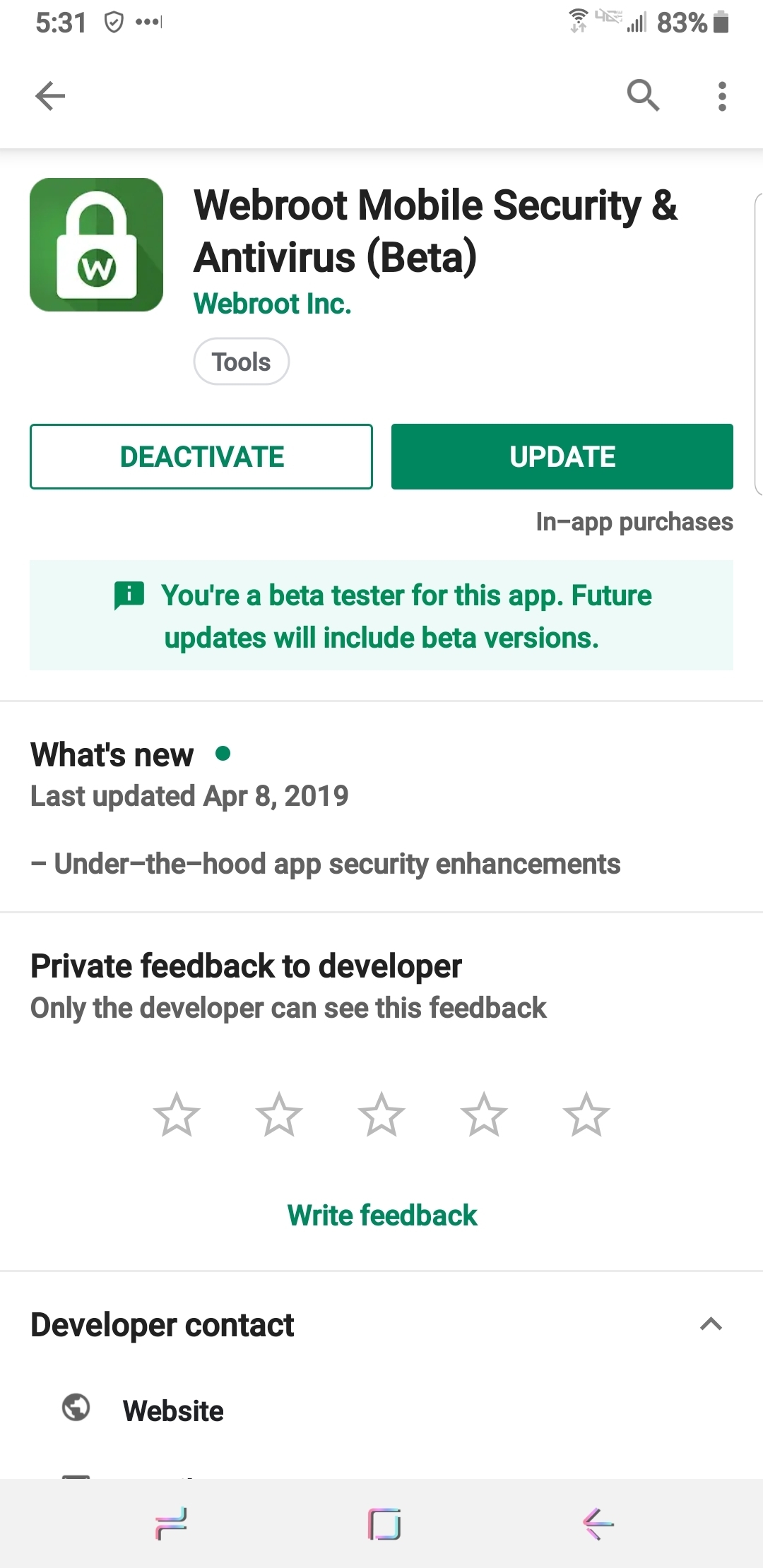
Webroot is actively working to address the issues with the Webroot Mobile Security & Antivirus app and again apologizes for any inconvenience you may be experiencing. So far, our QA testing indicates the 5.5.5 beta version shows improved app performance and reduces device resource usage significantly.
We want to release an update as soon as possible but we have yet to complete a full QA cycle.
This is where you can help.
If you're able, please head over to our beta signup page to request access. After completing the steps, you'll be able to download one of the beta builds as we'd love to hear your feedback while we continue our internal dev and QA work. Again, this isn't mandatory nor the official release but receiving real-world feedback will greatly expedite the official update.
- Home
- Community overview
- Webroot
- Webroot Mobile
- [BETA] Webroot Mobile 5.5.5
[BETA] Webroot Mobile 5.5.5
- April 5, 2019
- 109 replies
- 1347 views
This topic has been closed for replies.
109 replies
- Moderator
- April 9, 2019
Have you tried uninstalling and reinstalling the Beta? Or clearing the cache in Settings /Appications /SecureAnywhere/ Manage Storage /Cache? Maybe clear cache first then reinstall the Beta. Restart your device after clearing cache.
I personally haven't had this issue on my device.
Hope this helps?
IMac 2021 27 in i5 Retina 5, iMac OS Sequoia (15.7.3), Security: iPads, ALIENWARE 15 R6, W11 Microsoft Windows Workstation, x64, Webroot® SecureAnywhere™ Internet Security Complete, Android Samsung Galaxy Ultra Note 23, Webroot Beta Tester
- Moderator
- April 9, 2019
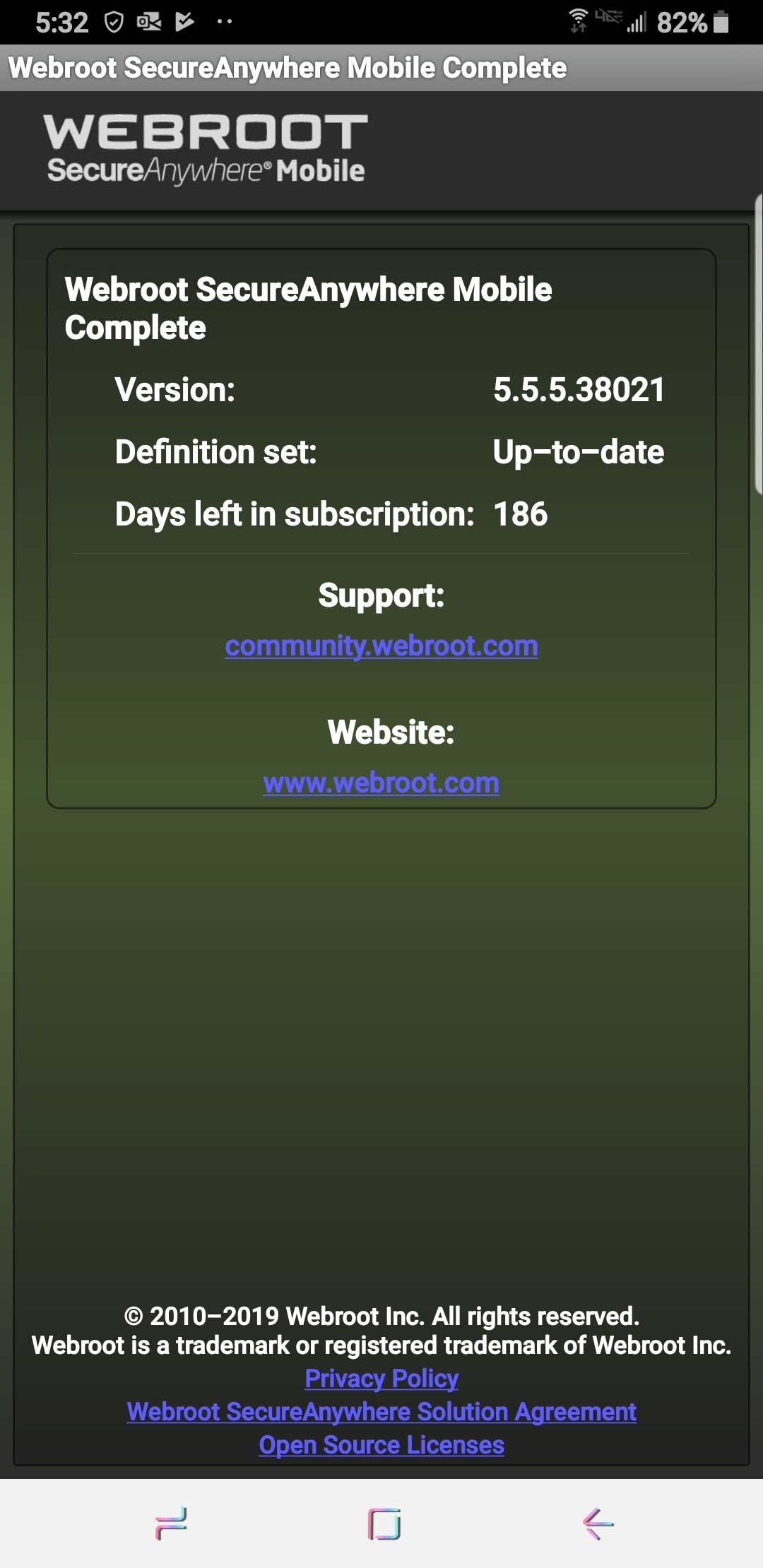
I don't see those issues with the new beta v5.5.5.38021 but not sure if it's scanning as it only takes a couple (3) seconds then says Scan Complete???
Daniel - Microsoft MVP Consumer Security (2012-2016) Windows 10 Pro x64 for Workstations 22H2 on my Alienware 17R2 and Windows 11 Pro x64 25H2 for Workstations on my Alienware 17R5 Laptops with Webroot SecureAnywhere Complete Beta Tester for PC & Android Samsung Galaxy A16 5G OS 16.
- Moderator
- April 9, 2019
HI Daniel, Same here.. Only seconds to scan. Does not seem right does it?
IMac 2021 27 in i5 Retina 5, iMac OS Sequoia (15.7.3), Security: iPads, ALIENWARE 15 R6, W11 Microsoft Windows Workstation, x64, Webroot® SecureAnywhere™ Internet Security Complete, Android Samsung Galaxy Ultra Note 23, Webroot Beta Tester
- Moderator
- April 9, 2019
Yes it's odd but could be normal and we will not know unless someone from Development tells us what to expect?
Daniel - Microsoft MVP Consumer Security (2012-2016) Windows 10 Pro x64 for Workstations 22H2 on my Alienware 17R2 and Windows 11 Pro x64 25H2 for Workstations on my Alienware 17R5 Laptops with Webroot SecureAnywhere Complete Beta Tester for PC & Android Samsung Galaxy A16 5G OS 16.
- Moderator
- April 9, 2019
Well we haven't anyone handling the (BETA) Android Forum other then Drew? So I wish we could find out.
Maybe a Support Ticket... 🤔
IMac 2021 27 in i5 Retina 5, iMac OS Sequoia (15.7.3), Security: iPads, ALIENWARE 15 R6, W11 Microsoft Windows Workstation, x64, Webroot® SecureAnywhere™ Internet Security Complete, Android Samsung Galaxy Ultra Note 23, Webroot Beta Tester
- Community Leader
- April 9, 2019
Have you tried uninstalling and reinstalling the Beta? Or clearing the cache in Settings /Appications /SecureAnywhere/ Manage Storage /Cache? Maybe clear cache first then reinstall the Beta. Restart your device after clearing cache.
I personally haven't had this issue on my device.
Hope this helps?
Ok, uninstalling & reinstalling solved the issue.
Thank you 👍
- Moderator
- April 9, 2019
Maybe a Support Ticket... 🤔
Maybe we should ask
Daniel - Microsoft MVP Consumer Security (2012-2016) Windows 10 Pro x64 for Workstations 22H2 on my Alienware 17R2 and Windows 11 Pro x64 25H2 for Workstations on my Alienware 17R5 Laptops with Webroot SecureAnywhere Complete Beta Tester for PC & Android Samsung Galaxy A16 5G OS 16.
- Community Leader
- April 9, 2019
- Moderator
- April 9, 2019
Have you tried uninstalling and reinstalling the Beta? Or clearing the cache in Settings /Appications /SecureAnywhere/ Manage Storage /Cache? Maybe clear cache first then reinstall the Beta. Restart your device after clearing cache.
I personally haven't had this issue on my device.
Hope this helps?
Thank you 👍
Boondabah! You're welcome. I'm happy to hear that! 🤗
IMac 2021 27 in i5 Retina 5, iMac OS Sequoia (15.7.3), Security: iPads, ALIENWARE 15 R6, W11 Microsoft Windows Workstation, x64, Webroot® SecureAnywhere™ Internet Security Complete, Android Samsung Galaxy Ultra Note 23, Webroot Beta Tester
- Moderator
- April 9, 2019
IMac 2021 27 in i5 Retina 5, iMac OS Sequoia (15.7.3), Security: iPads, ALIENWARE 15 R6, W11 Microsoft Windows Workstation, x64, Webroot® SecureAnywhere™ Internet Security Complete, Android Samsung Galaxy Ultra Note 23, Webroot Beta Tester
- Popular Voice
- April 9, 2019
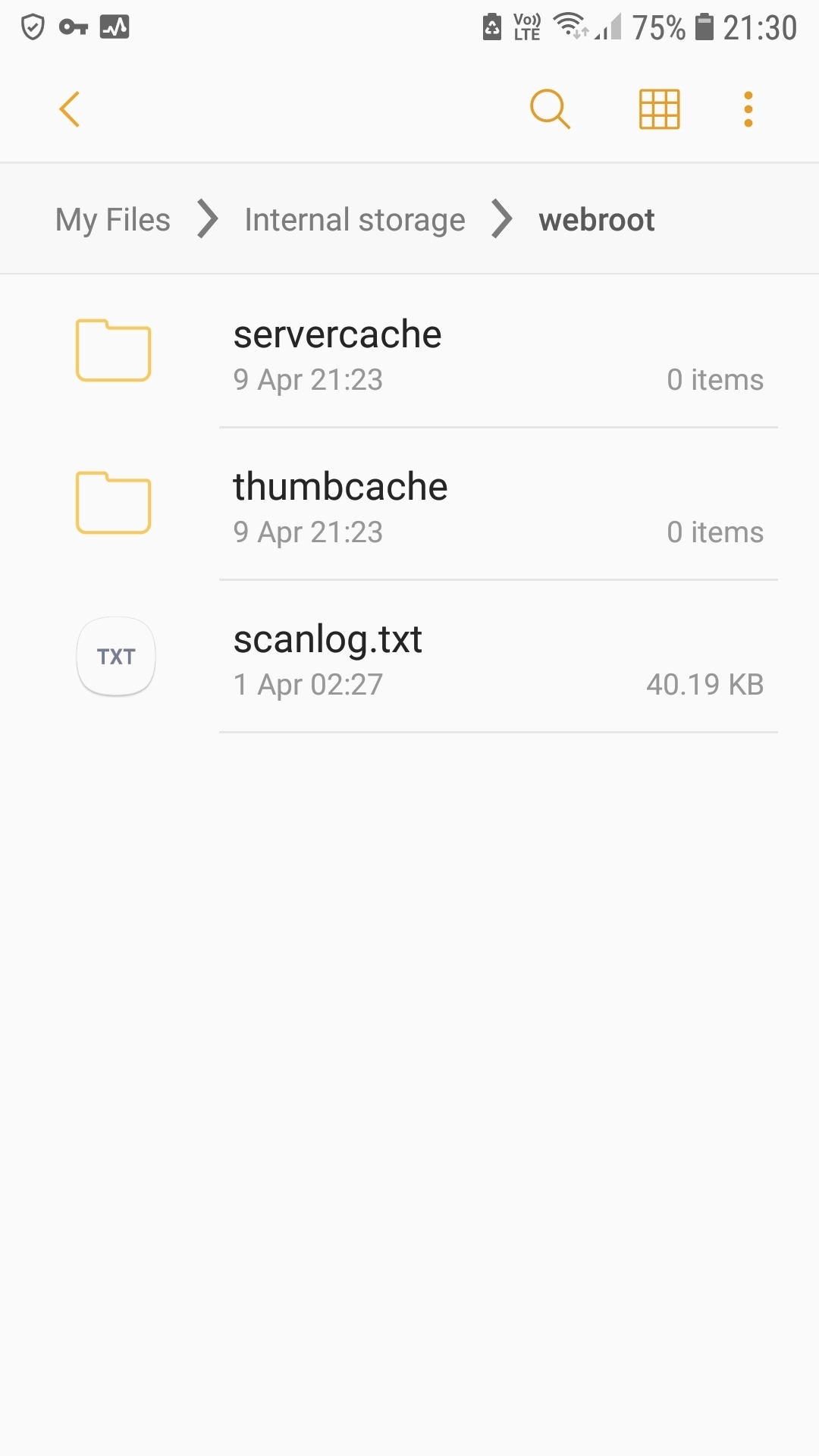
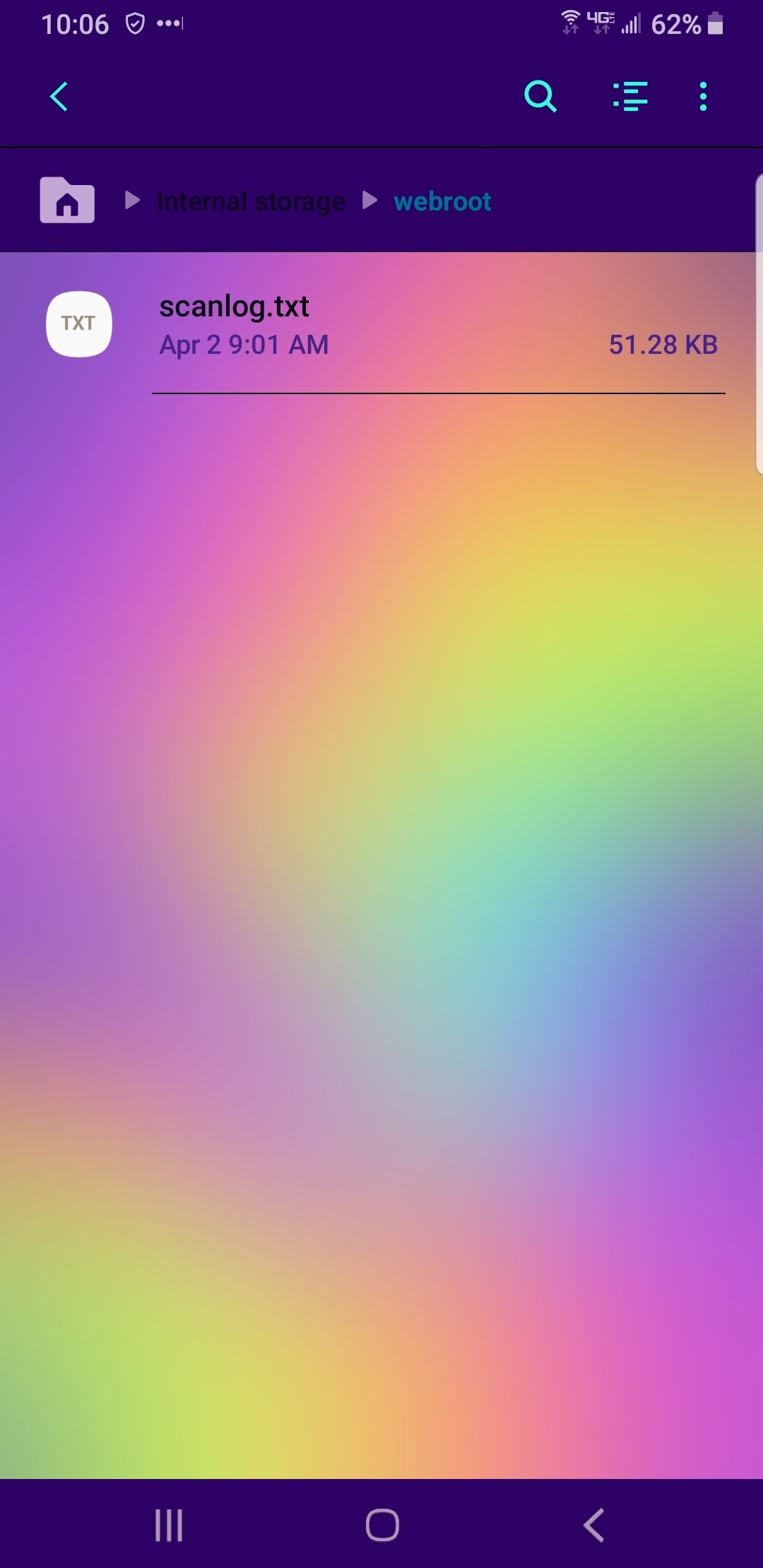
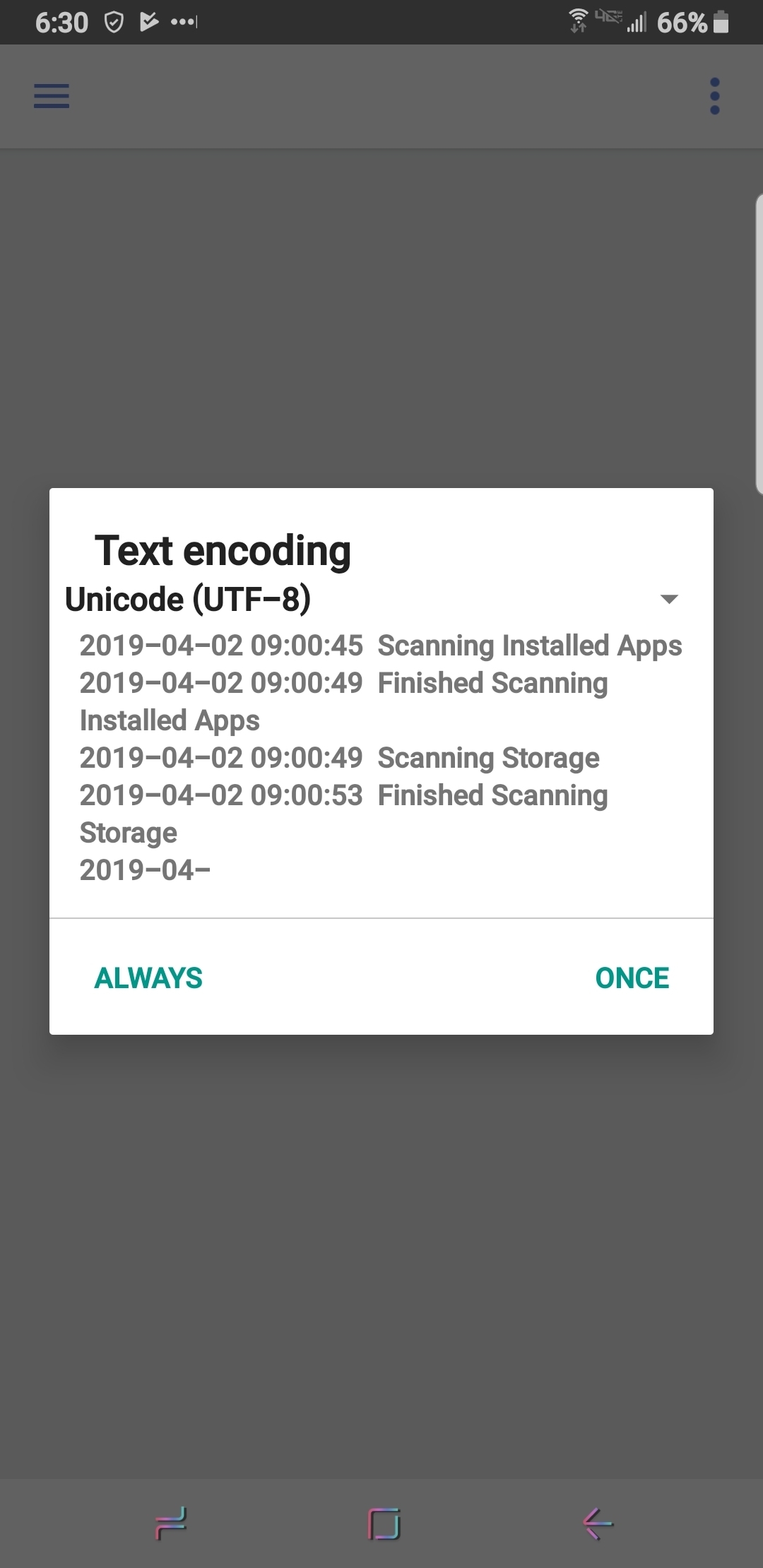
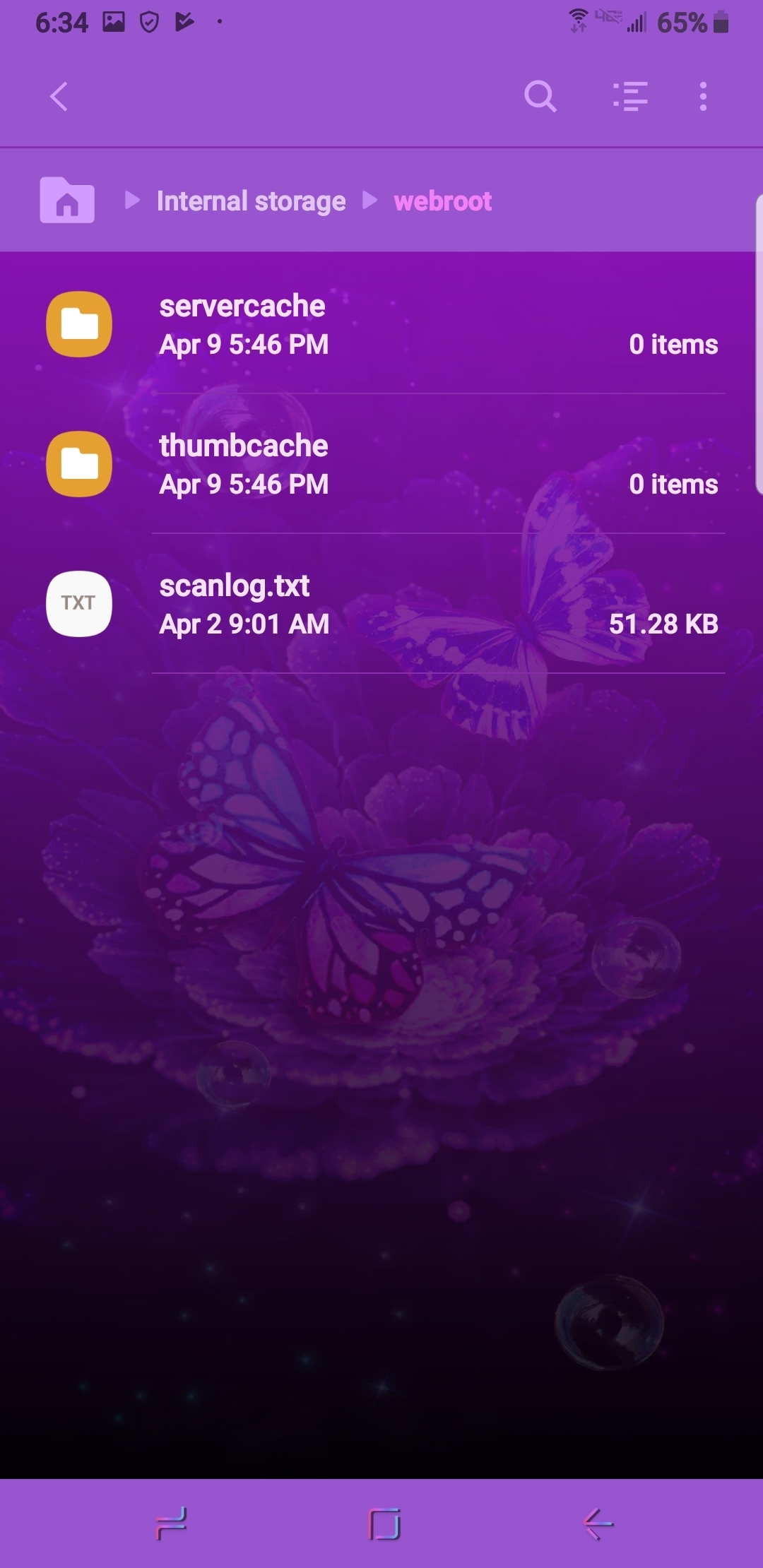
Yup. v5.5.5.38021 seems fine battery wise. Scans appear fast, too fast so not sure what its doing. I see network activity from the app but not having that scanlog.txt file updated since Mar 30 worries me. I'm losing confidence in the quality of the beta based on this past week.
- Moderator
- April 9, 2019
IMac 2021 27 in i5 Retina 5, iMac OS Sequoia (15.7.3), Security: iPads, ALIENWARE 15 R6, W11 Microsoft Windows Workstation, x64, Webroot® SecureAnywhere™ Internet Security Complete, Android Samsung Galaxy Ultra Note 23, Webroot Beta Tester
- Moderator
- April 9, 2019
IMac 2021 27 in i5 Retina 5, iMac OS Sequoia (15.7.3), Security: iPads, ALIENWARE 15 R6, W11 Microsoft Windows Workstation, x64, Webroot® SecureAnywhere™ Internet Security Complete, Android Samsung Galaxy Ultra Note 23, Webroot Beta Tester
- Moderator
- April 9, 2019
Daniel - Microsoft MVP Consumer Security (2012-2016) Windows 10 Pro x64 for Workstations 22H2 on my Alienware 17R2 and Windows 11 Pro x64 25H2 for Workstations on my Alienware 17R5 Laptops with Webroot SecureAnywhere Complete Beta Tester for PC & Android Samsung Galaxy A16 5G OS 16.
- Community Leader
- April 9, 2019
You're right.. April 2nd is the last scan log..
Perhaps scan log is no longer required for v5. 5?? 😱
- Moderator
- April 9, 2019
IMac 2021 27 in i5 Retina 5, iMac OS Sequoia (15.7.3), Security: iPads, ALIENWARE 15 R6, W11 Microsoft Windows Workstation, x64, Webroot® SecureAnywhere™ Internet Security Complete, Android Samsung Galaxy Ultra Note 23, Webroot Beta Tester
- Moderator
- April 9, 2019
Daniel - Microsoft MVP Consumer Security (2012-2016) Windows 10 Pro x64 for Workstations 22H2 on my Alienware 17R2 and Windows 11 Pro x64 25H2 for Workstations on my Alienware 17R5 Laptops with Webroot SecureAnywhere Complete Beta Tester for PC & Android Samsung Galaxy A16 5G OS 16.
- Moderator
- April 9, 2019
IMac 2021 27 in i5 Retina 5, iMac OS Sequoia (15.7.3), Security: iPads, ALIENWARE 15 R6, W11 Microsoft Windows Workstation, x64, Webroot® SecureAnywhere™ Internet Security Complete, Android Samsung Galaxy Ultra Note 23, Webroot Beta Tester
- Community Leader
- April 9, 2019
- Community Leader
- April 9, 2019
You're right.. April 2nd is the last scan log..
you beat me to that Daniel!
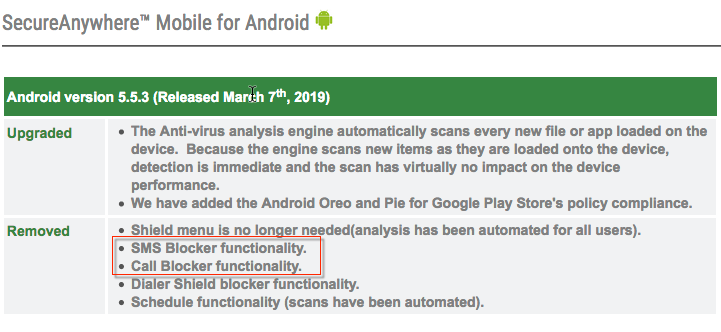
Had they been listening to beta feedback previously , v5. 5 would not be hastily released as final & affected more.....
- Moderator
- April 9, 2019
You're right.. April 2nd is the last scan log..
you beat me to that Daniel!
Yes you are right about that! I wonder if the transition to Carbonite is effecting the Webroot Developers?🤔
IMac 2021 27 in i5 Retina 5, iMac OS Sequoia (15.7.3), Security: iPads, ALIENWARE 15 R6, W11 Microsoft Windows Workstation, x64, Webroot® SecureAnywhere™ Internet Security Complete, Android Samsung Galaxy Ultra Note 23, Webroot Beta Tester
- Popular Voice
- April 10, 2019
It's certainly frustrating. I wish Webroot would roll back to the previous stable production release. That's at least a quick stop gap so more time can be spent on troubleshooting / identifying root cause.
--Patrick--
--Patrick--
- Moderator
- April 10, 2019
--Patrick--
Hi Patrick,
You'd think that Webroot could or would be able to roll back to previous version. But that would mean putting back what the Developers have taken away from the last updated Webroot Mobile version. I do not believe they can do that. But it sure would be less complaints or issues if Webroot could have a backup plan encase things go arie. Again so many have been disappointed in Webroot!
IMac 2021 27 in i5 Retina 5, iMac OS Sequoia (15.7.3), Security: iPads, ALIENWARE 15 R6, W11 Microsoft Windows Workstation, x64, Webroot® SecureAnywhere™ Internet Security Complete, Android Samsung Galaxy Ultra Note 23, Webroot Beta Tester
- Moderator
- April 10, 2019
Battery drain looks okay now but the scan is only 2 to 3 seconds? We need to hear from Development to see what is normal and what to expect!
Daniel - Microsoft MVP Consumer Security (2012-2016) Windows 10 Pro x64 for Workstations 22H2 on my Alienware 17R2 and Windows 11 Pro x64 25H2 for Workstations on my Alienware 17R5 Laptops with Webroot SecureAnywhere Complete Beta Tester for PC & Android Samsung Galaxy A16 5G OS 16.
- Retired Webrooter
- April 10, 2019
The faster scans are a feature that was implemented, although I can ask for more information about it. As for the reduced battery drain I am very happy to hear that, and will also relay this to the Product team.
Login to the community
No account yet? Create an account
Enter your E-mail address. We'll send you an e-mail with instructions to reset your password.
Scanning file for viruses.
Sorry, we're still checking this file's contents to make sure it's safe to download. Please try again in a few minutes.
OKThis file cannot be downloaded
Sorry, our virus scanner detected that this file isn't safe to download.
OK