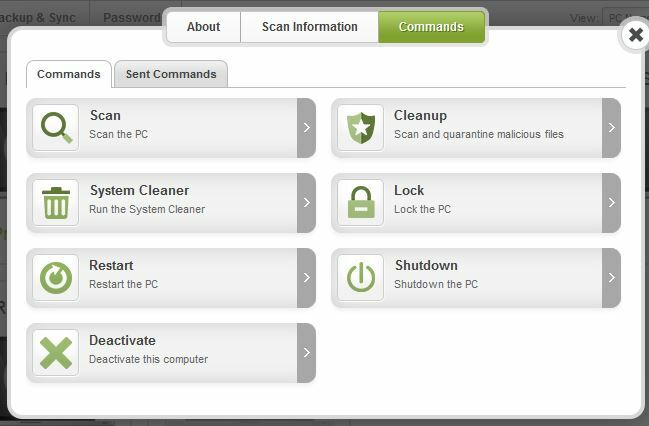
not seeing Commands tab?

  • June 24, 2015
  • 1 reply
  • 167 views

trying to delete one PC and add another to my 5 pack license. Commands tab does not appear when I click "Go to PC Security"?


1 reply

Ssherjj
Moderator
Forum|alt.badge.img+62
  • Moderator
  • June 24, 2015
Hello @,
 
Welcome to the Webroot Community,
 
I sorry to hear you are having this issue.
 
So you are not seeing the Commands tab for the PC that you want to deactivate?
 
What tabs do you see?
 
Is there more than one user profile (Online Account) set up under your Key Code?  I suspect that the profile you are signing in under may not be set for Admin access.  Once you log into the Account Console, are you able to click on the email address at the upper right hand corner and choose Manage Users from the drop down?


To Deactivate a PC
 
If you have followed these instructions and still don't see a Commands in your PC Security online Account Console then I would suggest you submit a Support Ticket so they can check this out for you . This is a free service with an active Webroot license.
 
 
Please get back to us if you get this resolved or not.
 
 
Kind Regards