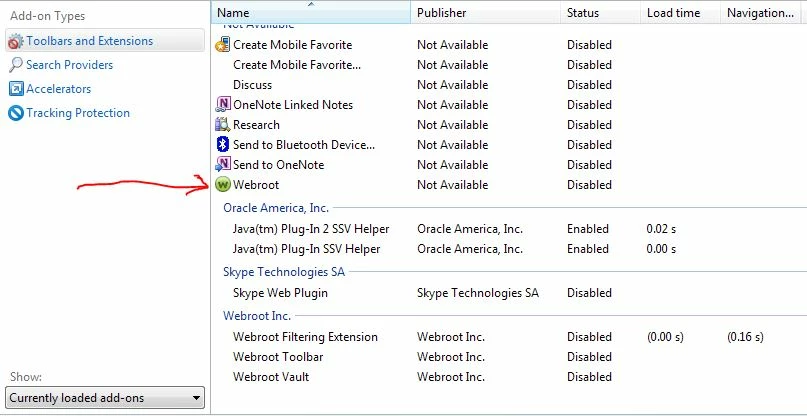
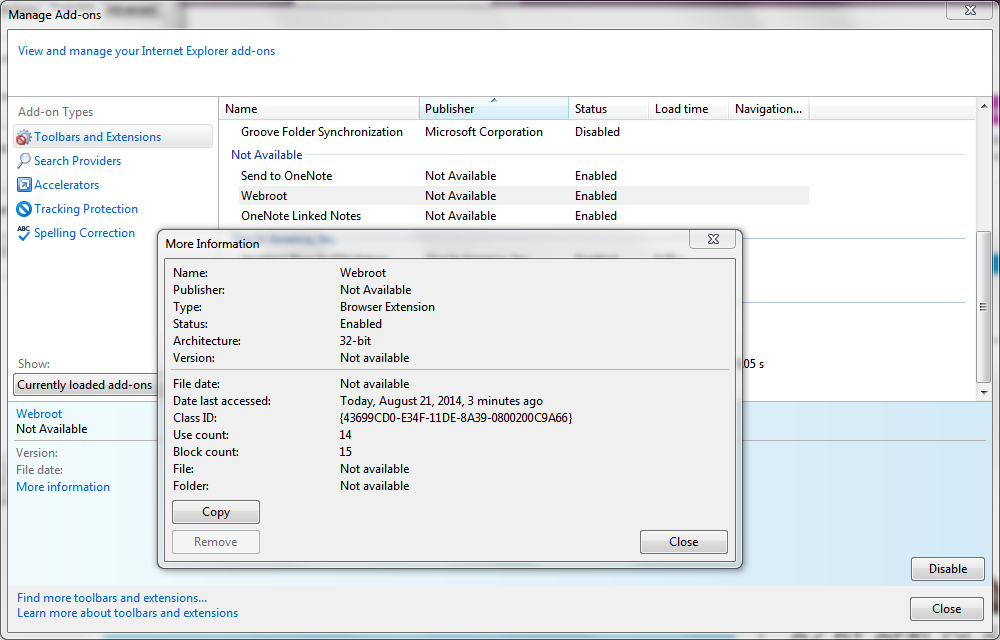
There is an add-on that I noticed in IE with the label of Webroot, but Webroot is not identified as the publisher, just shown as "not available". What is this add-on, specifically what does it do, and what are the effects of turning it on or off?
I know what the following add-ons do and I am not enquiring about them -
Webroot Filtering Extention
Webroot Toolbar
Webroot Vault
I've been troubleshooting some issues with IE 9, 10 and 11 and need to know what this particular add-on does by itself, and also what it does in relation to the other 3 add-ons.
Any help much appreciated!
Edited to add screenshot below which I did not realise was possible to do.
Best answer by Cavehomme
I managed to uninstall WRSA and LastPass and then physically removed the add-on since it was still there after uninstall.
I then Installed WRSA, did not enable any add-ons, then followed with an installation of LastPass which was then enabled as an add-on in IE.
It was interesting to note that the add-on mentioned above was now identified as a LastPass add-on rather than a Webroot add-on.
The hangs and odd behaviour of IE9 have now seemed to stop, at least for now, but I have not yet enabled the WR Filtering extension, instead using IE Smartscreen; I think I will leave it "as is" so as not to de-stabilise the system once again.
So for you guys, if anyone else experiences this or similar issue, it may be a fix for them to -
1. Uninstall LastPass completely
2. Uninstall WRSA
3. Reboot
4. Remove any remaining LP and WRSA folders under c:Program Files, c:Program Data and c:usersyouraccountnameappdata....
5. Run CCleaner to include removing old prefetch data
6. Run Registry fix in CCleaner ensuring registry is backed up. This removed very many LP and WR entries.
7. Reboot
8. Install WRSA (do NOT install LastPass before WRSA)
9. Open IE, do not enable any WRSA add-ons when prompted
10. Reboot
11. Install LastPass
12. Open IE and enable LastPass add-on when prompted. All should be hopefully OK now.
@ wrote:
There is an add-on that I noticed in IE with the label of Webroot, but Webroot is not identified as the publisher, just shown as "not available". What is this add-on, specifically what does it do, and what are the effects of turning it on or off?
I know what the following add-ons do and I am not enquiring about them -
Webroot Filtering Extention
Webroot Toolbar
Webroot Vault
I've been troubleshooting some issues with IE 9, 10 and 11 and need to know what this particular add-on does by itself, and also what it does in relation to the other 3 add-ons.
Any help much appreciated!
Hello cavehomme, Welcome to the Forum,
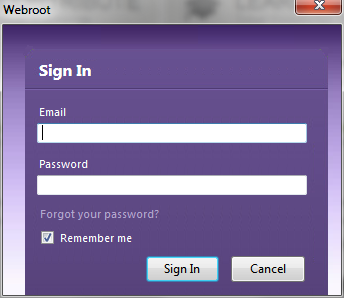
Are you talking about the Password Manager up in the right hand corner?
I am referring to the list of add-ons in the toolbars and extension manager, refer to screenshot attached, specifically the add-on next to my red arrow, thanks.
@ wrote:
I am referring to the list of add-ons in the toolbars and extension manager, refer to screenshot attached, specifically the add-on next to my red arrow, thanks.
Hello cavehomme,
I'm sorry but the Community Manager has to approve this screenshot and he'll be in pretty soon. Please be patient and we will get this resolved.
When you reach Community Guide you can post images and here's the link here
I know this doesn't help out with your issue now but its just some information to go by when you reach a certain rank!
So @ Would you be so kind as to approve this image?
Yes, that is the add-on https:///t5/user/viewprofilepage/user-id/14289.
I now think it is perhaps related to the password manager, which is made by Last Pass?
There are some major compatibility problems between Webroot and users of LastPass, which I may or may not be related to this particular add-on, I am just guessing.
I now think it is perhaps related to the password manager, which is made by Last Pass?
There are some major compatibility problems between Webroot and users of LastPass, which I may or may not be related to this particular add-on, I am just guessing.
Yes it's a re-branded LastPass so you don't need LastPass when using Webroot - ISP or Complete.
I managed to uninstall WRSA and LastPass and then physically removed the add-on since it was still there after uninstall.
I then Installed WRSA, did not enable any add-ons, then followed with an installation of LastPass which was then enabled as an add-on in IE.
It was interesting to note that the add-on mentioned above was now identified as a LastPass add-on rather than a Webroot add-on.
The hangs and odd behaviour of IE9 have now seemed to stop, at least for now, but I have not yet enabled the WR Filtering extension, instead using IE Smartscreen; I think I will leave it "as is" so as not to de-stabilise the system once again.
So for you guys, if anyone else experiences this or similar issue, it may be a fix for them to -
1. Uninstall LastPass completely
2. Uninstall WRSA
3. Reboot
4. Remove any remaining LP and WRSA folders under c:Program Files, c:Program Data and c:usersyouraccountnameappdata....
5. Run CCleaner to include removing old prefetch data
6. Run Registry fix in CCleaner ensuring registry is backed up. This removed very many LP and WR entries.
7. Reboot
8. Install WRSA (do NOT install LastPass before WRSA)
9. Open IE, do not enable any WRSA add-ons when prompted
10. Reboot
11. Install LastPass
12. Open IE and enable LastPass add-on when prompted. All should be hopefully OK now.