
Solved
Adobe Flash.

How do I determine when pop-up ad for updating Adobe Flash is legitimate?
Best answer by Ssherjj
Hello ?,
Welcome to the Webroot Community,
I usually go into my Windows Control Panel/View by Large icons and I look for Flash Player and then have it check for updates. This doesn't work for Chrome though because Chrome has it's own Flash player built in.
Or go to Adobe Flash Player and update form their website.https://get.adobe.com/flashplayer/ and please make sure you uncheck any add ons such as McAfee!!
Hope this helps,
Kind Regards,
Welcome to the Webroot Community,
I usually go into my Windows Control Panel/View by Large icons and I look for Flash Player and then have it check for updates. This doesn't work for Chrome though because Chrome has it's own Flash player built in.
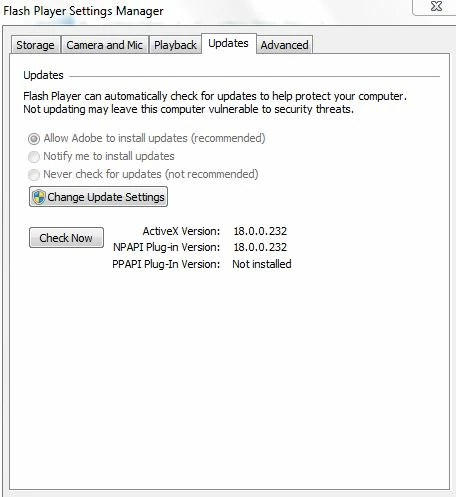
Or go to Adobe Flash Player and update form their website.https://get.adobe.com/flashplayer/ and please make sure you uncheck any add ons such as McAfee!!
Hope this helps,
Kind Regards,



Login to the community
No account yet? Create an account
Enter your E-mail address. We'll send you an e-mail with instructions to reset your password.