Answer

Deactivating computers? My menu is wrong.

  • February 8, 2021
  • 3 replies
  • 81 views

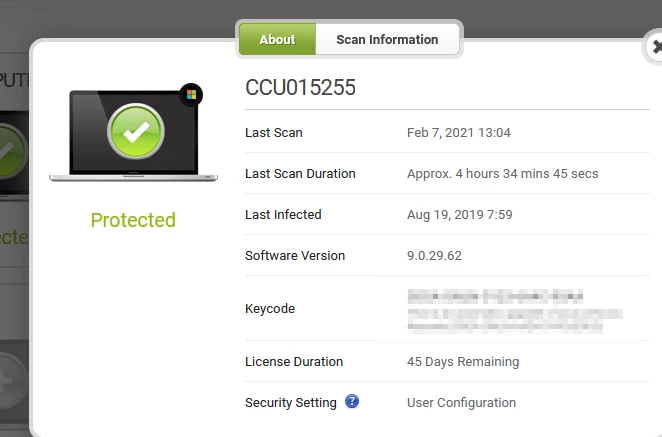
I’m trying to deactivate some old computers that are still listed on my account.  The page telling me how to do this (https://docs.webroot.com/us/en/home/wsa_website_userguide/wsa_managementwebsite_userguide.htm#UsingPCSecurity/DeactivatingPCs.htm?Highlight=deactivate) says very clearly that the security panel has three menus: “About,” “Scan Information,” and “Commands.”  I need to use the “Commands” option to deactivate a machine.  However, my security panel only has two menu options for each machine. The “Commands” option, which is precisely the one I need, is missing. How can I deactivate an old machine? 
 

Best answer by TripleHelix

Hello @Hermagoras 


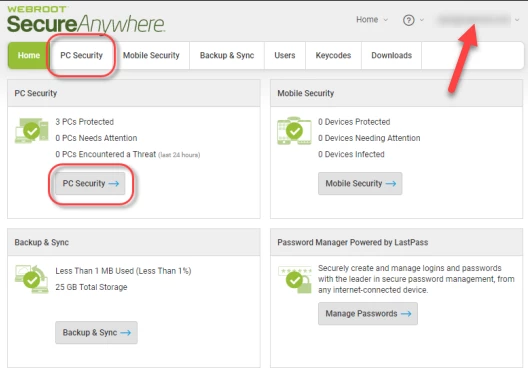
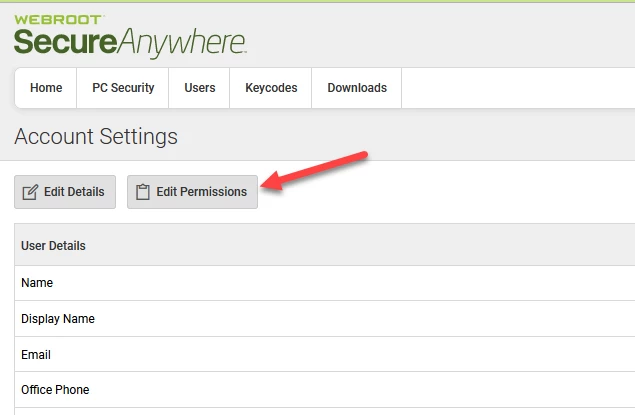
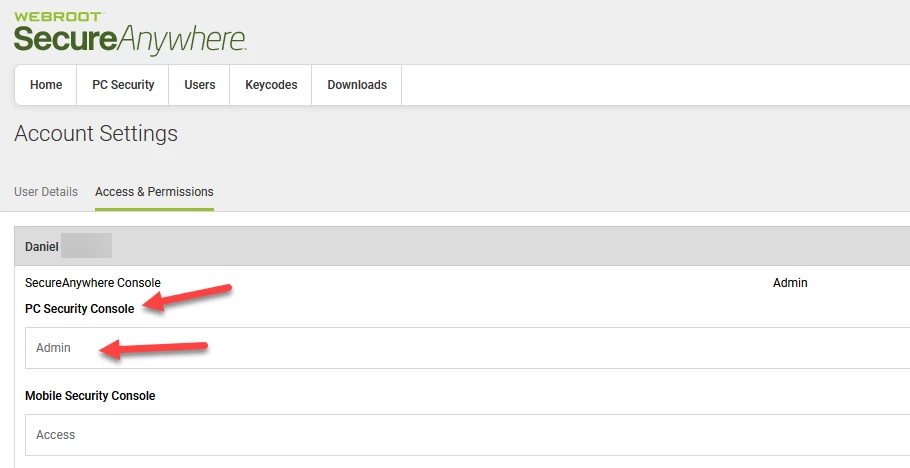
Go back into your online console and click on your email address at the top right and go to account settings and make sure you are Admin and then check again to see if you have the Command box?


HTH,

3 replies

TripleHelix
Moderator
Forum|alt.badge.img+63
  • Moderator
  • Answer
  • February 8, 2021

Hello @Hermagoras 


Go back into your online console and click on your email address at the top right and go to account settings and make sure you are Admin and then check again to see if you have the Command box?


HTH,


  • Author
  • Fresh Face
  • February 8, 2021

Oh my goodness that’s fantastic!  Thank you. 


TripleHelix
Moderator
Forum|alt.badge.img+63
  • Moderator
  • February 8, 2021

Oh my goodness that’s fantastic!  Thank you. 


Great to hear!


Cheers,