Does "Scan my computer" mean it scans external hard drives or just the internal C drive?

  • January 11, 2015
  • 4 replies
  • 93 views

I want to make sure it scans the external hard drive and can't see how to do this. 

4 replies

Petrovic
Gold VIP
Forum|alt.badge.img+52
  • Gold VIP
  • January 11, 2015
Hello
 
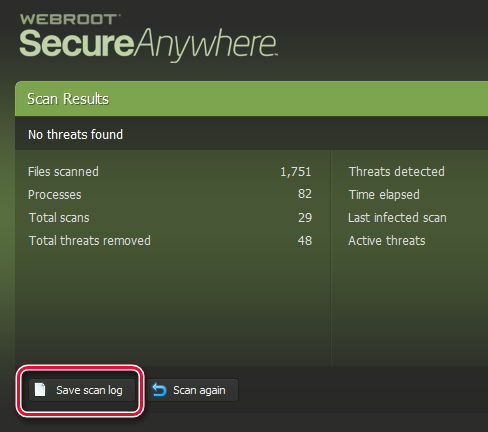
Just to clarify a bit, this feature is actually in the program, and you don't have to use right-click functionality to use it. If you choose to do a Custom Scan from the PC Security menu and click Add File / Folder, you can add all of your external drives to be scanned during a custom scan. Then run your scan, and it will perform a full scan of all selected drives.
https://community.webroot.com/t5/Ideas-Exchange/Easier-scanning-of-external-drives/idi-p/2974
 
You can verify this by saving the log file
And check out the scan paths


optional
The difference between a 'deep' scan and a 'full' scan
https://community.webroot.com/t5/Webroot-SecureAnywhere-Complete/The-difference-between-a-deep-scan-and-a-full-scan/ta-p/6476
How to Use and Configure Scans
https://community.webroot.com/t5/Webroot-Education/How-to-Use-and-Configure-Scans/ta-p/21494

Baldrick
Gold VIP
  • Gold VIP
  • January 11, 2015
Hi foxter
 
Welcome to the Community Forums.
 
If I may add to the information that Petrovic has provided?
 
I am sensing that you would like to regularly scan your external drive and so would like to be able to have such a scan run automatically?  If I am incorrect then please regard the below.
 
If I am correct then I am afraid that this feature is not currently available in WSA...one can do a manual scan as Petrovic has correctly explained but there is no way, as far as I am aware, to save the scan criteria and then get them scheduled again.
 
I believe that such a feature may be on the cards but at present it does not exists in terms of scheduled scanning.
 
Regards, Baldrick

  • Author
  • Fresh Face
  • January 11, 2015
Thank you kindly.  I will follow these instructions.  I thought that in the trial period I had I was able to right click on the external drive and have Webroot work.  Then the program was deleted when the trial period ended.  Days later I contracted for the program and tried to right click but there was no dropdown choice for Webroot.  It is probalby my confusion.  I am very happy that it has the capacity to do external hard drives as I have alot of dox to transfer to different drives.  Thank you again.  The links are quite helpful.  This is a wonderful community.

  • Author
  • Fresh Face
  • January 11, 2015
Thank you for your insight.  Yes, I was looking for a way to scan all drives at once.  As in my other reply post, I was mistaken as to the program's functionality.  Perhaps in time the program will be changed.  Happy new year to you.