Exceptions - removing and Add again

  • December 8, 2015
  • 6 replies
  • 60 views

I am a developer. I created a program that uses MS-Access locally to store data. I noticed that it can take up to 2 full minutes to initiate a process in my application when it reads / writes data to the database.  If I turn off WebRoot, it only takes 2 to 3 seconds.
I discovered I could add my program to the "block/Allow Files" and tell Webroot to Allow.  But then, I modified where my application gets installed.
Now it is back to taking two full minutes again for that process of reading / writing data.
I have removed the program from the list in WebRoot SecureAnywhere on the Block/Allow Files tab, then when I go to add it back, even though I selefct the new location the path that shows up in the tab in Webroot is the old path to the file.
 
As a developer, it would be easier for me if you could allow me to select a path to allow / ignore.  I have seen where that has been requested, but do not see that you have implemented that yet.
 
For now, in order to run my program, I have to completely disable Webroot. 
Do you have suggestions on how I can resolve this??

6 replies

Ssherjj
Moderator
Forum|alt.badge.img+62
  • Moderator
  • December 8, 2015
Hello DaveMcTKD,
 
Welcome to the Webroot Coommunity,
 
There are essentially 3 key areas where this can happen/a user can override WSA.  These are essentially reached, from the main WSA panel, as follows:
 
  1. PC Security > Block/Allow Files
  2. Identity Protection > Application Protection
  3. Utilities > System Control > Control Active Processes
and once there the user usually has the options to:
 
  1. "Allow"
  2. "Protect/Monitor"
  3. "Block/Deny"
In the case of 1. Block/Allow Files
 
If an item is set to:
 
- "Allow", WSA ignores it during scans and shield actions, meaning if it's a virus that has been allowed, it can continue acting as a virus acts.  Be careful of what you allow in this area and ensure it's something you trust implicitly if you are going to change the status from Block to Allow.
 
- "Monitor", WSA will watch the item to determine if it is legitimate or related to malware.  It is not necessary to add files into this list or set files to monitor manually unless you are changing them from a Block or Allow status.  This might be useful if for example you think Webroot might have had a false positive on something and you want to check again at a later time to see if the determination has changed.  You could set it to Monitor and have Webroot check it again.
 
- "Block", then WSA will treat the items as it would detected malware.  It will not be executed, and it will not be written to your hard drive.  Detected infections are automatically set to a Block status.
 
In the case of 2. Protected Applications
 
In this case:
 
- "Allowed applications" are not secured against information-stealing malware, and also have full access to protected data on the system. Many applications unintentionally access protected screen contents or keyboard data without malicious intent when running in the background. If you trust an application that is currently marked as "Deny," you can change it to "Allow."
 
- "Protected applications" are secured against information-stealing malware, but also have full access to data on the system. By default, web browsers are assigned to the "protected" status. If desired, you might also want to add other software applications to "protected," such as financial management software. When you run a protected application, the Webroot icon in the system tray displays a padlock.
 
- "Denied applications" cannot view or capture protected data on the system, but can otherwise run normally.
 
And finally, in the case of 3. Control Active Processes
 
If a process is set to:
 
- "Allow" it means WSA allows it to run on the system. It's important to note that if an item is already allowed here, that's because Webroot knows already from seeing the file before that it's ok to allow.
 
- "Monitor" status means WSA will journal what that program is doing and keep a very close eye on it for any suspicious activity.  Basically it would treat it as if it wasn't already sure about it one way or the other, and it wants to monitor it closely until it's sure about it.
 
- "Block" means just that...WSA does not allow it to run on the system.  Be very careful about what you block in this area and ensure that anything you decide to block is a non-essential process.  Otherwise, you could be setting yourself up for a lot of grief if you block something critical.
 
If you have done all of this then your best bet is to get these whitelisted by submitting a Support Ticket free of charge with an active subscription.
 

  • December 8, 2015
 
In the case of 2. Protected Applications (Internet Security & Complete version ONLY)
---------------------------------------------------------------
 
AFAIK ~ WSA Antivirus has Protected Applications too....

Ssherjj
Moderator
Forum|alt.badge.img+62
  • Moderator
  • December 8, 2015
@ wrote:
 
In the case of 2. Protected Applications (Internet Security & Complete version ONLY)
---------------------------------------------------------------
 
AFAIK ~ WSA Antivirus has Protected Applications too....
Thank you @...;)

  • Author
  • Fresh Face
  • December 8, 2015
A lot of information there, but you did not answer the questions.
1) After adding an application to Allow, then removing it, when I add it again the path to the application is the old path, not the new path where the application is currently installed. How do I reset it completely so it finds the application in the new location?
2) When will I be able to allow entire folders?

DanP
Forum|alt.badge.img+35
  • OpenText Employee
  • December 8, 2015
Hello ?,
 
Please Submit A Support Ticket and we can gather logs and work with you to get your software whitelisted which should take care of the issue that you are seeing. When you create the ticket, include a link to this thread.
 
Folder exclusions are currently only available in our Enterprise product.
 
-Dan

  • Author
  • Fresh Face
  • December 10, 2015
Thanks.
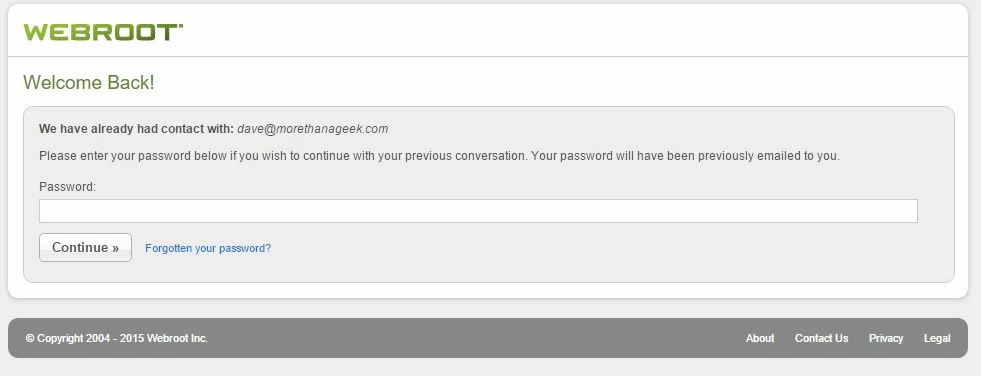
I tried, I get a message that I have you have already been in contact with me on the screen.  It asks for my password to continue, I enter it, and the screen comes back asking again.


Then, when I enter my password and hit continue, it simply clears the password text box and does nothing.