Answer

expired alert red

  • February 19, 2019
  • 4 replies
  • 101 views

durantash
Community Leader
Forum|alt.badge.img+37
Hi ,

at these 3 days some users contact me for renewal.

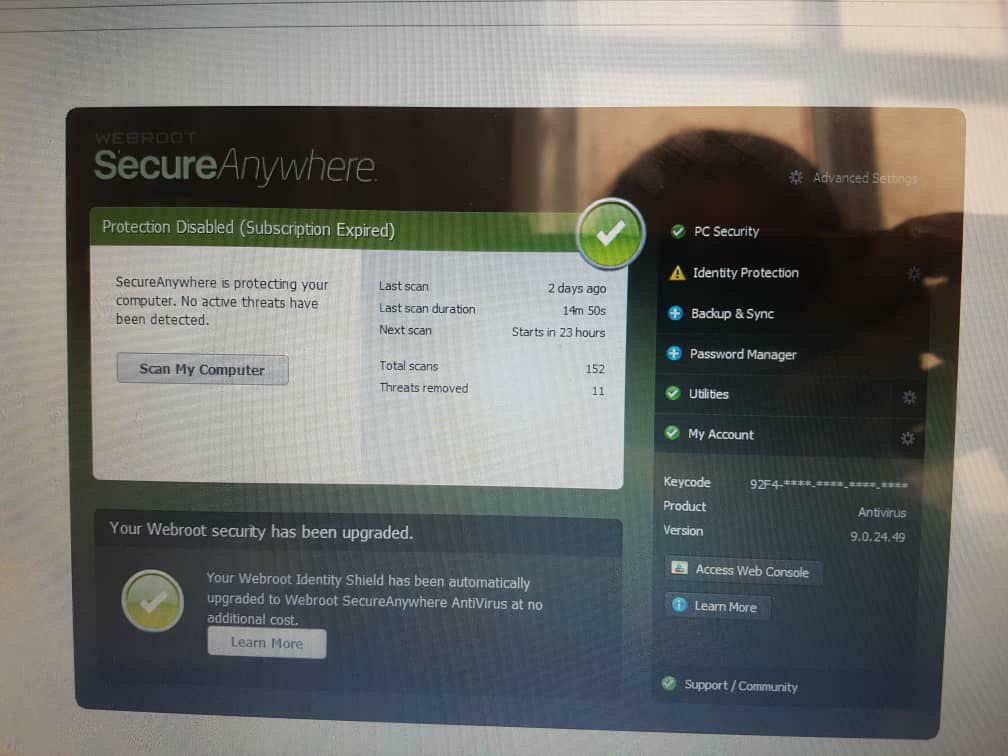
but interesting , their Antivirus no Red !!!!! and no alert for expired keys .

they only view a text " subscribe expired " , up main Antivirus panel .

Why main panel is Green !!!


Regards ,

Amir

Best answer by TripleHelix

Hi Amir @durantash it's best to Submit a Support Ticket and ask them what's going on, also put in the keycodes of the affected ones and they can tell you for sure.

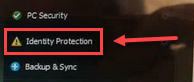
Also I see that the Identity Shield shows a notification for whatever reason and could be the cause and again it's best to contact support.


Thanks,

4 replies

TripleHelix
Moderator
Forum|alt.badge.img+63
  • Moderator
  • Answer
  • February 19, 2019
Hi Amir @durantash it's best to Submit a Support Ticket and ask them what's going on, also put in the keycodes of the affected ones and they can tell you for sure.

Also I see that the Identity Shield shows a notification for whatever reason and could be the cause and again it's best to contact support.


Thanks,

durantash
Community Leader
Forum|alt.badge.img+37
  • Author
  • Community Leader
  • February 19, 2019
Hi Dear,

This means when license expired " PC security is active and only identity protection Inactive ?

or only for some license ?!

Amir

TripleHelix
Moderator
Forum|alt.badge.img+63
  • Moderator
  • February 19, 2019
Hi Dear,

This means when license expired " PC security is active and only identity protection Inactive ?

or only for some license ?!

Amir

I don't know that's why I said it's best for you to contact Webroot Support! Webroot Customer Service

durantash
Community Leader
Forum|alt.badge.img+37
  • Author
  • Community Leader
  • February 27, 2019
Thank you so much 🏵️