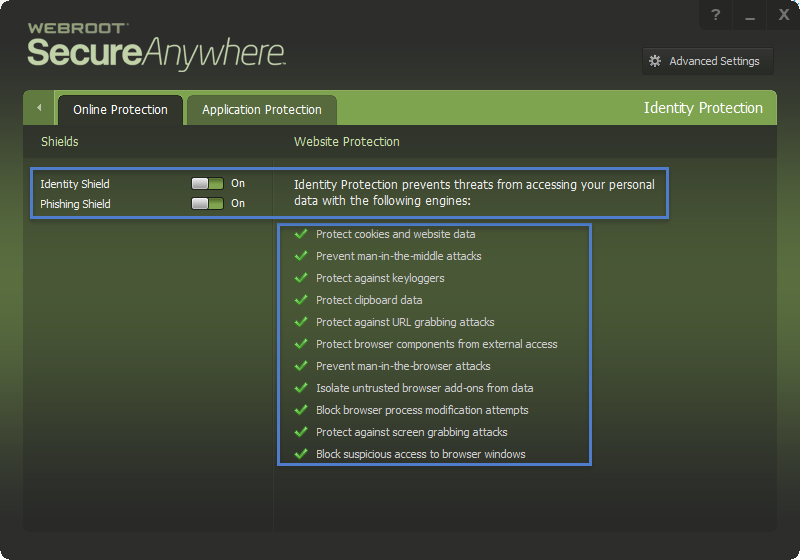
Foreground window is protected by Identity shield.

  • October 14, 2015
  • 14 replies
  • 182 views

Trying to diusable identiy sheild on chrome (Would lvoe to disable iot al together but I have that glaring warning icon staring at me if I do.)
 
Anyways, I am trying to turn this off for chrome, I have added chrome (shows up as new_chrome) to the ALLOW list under the Identity sheild application section, Yet it stil has the padlock when have the widnow focus on chrome.  It is not allowing a program I use in conjuction with chrome to work.

14 replies

shorTcircuiT
Gold VIP
  • Gold VIP
  • October 14, 2015
Hello there, welcome to the Community!
 
Personally I think you are going about this in reverse: instead of attempting to disable the protection in Chrome (which is not reccomended), if you trust the other program you are using in conjuction with Chrome, why do you not add it to Protected Programs and have both it and Chrome set for protected?

  • Author
  • New Voice
  • October 14, 2015
Appreciate the tip.
 
Would stil rather disable idenity protection on chrome .  or if possible disable it all together without getting that glaring warning.


shorTcircuiT
Gold VIP
  • Gold VIP
  • October 14, 2015
Since that Shield is an important part of the protection WSA provides, there is no way to disable the warning when it is disabled I am afraid.  The best way to fix the situation is to keep the protection on, but bring in the other program into the protected zone.

  • Author
  • New Voice
  • October 14, 2015
Ok how about turning off preotection for just Chrome then?  
 
FTR adding the program to the list did not fix my problem, it is stil not working so I would just like to remove chrome from the identity protection, I was able to do it with Firefox.  

shorTcircuiT
Gold VIP
  • Gold VIP
  • October 14, 2015
To disable identity protection on Chrome, simply go into the gear tool next to Identity Protection, click the Application Protection tab, and change the settings for Chrome from Protected to Allowed.  Again, this is not really reccomended, but in theory should accomplish what you are seeking.

shorTcircuiT
Gold VIP
  • Gold VIP
  • October 14, 2015
You might also check one other place, while keeping Chrome protected.
 
Have the other program open/running and then
Open WSA
Click the Gear Tool next to Utilities
Click the Utilities tab
Click Start under Control Active Processes.
 
Locate the program in here and make sure it is not set to block at the moment. It should be set for Allow.

  • Author
  • New Voice
  • October 14, 2015
Yes, I have already done that. It is still showing as  being protected.  I add application, point it to chrome.exe and it shows up as new_chrome.  I put it on the allow column, yet WR still has the pad lock showing telling me foreground window(chrome) is being protected.


  • Author
  • New Voice
  • October 14, 2015
Well it seems to be turned off on chrome after closing and re-starting chrome.    Maybe add a note in that Application Protection tab stating once you add an application, close and reopene application for the changes in WR to take affect.  
 
Thanks for the help. 

RetiredTripleHelix
Gold VIP
Forum|alt.badge.img+56
Hello,
 
Why don't you want your ID protection on for chrome? It protects from so many things!
 
Daniel


RetiredTripleHelix
Gold VIP
Forum|alt.badge.img+56
@ wrote:
You might also check one other place, while keeping Chrome protected.
 
Have the other program open/running and then
Open WSA
Click the Gear Tool next to Utilities
Click the Utilities tab
Click Start under Control Active Processes.
 
Locate the program in here and make sure it is not set to block at the moment. It should be set for Allow.
Also I would not recommend changing anything in there, if you happen to put it under Block it will remove the program Allow or Monitor is fine but again I would not go there unless your an Expert!
 
Daniel

  • Author
  • New Voice
  • October 14, 2015
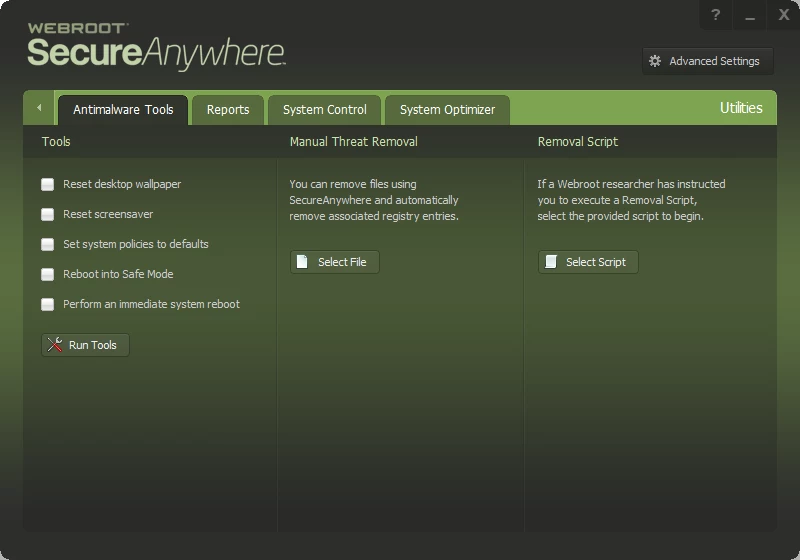
Herre is what I see when I click thegear next to utilities.


shorTcircuiT
Gold VIP
  • Gold VIP
  • October 14, 2015
I think the best route might be for you to submit a Trouble Ticket and have Webroot Support give you a hand on properly configuring things to run correctly.

  • Author
  • New Voice
  • October 15, 2015
 Got my chrome indentity protection disabled as I wanted.   
 
My last post was referring to this post
 

Have the other program open/running and then
Open WSA
Click the Gear Tool next to Utilities
Click the Utilities tab
Click Start under Control Active Processes.
 
Locate the program in here and make sure it is not set to block at the moment. It should be set for Allow.

 
Think instead of Click the Utilities tab , it should be Click the System Control Tab

shorTcircuiT
Gold VIP
  • Gold VIP
  • October 15, 2015
LOL, quite so indeed.  Sorry about that.  I try to always be correct, but once in a while I type something out wrong.  Very sorry about that!