

Hello - I hope I am in the correct forum. I have Webroot Anti-virus, version 9.0.17.28
I keep getting this reminder from Webroot that my subscription is about to expire. I want to renew but . . . I made the mistake of installing McAfee AV, (after I had been running Webroot for a couple of years). Doing so, I don't think I have any Firewall active. At least that's the message McAffe keeps sending me.
As I said, I definitely want to renew and possibly upgrade my Webroot subscrtion, but I don't know if I have to uninstall the present version I have on my computer, or - if I can just buy the new subscription and install it over the old one I have on my computer. Which is still active by the way.
Sorry for the long winded question, but I really need to know the answers and I felt it was best to ask the questions to folks who actually are running Webroot. Webroot, who, BTW, are losing points with me for their support.
Thanks,
Donalds
Solved
Hello - I hope I am in the correct forum. I have Webroot Anti-virus, version
Best answer by Baldrick
Hi DonaldS
You are very welcome. And patience is what we do...:D
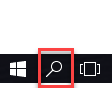
Yes, given that the taskbar can be customised it is not always exactly the same from computer to computer.
In terms of removing McAfee you may find the contents of THIS previous thread useful especailly if you need to make use of the official removal tool.
As and when McAfee is removed repeat the instruction to check what firewall is active on your system. Hopefully it will indicate that the WIndows Firewall is now active. If that is the case then you are all set and well protected as WRSA will work with the WIndows Firewall to provide top notch protection.
If you find that the WIndows Firewall is NOT running then post back here and we will help you get it activated/protecting your system.
Regards, Baldrick
You are very welcome. And patience is what we do...:D
Yes, given that the taskbar can be customised it is not always exactly the same from computer to computer.
In terms of removing McAfee you may find the contents of THIS previous thread useful especailly if you need to make use of the official removal tool.
As and when McAfee is removed repeat the instruction to check what firewall is active on your system. Hopefully it will indicate that the WIndows Firewall is now active. If that is the case then you are all set and well protected as WRSA will work with the WIndows Firewall to provide top notch protection.
If you find that the WIndows Firewall is NOT running then post back here and we will help you get it activated/protecting your system.
Regards, Baldrick






Login to the community
No account yet? Create an account
Enter your E-mail address. We'll send you an e-mail with instructions to reset your password.