
How can I actively configure Webroot firewall to control connections to the Internet?

  • November 15, 2015
  • 1 reply
  • 131 views

I cannot find any possibility to configure the firewall part of webroot for controlling connections to the internet. How do I proced?
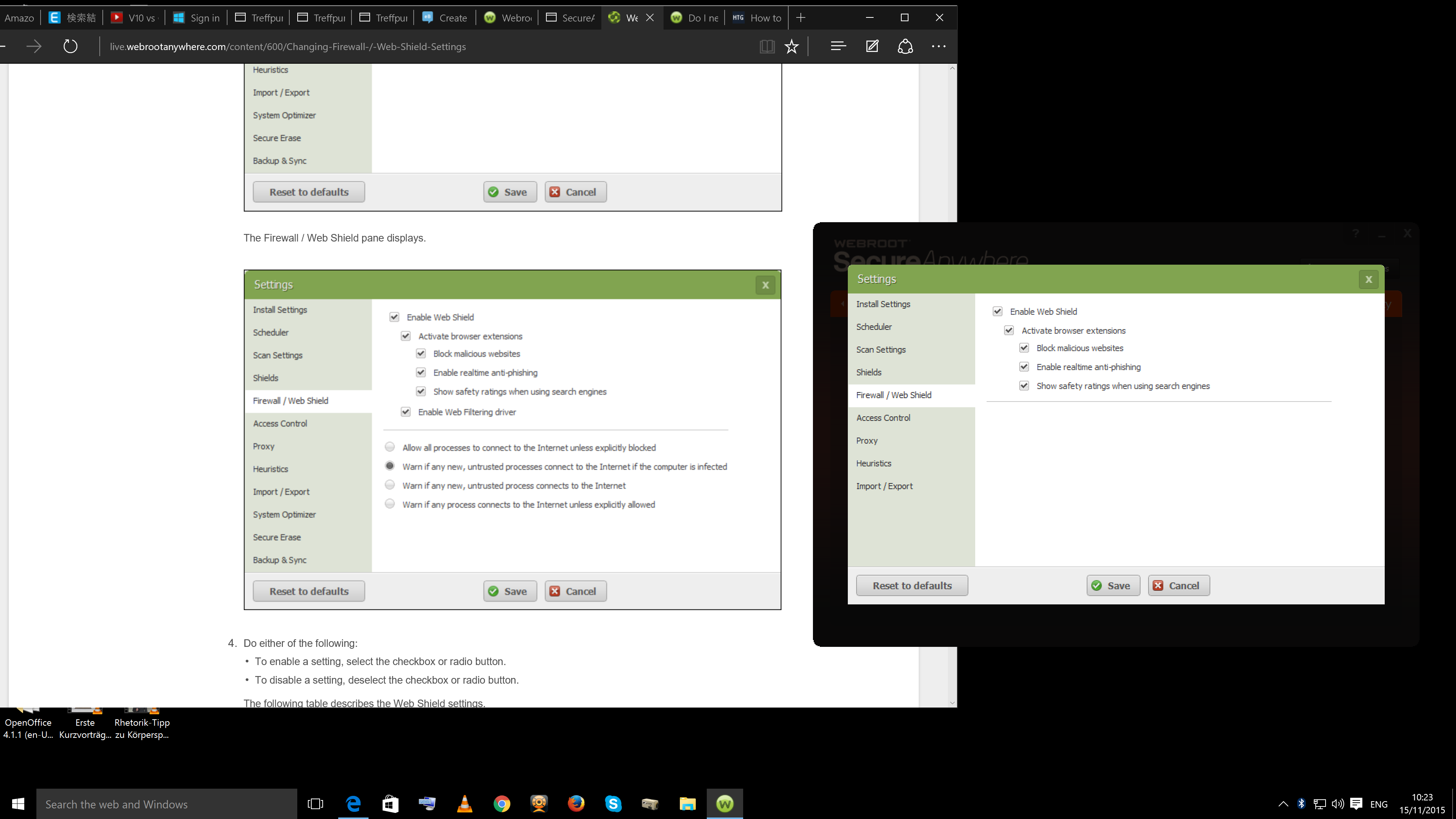
I did read the user manual, but in the firewall settings of my copy off Webroot the portion for blocking orr allowing connections is missing. See the attached screen shot - on the left is the user manual, on the right my own Webroot window. Do I have to download some extension or purchase a different edition of Webroot to get this functionality?
Also the option "Enable web filtering driver" is missing. Do I have to download this driver?
 

1 reply

Baldrick
Gold VIP
  • Gold VIP
  • November 15, 2015
Hi Ryuno
 
Welcome to the Community Forums.
 
The firewall component of WSA manages the outbound connections and generally when an app tries to connect for the first time WSA will prompt you with a dialog to specify how you want that app handled.
 
Please take a look at this KB Article and if you have any further questions please come back here to ask them.
 
I should point out that since WIndows 8 and later the ability to manage outbound connections has been severly limited as a result of the way MS now allows 3rd party security apps to interact with the built in WIndows Firewall so you may finds some of the options described above no longer available.
 
Regards, Baldrick
