How do I get rid of a malware causing my PC network adapter to use a DNS server address of 127.0.0.1

  • December 1, 2015
  • 6 replies
  • 278 views

I have ran countless scans with Webroot SecureAnywhere and other anti-malware software software, but I have have not caught the bug causes this. Does anyone have any suggestions? Thanks


6 replies

Ssherjj
Moderator
Forum|alt.badge.img+62
  • Moderator
  • December 1, 2015
Hello dlfetters48,
 
Welcome to the Webroot Community,
 
Are you able to reset your home router? You could have your ISP correct your settings?
 
My best advice woud be to submit a Support Ticket so that they can take a look for you if you do indeed have a threat. This is a free service with a Webroot subscription.
 
? do you have anything to add here that might help?


shorTcircuiT
Gold VIP
  • Gold VIP
  • December 1, 2015
The IP Address 127.0.0.1 is in every computer as the 'local loopback', that is how the computer talkes to itself basically.  That obviously is not what the DNS should be though.
 
Try your computer network options and make sure that the connection setting is NOT set for Manual Configuration.  If you are able to change any of the IP Addresses (Gateway, Primary DNS, Secondary DNS, etc than you have it set for Manual, which will be the problem)  There should also be an option for Automatic or Use DHCP.  Make sure that is the option used, then restart the computer.  This will allow the computer to load in the correct settings for your ISP..

  • Author
  • Fresh Face
  • December 9, 2015
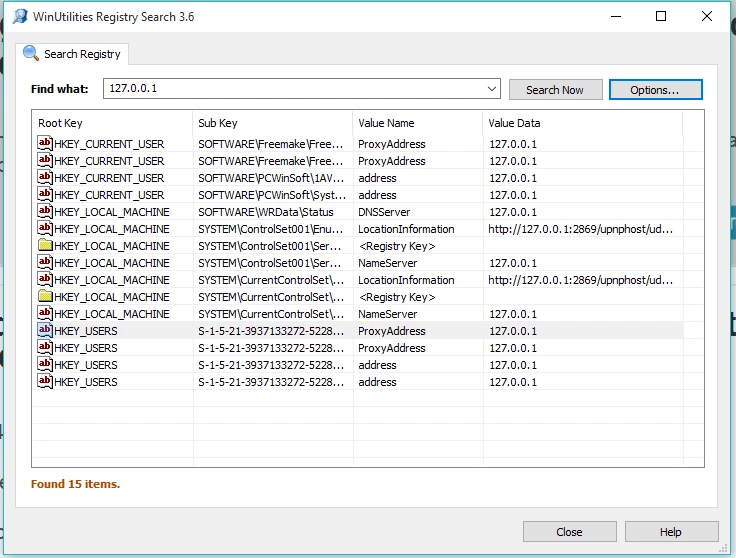
Here is a screenshot of a Registry Search for 127.0.0.1 that I made using WinUtilities. Does anything here looks like it does not belong? Thanks


  • Author
  • Fresh Face
  • December 9, 2015
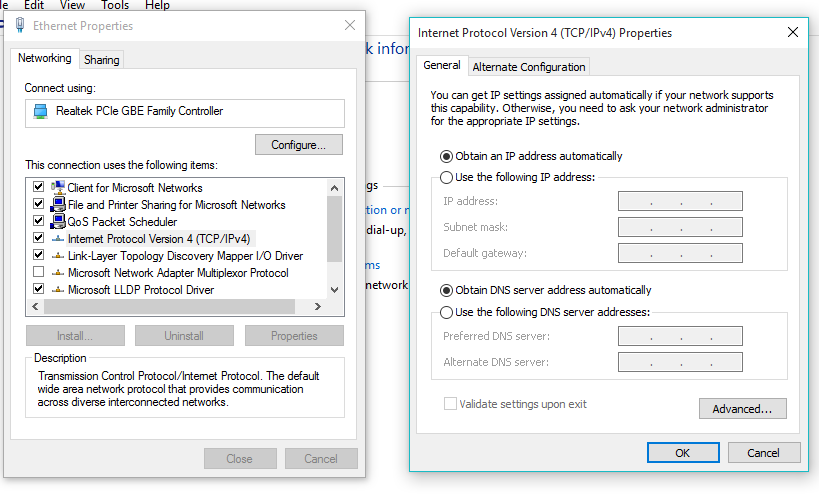
Here is a screenshot of my PC's Ethernet properties after clearing out the Preferred DNS server address of 127.0.0.1.


  • Author
  • Fresh Face
  • December 9, 2015
I close the Ethernet Properties dialog box and the Internet Protocol (TCP/IPv4) dialog, and then when I reopen both the 127.0.0.1 DNS server address is back.


Baldrick
Gold VIP
  • Gold VIP
  • December 9, 2015
Are you sure that  in you LAN settings you do not have 'Use Proxy Server' ticked? If so then untick it, and then try resetting the other settings you have posted to what they should be.
 
There does seem to be a lot about this on the Web (search using the subject line to your post) and whilst some seems to suggest a possible malware involvement it is not conclusive that this is the reason for the issue.
 
If have a thread in another forum that seems to point to some success at dealing with this issue but I cannot post the link here, as that is contrary to Community Guidelines, so I will PM it to you. ;)
 
Regards, Baldrick