How to synchronize folders

  • September 3, 2015
  • 2 replies
  • 26 views

How to synchronize folders from one PC to another? Added sync folders but cannot get "shared across" to recognize...


2 replies

Ssherjj
Moderator
Forum|alt.badge.img+62
  • Moderator
  • September 3, 2015
Hello ?,
 
Welcome to the Webroot Community,
 
Please have a look at this KB article How to Synchronize
 
Edited: Also here's the online PC User Guide
 
http://live.webrootanywhere.com/content/895/Sharing-Files-From-Other-Apps
 
 You can also look here at Microsoft Help http://windows.microsoft.com/en-us/windows-8/share-files-folders
 
I need to ask you if you checked SYNC or BACKUP when adding the folders originally? If so you won't be able to see them from your second pc.
 
 
Hope this helps?
 
 
Kind Regards.


shorTcircuiT
Gold VIP
  • Gold VIP
  • September 4, 2015
Hello Richard_Gilbert, welcome to the Community!
 
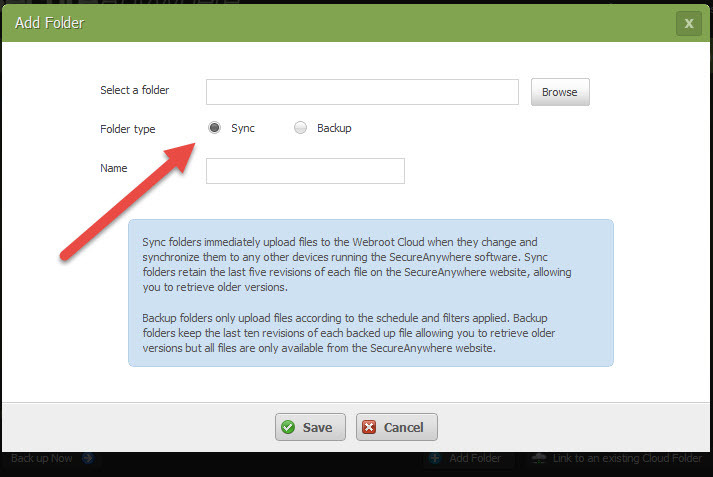
As Sherry noted, when first setting up your folders on the first PC, make sure you select SYNC on the screen below:


Now, when you go to the second PC, instead of Add Folder, of course you use the Link to an existing Cloud folder (Which from your post I think you did).
 
Let us know if this helps!