
Solved
I have Webroot installed on both a PC and Mac.

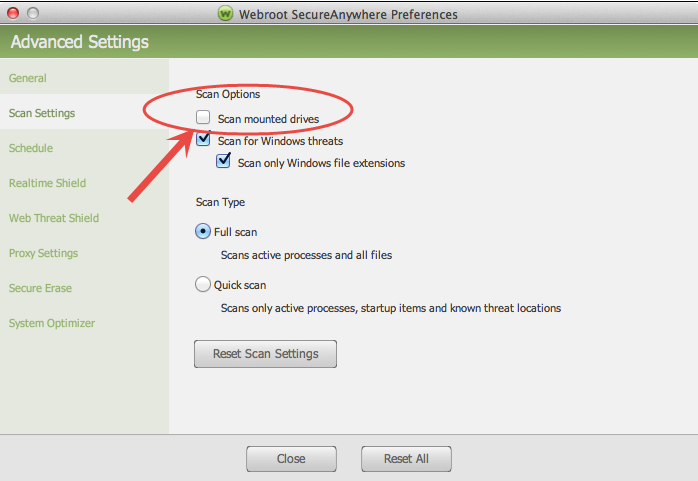
If I right click on any HD (Internal or external) on the PC, it gives me the option to scan that drive with Webroot. That option does not appear on the MAC when I right click on the HDs. Is there anyway to get that option on the MAC?
Best answer by Wanderingbug
Hey everyone!
Currently the thunderbolt path is not a path that we follow, however I will get with our developers after the holidays about this issue. Even though the drive will not scan you are still going to be protected via the real time shield. If you open a drive Webroots realtime shield will verify that there are no current threats on the drive... (has caused me issues with malware samples in the past lol). We are currently working on making the two products identical, however as a pc and mac user, you know this is difficult due to the differences in the two systems. Please do not hesitate to reach out to me if you have any more questions. Daniel and Sherry, it is always good to see you on here. 🙂
Currently the thunderbolt path is not a path that we follow, however I will get with our developers after the holidays about this issue. Even though the drive will not scan you are still going to be protected via the real time shield. If you open a drive Webroots realtime shield will verify that there are no current threats on the drive... (has caused me issues with malware samples in the past lol). We are currently working on making the two products identical, however as a pc and mac user, you know this is difficult due to the differences in the two systems. Please do not hesitate to reach out to me if you have any more questions. Daniel and Sherry, it is always good to see you on here. 🙂









Login to the community
No account yet? Create an account
Enter your E-mail address. We'll send you an e-mail with instructions to reset your password.