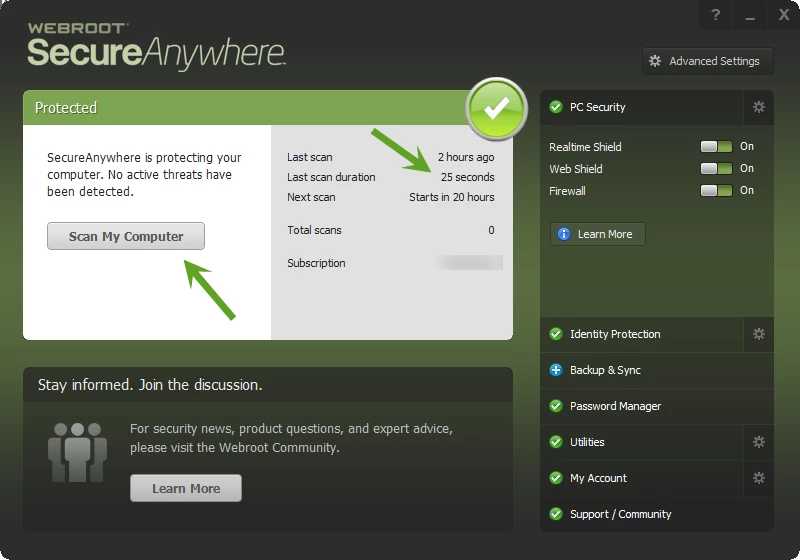
Laptop isnt scanning upon boot as directed by the scheduler, also last scan was 4 days ago, and last

  • May 9, 2015
  • 7 replies
  • 49 views

Laptop isnt scanning upon boot as directed by the scheduler, also last scan was 4 days ago, and lasted 8hrs 5 mins.


7 replies

RetiredTripleHelix
Gold VIP
Forum|alt.badge.img+56
Hello and Welcome to the Webroot Community!
 
Are you Scanning with the Default Deep Scan from the GUI? And personally I don't like it to Boot on Start up as it can slow down the start up of the system.


You may need to do a clean reinstall!
 
Can you please do a clean reinstall of WSA and Please follow the steps closely!
 
  • Make sure you have a copy of your 20 Character Alphanumeric Keycode! Example:SA69-AAAA-A783-DE78-XXXX
  • KEEP the computer online for Uninstall and Reinstall to make sure it works correctly
  • Download a Copy Here (Best Buy Subscription PC users click HERE)
  • Uninstall WSA and Reboot
  • Install with the new installer, enter your Keycode and don't import any settings if asked to as you can set it up as you like once it's done
  • Let it finish it's install scan
  • Reboot once again
Please let us know if that resolves your issue?
 
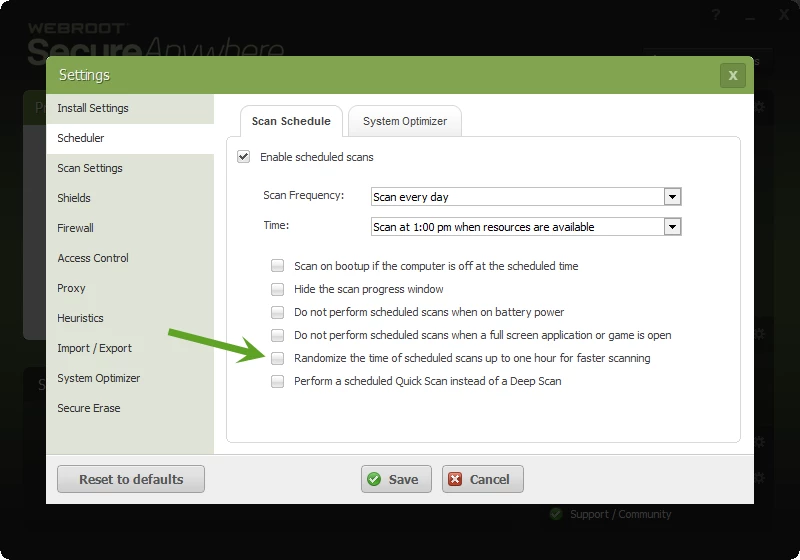
Also if you want it to scan at the Exact time uncheck this box under Advance Settings and in my case 1PM everday right on the nose!


Thanks,
 
Daniel 😉

Forum|alt.badge.img+14
  • New Voice
  • May 10, 2015
hi
the keycode u have provide has 288 days......

RetiredTripleHelix
Gold VIP
Forum|alt.badge.img+56
@ wrote:
hi
the keycode u have provide has 288 days......
Sorry I don't understand? A one year subscription is good for 365 days and count's download so you are at 288 and soon it will be 287 days. This is where you find your keycode: http://www.webroot.com/En_US/SecureAnywhere/PC/WSA_PC_Help.htm#C12_MyAccount/CH11b_ActivatingKeycode.htm so save it and do the clean reinstall and use the keycode to reinstall!
 
Thanks,
 
Daniel ;)
 
EDIT: I see now that keycode is not a valid one so don't use the Example Keycode use your own!

Forum|alt.badge.img+14
  • New Voice
  • May 10, 2015
Triplx
i mean the key have posted in this post is good for 288 days
Make sure you have a copy of your 20 Character Alphanumeric Keycode! Example: SA69-AAAA-A783-DE78-XXXX

RetiredTripleHelix
Gold VIP
Forum|alt.badge.img+56
@ wrote:
Triplx
i mean the key have posted in this post is good for 288 days
Make sure you have a copy of your 20 Character Alphanumeric Keycode! Example: SA69-AAAA-A783-DE78-XXXX
Yes it's just a keycode I made up as an EXAMPLE I didn't know it was working! Do you still have a copy of your own keycode?
 
Daniel

Forum|alt.badge.img+14
  • New Voice
  • May 10, 2015
i have my keycode copy....and it is good for 355 days

RetiredTripleHelix
Gold VIP
Forum|alt.badge.img+56
Just install your keycode here and it will do a scan and all will be fine: http://www.webroot.com/En_US/SecureAnywhere/PC/WSA_PC_Help.htm#C12_MyAccount/CH11b_ActivatingKeycode.htm
 
Thanks,
 
Daniel