Logged out of password manager after successful log -in, invalid password error

  • December 31, 2015
  • 2 replies
  • 33 views

With IE 10, I appear to log in to password manager OK, the icon turns green, but then it kicks out with an invalid password message. This behavior is different than an incorrect password, in which cane the icon remains gray and does not change to green.
 
Just started today, worked fine yeaterday, I haven't changed IE versions for some time and can't compare with Firefox....
 
any ideas
 
thanks,

2 replies

Ssherjj
Moderator
Forum|alt.badge.img+62
  • Moderator
  • January 1, 2016
Hello NBoy,
 
Welcome to the Webroot Community,
 
This sometimes does happen and to try to resolve it, you can try running the Toolbarfix tool.  You can download it for here.
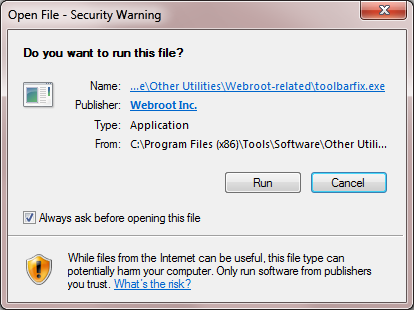
Once downloaded launch it by clicking on the executable, and you should see the following, if then that is fine and you should click on 'Run':


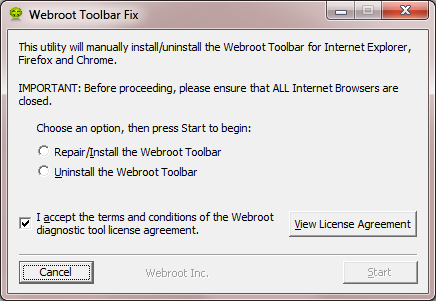
which should then take you to the following dialog:


on which you should choose/check the option 'Repair/Install the Webroot Toolbar' and then press 'Start'.
 
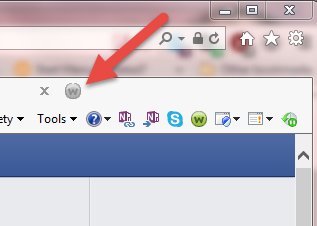
That should initiate the fix process and you just have to wait for it to finish, close the dialog and then check in your browser to see if the Password Manager Toolbar icon is now visible.  If the fix has been successful you should see the following greyed out icon in a toolbar at the top of the IE browser page:


One then double clicks on that so that the login dialog is presented, etc.
 
 
I would like to mention that if you have Windows 10 then Webroot isn't able to install the Webroot extensions because of the way Microsoft has set up the Edge browser. 
 
If you need support you can submit a support ticket free of charge with an active Webroot subscription.https://www.webrootanywhere.com/servicewelcome.asp
 
Hope this helps?

  • Author
  • New Voice
  • January 4, 2016
Thanks Shherijj ad soory fro responsing so late.
 
I changed my account password and didn't realize tjis also changed the password manager password. 
 
However, I didn't pickup on the connection because of the password log in behavior was different when attempting log in with the old password vs trying to log in with a completely bogus password.  With the bogus password the WR icon remains gray while with the old password the WR icon turns green and appears to be logged in, but kicks out after a few seconds.