multiple user log in for same site

  • November 18, 2015
  • 1 reply
  • 39 views

how can I add multiple user login info for sites such as facebook?

1 reply

  • November 18, 2015
Hello ?
 
Welcome to the Webroot Community.


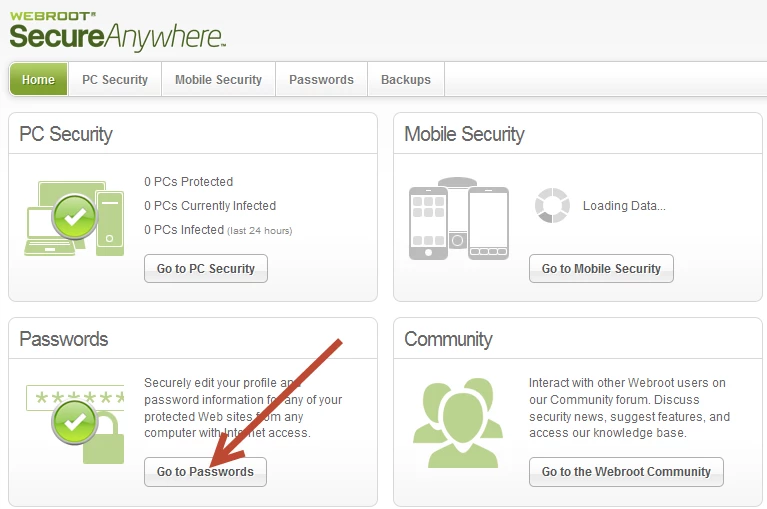
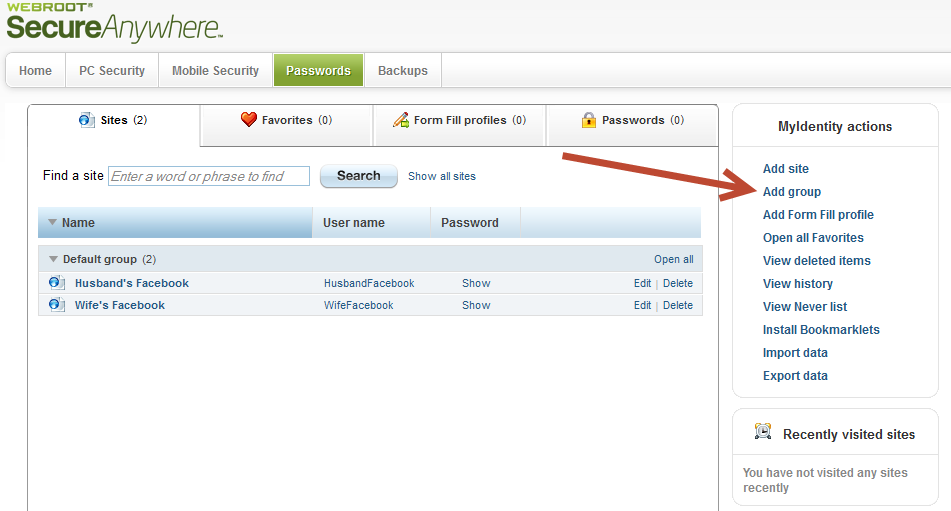
You will need to login to the Web Console and choose the Passwords tab.
 
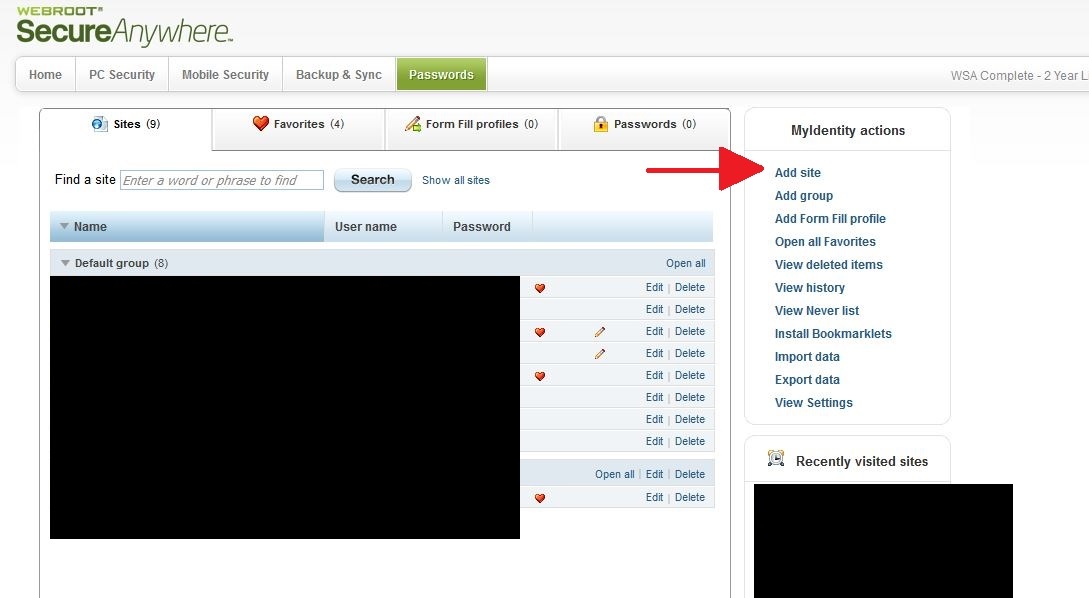
You will then need to select "Add Site" from options on the right.
 
Enter login info for additional user and save.
 
Then when visiting a site with multiple logins, click on the Password Manager icon, choose "Sites" and select the appropriate user.
 
Step 1: Log in to your My Webroot Account and select Passwords


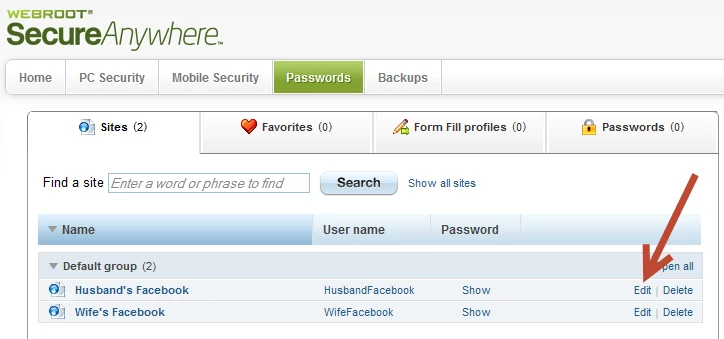
Step 2: Customizing a site or Editing the Name


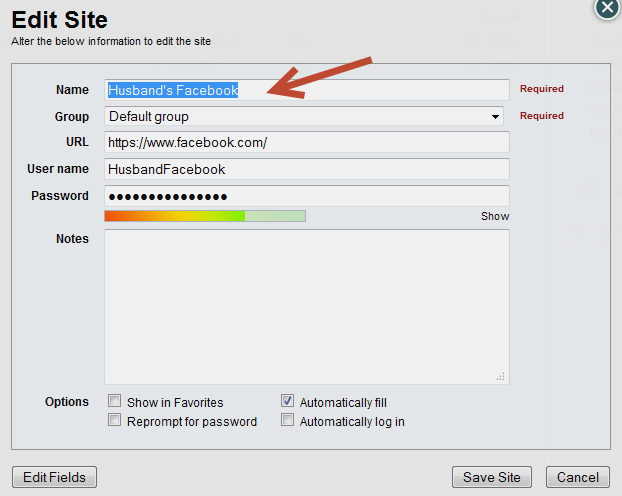
Step 3: Change the Name, Website, URL, User Name, or Password


For the sites that are inconsinstently showing passwords/usernames, make sure that only "Automatically Fill" is checked.
 
 
(Optional) Step 4: Creating a Custom Group


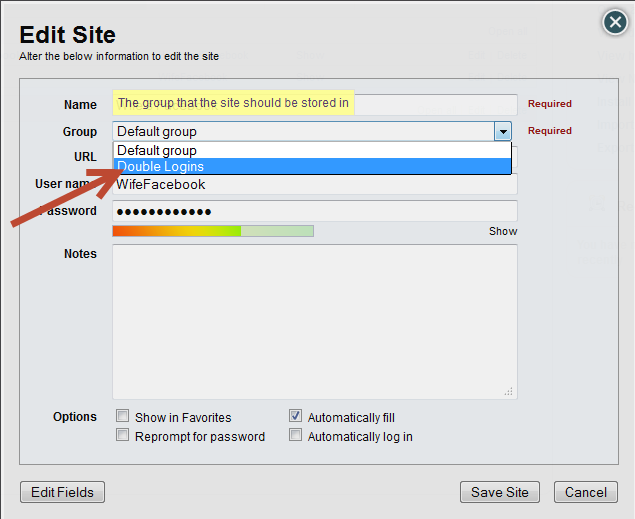
You can also make a group called Double Logins and add the sites to it for which you and the other person have separate logins.
 
Adding an Existing Site to a Custom Group


Name these sites (i.e. Husband's Login, Wife's Login) in a way that you will be able to easily identify them.
 
Hope this info help. Please let us know. If you need further assistance we will be glad to help. :)
 
BD