
Solved
My Webroot icon disappeared. Do I still have security?
My Webroot icon disappeared. Do I still have security on my computer?
Best answer by Baldrick
Hi peggystaneff
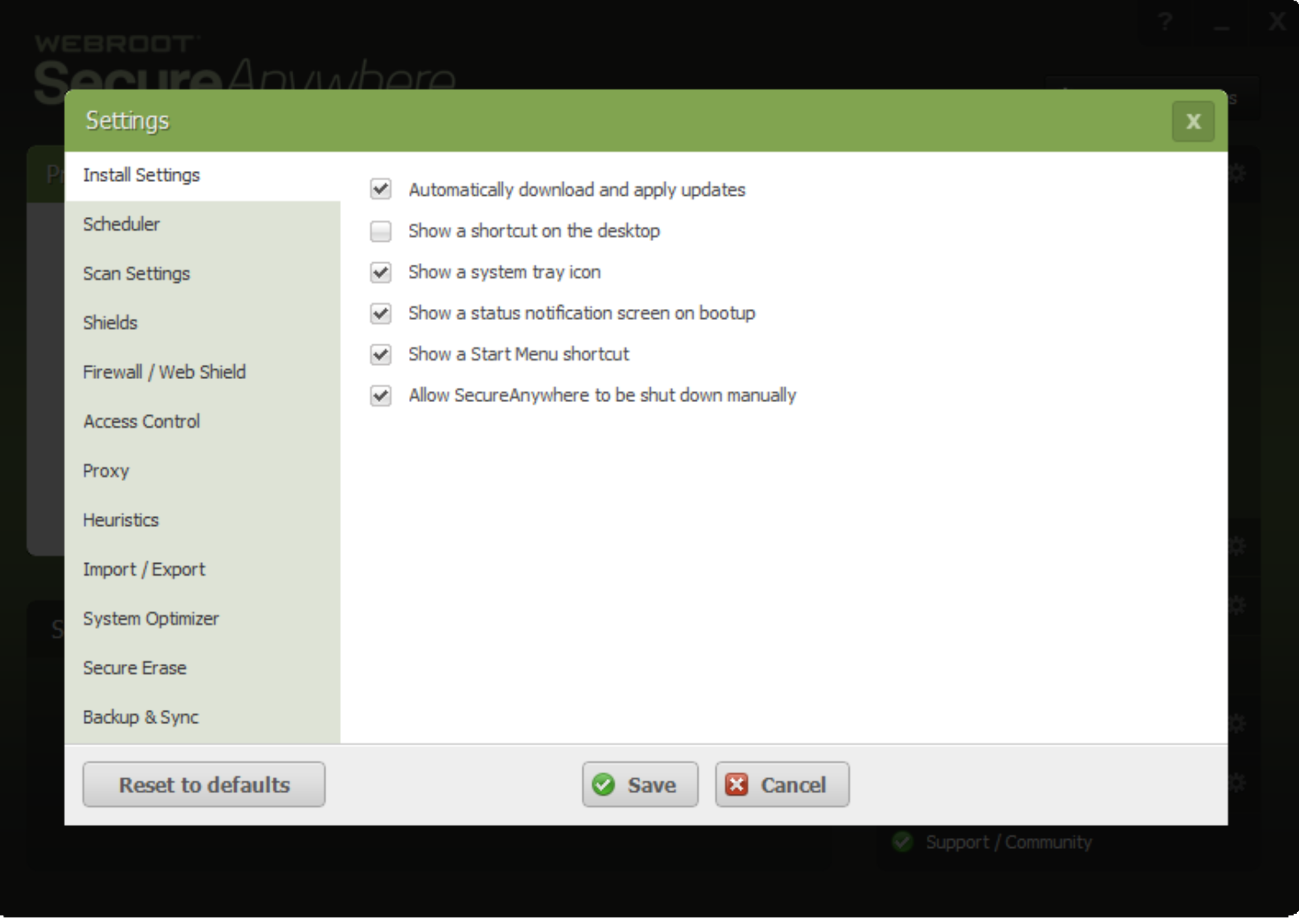
For further information...if it is just a case of the notification tray icon 'missing' then the best way to get it back is to open the WSA main panel (using the Desktop icon), click on 'Advanced Settings' in the top right hand corner, and if checked then uncheck the 'Show a system tray icon' checkbox, click on 'Save', enter the CAPTCHA code required. Once the save has been confirmed just go back and now check the 'Show a system tray icon' checkbox; you should be advised that the configuration has been saved, and you should now find the notificaiton tray icon is back.
Not sure why this should be but this is what I have found in these circumstances.
Hope that helps?
Regards, Baldrick.
For further information...if it is just a case of the notification tray icon 'missing' then the best way to get it back is to open the WSA main panel (using the Desktop icon), click on 'Advanced Settings' in the top right hand corner, and if checked then uncheck the 'Show a system tray icon' checkbox, click on 'Save', enter the CAPTCHA code required. Once the save has been confirmed just go back and now check the 'Show a system tray icon' checkbox; you should be advised that the configuration has been saved, and you should now find the notificaiton tray icon is back.
Not sure why this should be but this is what I have found in these circumstances.
Hope that helps?
Regards, Baldrick.





Login to the community
No account yet? Create an account
Enter your E-mail address. We'll send you an e-mail with instructions to reset your password.