

During the scan it indicates a particular number of " processes " What does that number mean ? In my case it continually shows 68 processes .
Thanks
Solved
Processes means ???
Best answer by Baldrick
Hi ROBERT1725
Wikipedia defines computer processes as:
"In computing, a process is an instance of a computer program that is being executed. It contains the program code and its current activity. Depending on the operating system (OS), a process may be made up of multiple threads of execution that execute instructions concurrently."
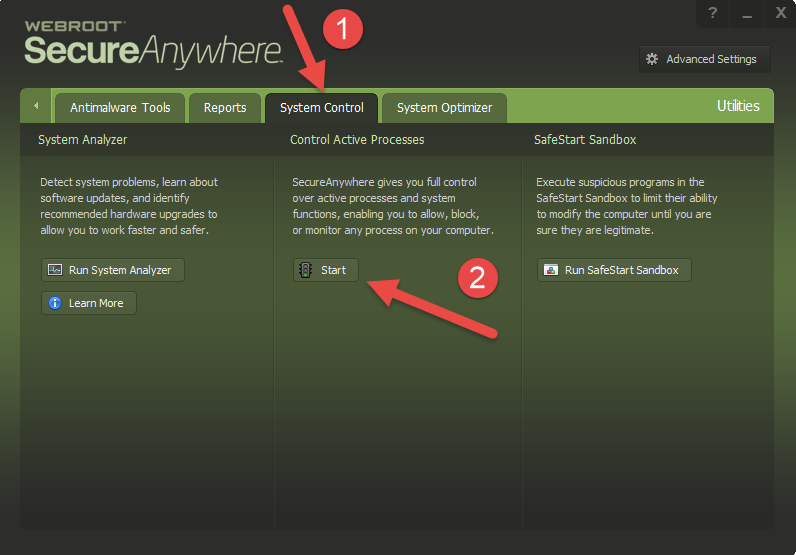
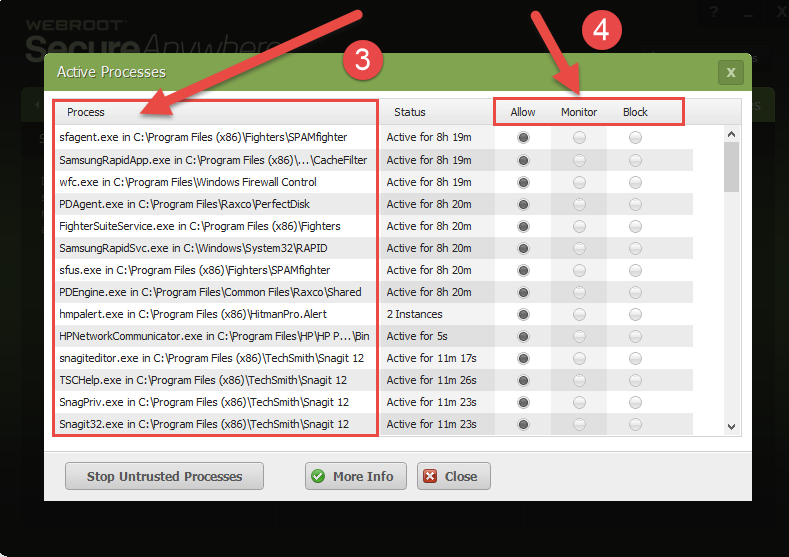
In otherwords, by default, whether they be Windows/operating system-related activities or those that are related to application that you have installed yourself, there will always be activity, even when you yourself are not actually using the computer, in background. And these are the 'processes' that WSA scans (amongst other thinsg) for signs of malware activity.
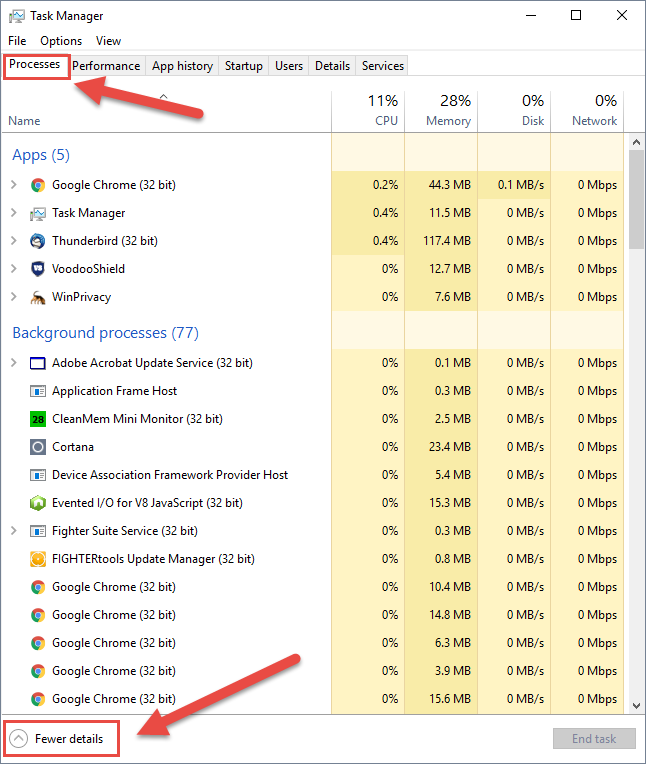
To see what processes are active at any one time click on the task bar, select the 'Task Manager' option and when that opens click on the 'Processe' tab, making sure that the Task Manager is set to display 'More details' (can be changed by clicking link in the bottom left hand corner of the window/dialog). That will show you what is currently 'processing' on your system.
I hope that answers the question butif not please post back with anything further.
Regards, Baldrick
Wikipedia defines computer processes as:
"In computing, a process is an instance of a computer program that is being executed. It contains the program code and its current activity. Depending on the operating system (OS), a process may be made up of multiple threads of execution that execute instructions concurrently."
In otherwords, by default, whether they be Windows/operating system-related activities or those that are related to application that you have installed yourself, there will always be activity, even when you yourself are not actually using the computer, in background. And these are the 'processes' that WSA scans (amongst other thinsg) for signs of malware activity.
To see what processes are active at any one time click on the task bar, select the 'Task Manager' option and when that opens click on the 'Processe' tab, making sure that the Task Manager is set to display 'More details' (can be changed by clicking link in the bottom left hand corner of the window/dialog). That will show you what is currently 'processing' on your system.
I hope that answers the question butif not please post back with anything further.
Regards, Baldrick









Login to the community
No account yet? Create an account
Enter your E-mail address. We'll send you an e-mail with instructions to reset your password.