remove device from service

  • November 30, 2015
  • 2 replies
  • 812 views

How do i remove a tablet from service so i can add a new laptop in its place?

2 replies

edwin_eekelaers
Popular Voice
Forum|alt.badge.img+6
go into Webroot's web console & remove it there... can't tell you the link by heart as i don't have my own machine with me at this moment

  • November 30, 2015
Hello ?.
 
Welcome to the Webroot Community.
 
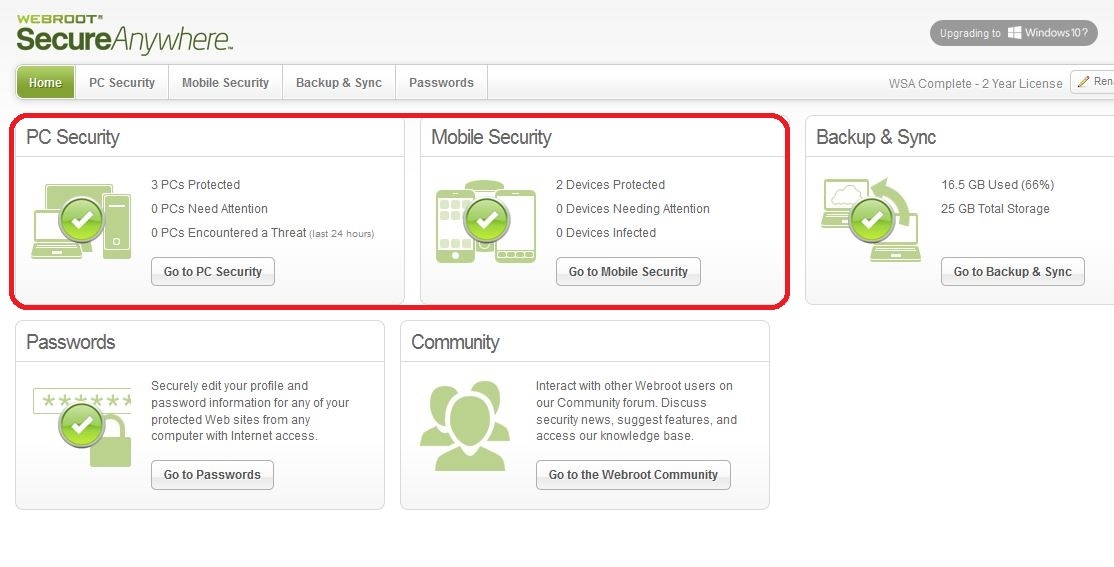
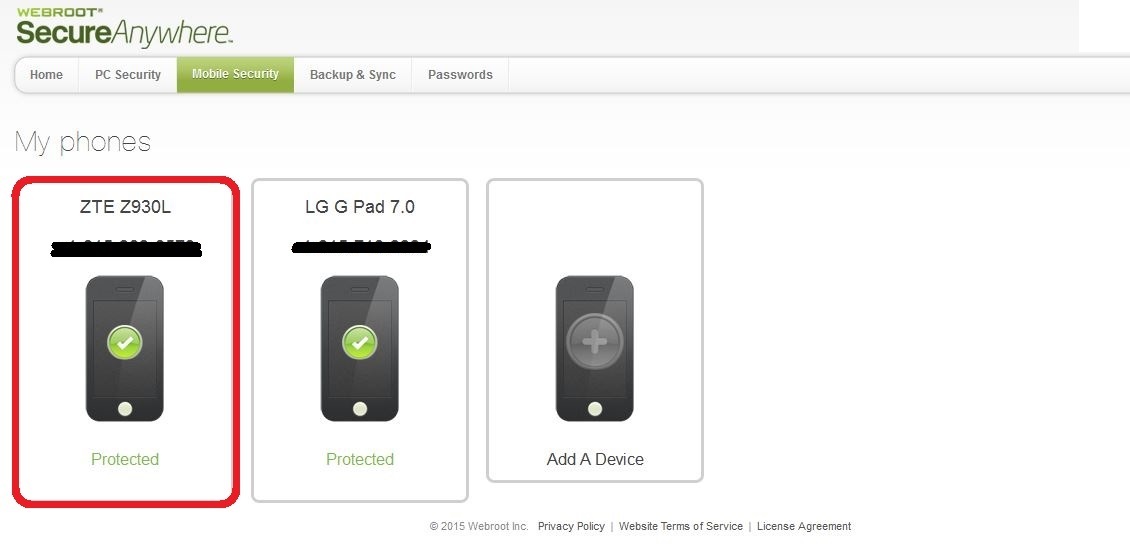
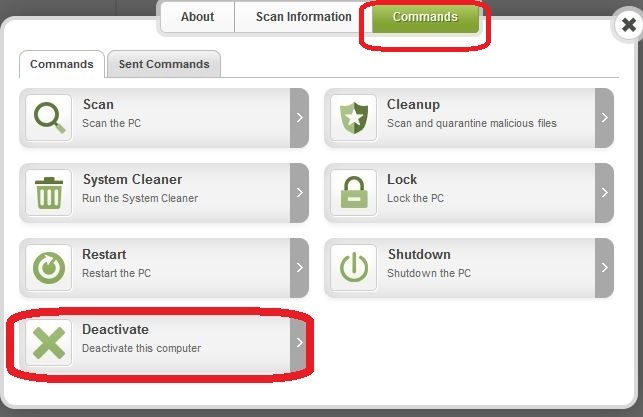
Please login to your Web Console. Select PC Security or Mobile Security, then select device for removal, then choose Commands tab, there you can deactivate the device.When done, install on new device, run scan, and new device will appear in Web Console shortly.


To Install:
 
  • Make sure you have a copy of your 20 Character Alphanumeric Keycode! Example: SA69-AAAA-A783-DE78-XXXX
  • KEEP the computer online for Uninstall and Reinstall to make sure it works correctly
  • Download a Copy Here (Best Buy Subscription PC users click HERE)
  • Install with the new installer, enter your Keycode.
  • Let it finish it's install scan
  • Reboot once again
Please let us know if that resolves your issue?
 
Thanks,
 
bd