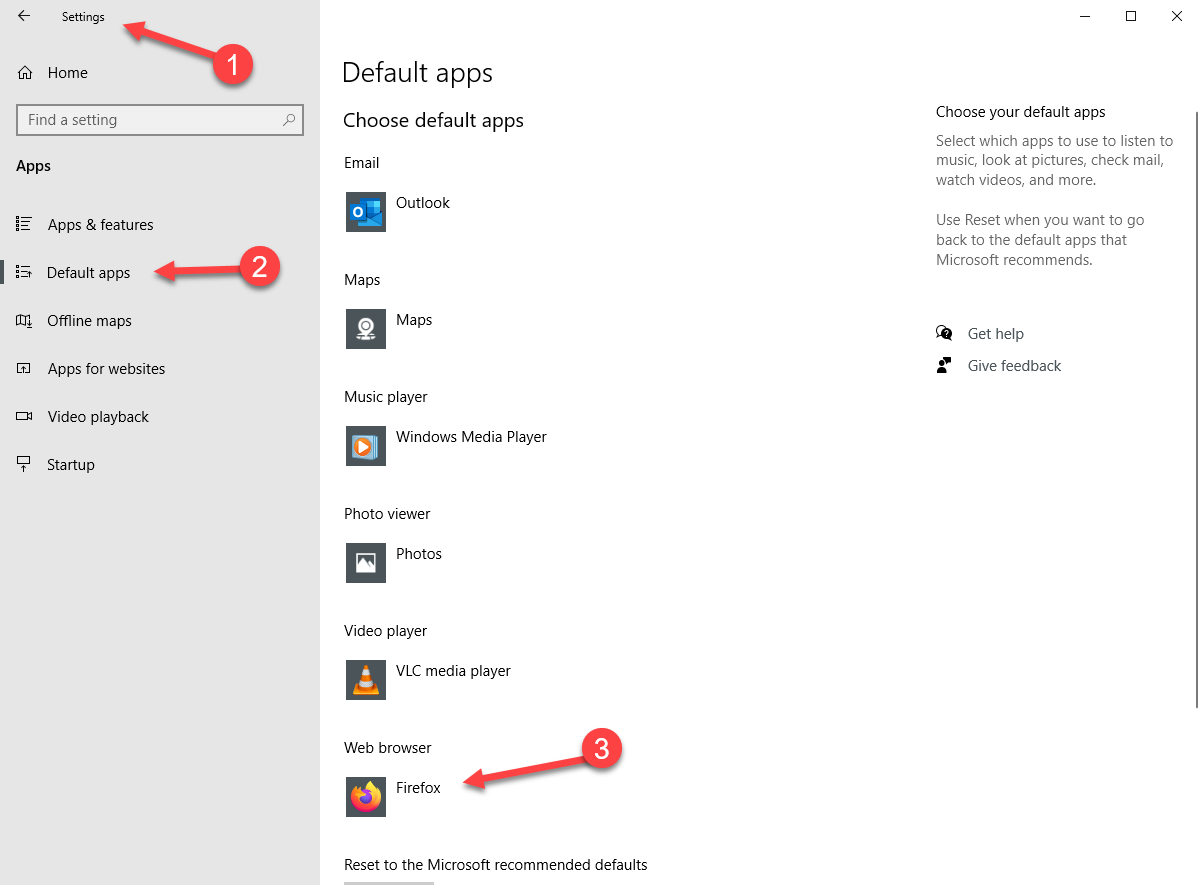
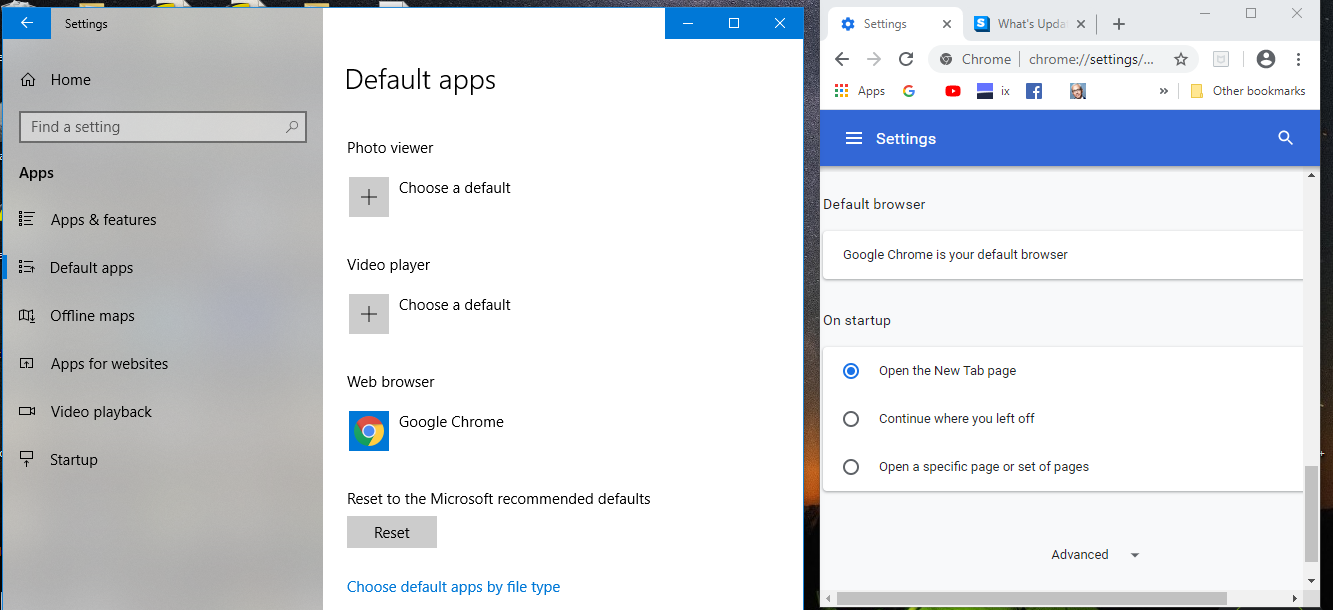
Apologies if this is a stupid question, but I only use Chrome, access the mgmt console in Chrome, and I removed IE a long time ago.
How do I set the primary browser to Chrome? I can see the webroot filtering icon in Chrome’s toolbar, but I can’t report on the browsing history through webroot console because the primary browser is IE.
Thanks in advance
Best answer by TripleHelix
So are you still having issues you mentioned in your first post? It could be a setting or an extension within Chrome that could be affecting and causing your issue? So double check settings and even disable your other extensions and see which one could be affecting it. I’m not sure if it’s a Webroot issue, if need be you can contact Webroot support! https://www.webroot.com/us/en/support/contact
So are you still having issues you mentioned in your first post? It could be a setting or an extension within Chrome that could be affecting and causing your issue? So double check settings and even disable your other extensions and see which one could be affecting it. I’m not sure if it’s a Webroot issue, if need be you can contact Webroot support! https://www.webroot.com/us/en/support/contact