
I got this WebRoot message after installing updates and restarting my computer
"This file is trying to install itself every time the computer turns on"
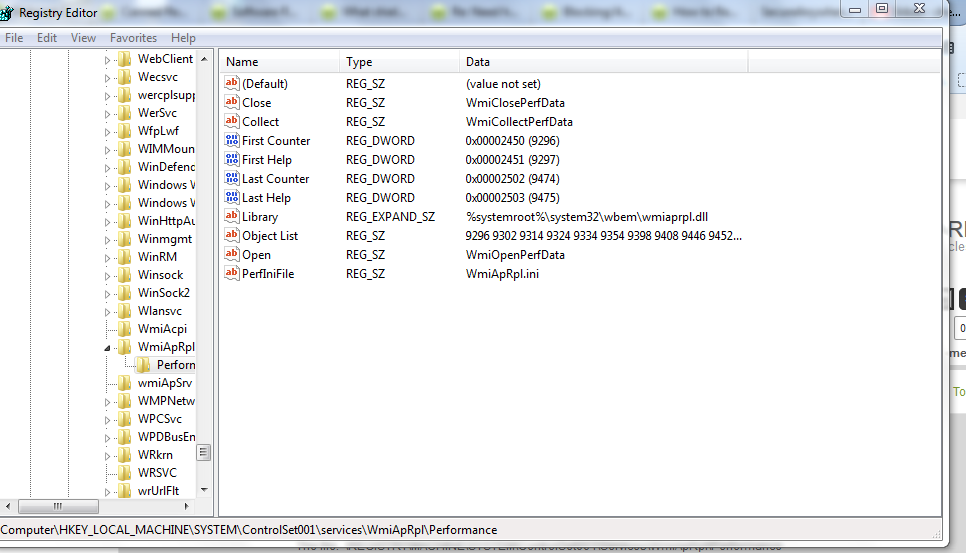
The file: REGISTRYMACHINESYSTEMControlSet001ServicesWmiApRplPerformance
There was a count down timer saying it would block the file (again) in 120 seconds. I had options to allow, allow always, and deny always. The count down timer ended before I had a chance to research and see what the file is.
I did a full scan with no problems. What's the correct choice for this alert?
This file is trying to install itself every time the computer turns on







Login to the community
No account yet? Create an account
Enter your E-mail address. We'll send you an e-mail with instructions to reset your password.