


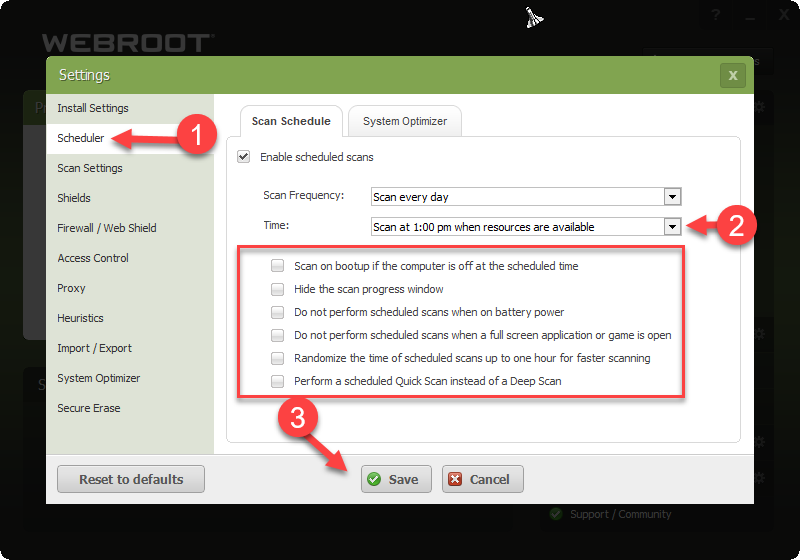
I’ve checked “Do not perform sceduled scans when a full screen app or game is open” in Settings/Scheduler/Scan Schedule. But WR is still scanning while running a game. I don’t need to say that it causes high CPU and disk usage. How’s that possible. And I have Webroot for PC gamers edition.
Solved
Webroot AV is scanning when running game
Best answer by TripleHelix
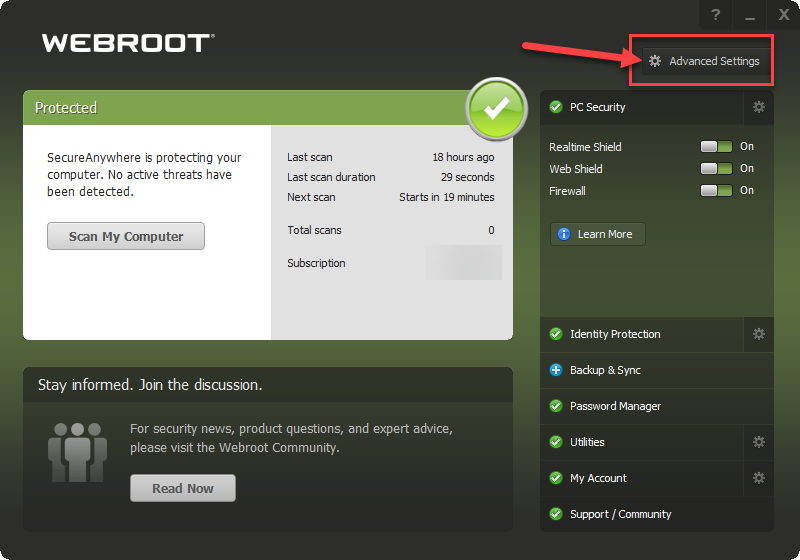
Yes I understand I'm just showing you what will stop it from scanning during game playing and only scan at the time you pick! Maybe you can Submit a Support Ticket and ask them if that setting is broken? https://docs.webroot.com/us/en/home/wsa_pc_userguide/wsa_pc_userguide.htm#ScanningForMalware/ChangingScanSchedules.htm%3FTocPath%3DScanning%2520for%2520Malware%7C_____3
| Do not perform scheduled scans when a full screen application or game is open | Ignores scheduled scans when you are viewing a full-screen application, such as a movie or a game. If you want to run scheduled scans anyway, deselect this checkbox. |
Thanks,




Login to the community
No account yet? Create an account
Enter your E-mail address. We'll send you an e-mail with instructions to reset your password.