

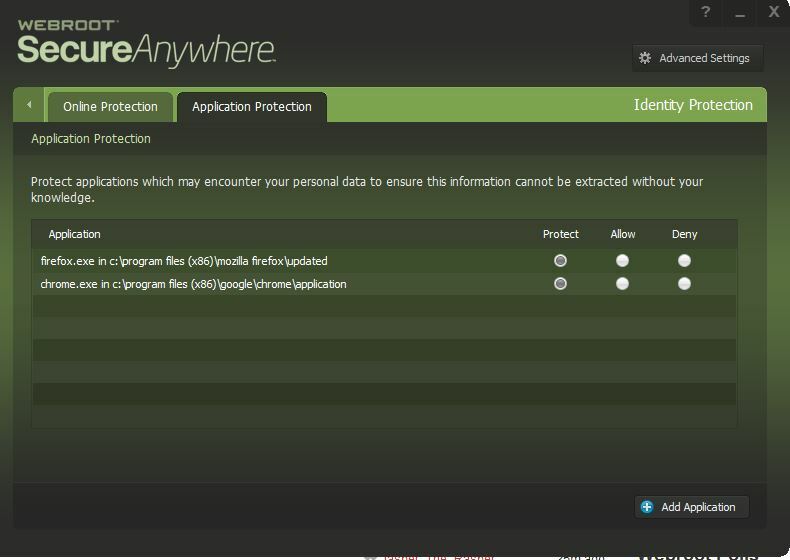
please help someone!? all of a sudden webroot blocking my firefox & chrome browsers! 😞 when I turned off webroot protection, browsers working fine, then when I turning webroot protection back on, same problems 😞 I tried to add an exception by doing all these steps:
1. Right-click the Webroot icon in the bottom right corner next to the time. (If the icon isn't there, reveal all icons by clicking the triangle in front of the icons.) 2. Click View Status. 3. From the main interface, click the gear next to PC Security. 4. Click the Block/Allow Files tab. 5. Under Block/Allow Files, click the Add File button in the bottom right corner. 6. Navigate to (C:Program Files (x86)GoogleChromeApplicationchrome.exe) 7. Double click on the newly added entry for chrome. 8. In the right column, select the (Allow) radio button next to the recently added file. If this works you can also add an exception for Firefox by doing the same steps but with a different path: C:Program FilesMozilla Firefoxfirefox.exe or it might be: C:Program Files (x86)Mozilla Firefoxfirefox.exe but no success! 😞 please help anyone!? :( here is screenshots when I trying to open browsers with webroot on: http://imgur.com/DSK7GTT and http://imgur.com/vnxUBBa
Webroot blocking my browsers! :(








Login to the community
No account yet? Create an account
Enter your E-mail address. We'll send you an e-mail with instructions to reset your password.