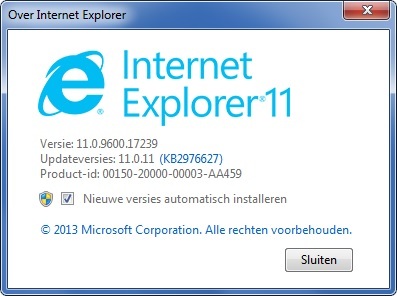
Lately when opening some particular web pages, IE11 becomes unresponsive, and I can't click on any links. After a few seconds IE11 starts working again. Disabling the filtering Extension immediately correct the issue on all pc's (four)
A example www.rtlnews.nl (a dutch online newssite)
Uninstalling en reinstalling Webroot Secure Anywhere Antivirus 8.0.4.115 doesn't solve the problem
No other security product installed
Webroot Filtering Extension 1.0.0.40
I already opend a support ticket.
To me it looks like Webroot Filtering Extension can't handle the many external links that are embedded.

- Home
- Community overview
- Webroot
- Webroot® SecureAnywhere™ - Home
- Webroot Filtering Extension
Webroot Filtering Extension
- August 29, 2014
- 47 replies
- 263 views
47 replies
- Moderator
- August 29, 2014
Welcome DeHollander to the Community Forum!:D@ wrote:
Lately when opening some particular web pages, IE11 becomes unresponsive, and I can't click on any links. After a few seconds IE11 starts working again. Disabling the filtering Extension immediately correct the issue on all pc's (four)
A example www.rtlnews.nl (a dutch online newssite)
Uninstalling en reinstalling Webroot Secure Anywhere Antivirus 8.0.4.115 doesn't solve the problem
No other security product installed
Webroot Filtering Extension 1.0.0.40
I already opend a support ticket.
To me it looks like Webroot Filtering Extension can't handle the many external links that are embedded.
Have you got the latest updates from Microsoft Updates installed?
And if you have opened a Support Ticket will you let us know if that helps because we all are Volunteers here helping others the best way we can. We do have alot of knowlegable Forum members here like Baldrick and TripleHelix!
So come on back and join us!!
Best Regards,
IMac 2021 27 in i5 Retina 5, iMac OS Sequoia (15.7.3), Security: iPads, ALIENWARE 15 R6, W11 Microsoft Windows Workstation, x64, Webroot® SecureAnywhere™ Internet Security Complete, Android Samsung Galaxy Ultra Note 23, Webroot Beta Tester
- Gold VIP
- August 29, 2014
Hi DeHollander
Have tried the site you mentioned, under IE11, and all I get is:
Web Site Not Found
If you are an Acquia Cloud customer and expect to see your site at this address, you'll need to add this domain name to your site via the Acquia Network management console.
Acquia Inc.
Could there be something specific about that site (and the others that you are having issues with) and WSA? DO you have any other examples of sites exhibiting the behaviour you have seen/are reporting?
Regards, Baldrick
Have tried the site you mentioned, under IE11, and all I get is:
Web Site Not Found
Web Site Not Found
Sorry, we could not find any content for this web address. Please check the URL.If you are an Acquia Cloud customer and expect to see your site at this address, you'll need to add this domain name to your site via the Acquia Network management console.
Acquia Inc.
Could there be something specific about that site (and the others that you are having issues with) and WSA? DO you have any other examples of sites exhibiting the behaviour you have seen/are reporting?
Regards, Baldrick
- Author
- Popular Voice
- August 30, 2014
Sorry about the bad link. The correct one is www.rtlnieuws.nl
All pc's are up to date. Support ticket open. Nothing particular about the site. The problem happens on any site's with a lot of contents.
- Gold VIP
- August 30, 2014
Hi DeHollander
No problem. Thanks for correcting and reposting. Have just tried the new link and I have to say that I was fairly zipping around the various pages under IE11 with the filtering extension enabled, so am not sure what the issue is.
It could be that the extension is not properly installed...although I find it starnage that this would be the case on all four PCs, so perhaps the next thing to try is to download a fresh copy of the installer, uninstall WSA, REBOOT, reinstall using the fresh installer copy (making sure that you do not import any previous settings if offerred), REBOOT again, and then see if that has improved things for that PC compared to the others.
Other than that please provide other examples of sites exhibiting the behaviour you have seen/are reporting, and I will check some of those out too.
Regards, Baldrick
No problem. Thanks for correcting and reposting. Have just tried the new link and I have to say that I was fairly zipping around the various pages under IE11 with the filtering extension enabled, so am not sure what the issue is.
It could be that the extension is not properly installed...although I find it starnage that this would be the case on all four PCs, so perhaps the next thing to try is to download a fresh copy of the installer, uninstall WSA, REBOOT, reinstall using the fresh installer copy (making sure that you do not import any previous settings if offerred), REBOOT again, and then see if that has improved things for that PC compared to the others.
Other than that please provide other examples of sites exhibiting the behaviour you have seen/are reporting, and I will check some of those out too.
Regards, Baldrick
Webroot SecureAnywhere Complete Beta Tester v9.0.24.49, imaged by Macrium Reflect v7.2
- Author
- Popular Voice
- August 30, 2014
- Gold VIP
- August 30, 2014
Hi DeHollander
Thanks for those...I use bleepingcomputer extensively and have never suffered any slowdowns in browsing with IE11/WSA...am just checking out the Guardian website to see if I can spot it being any slower on IE11 than when browsed with Chrome or FF.
Regards, Baldrick
Thanks for those...I use bleepingcomputer extensively and have never suffered any slowdowns in browsing with IE11/WSA...am just checking out the Guardian website to see if I can spot it being any slower on IE11 than when browsed with Chrome or FF.
Regards, Baldrick
Webroot SecureAnywhere Complete Beta Tester v9.0.24.49, imaged by Macrium Reflect v7.2
- Author
- Popular Voice
- August 30, 2014
- Gold VIP
- August 30, 2014
- Author
- Popular Voice
- August 30, 2014
:D
Hi Daniel,
2x Win 7 x32 IE11 and 2x Win 7 x64 IE11
Hi Daniel,
2x Win 7 x32 IE11 and 2x Win 7 x64 IE11
- Gold VIP
- August 30, 2014
Did you try a clean reinstall of WSA?
Can you please do a clean reinstall of WSA and Please follow the following steps closely:
Thanks,
Daniel 😉
Can you please do a clean reinstall of WSA and Please follow the following steps closely:
- Make sure you have a copy of your Keycode
- KEEP the computer online when you Uninstall and Reinstall
- Download a Copy Here (Best Buy Subscription PC users click HERE)
- Uninstall WSA and Reboot
- Install with the new installer, enter your Keycode and don't import any settings as you can set it up as you like once it's done
- Let it finish it's install scan
- Reboot once again
Thanks,
Daniel 😉
- Author
- Popular Voice
- August 30, 2014
No positief outcome.
But with my cellphone I recorded my problem.
Two mp4 files......and I'm not Steven Spielberg 😃..
One is almost 20mb and the other almost 12mb.
But with my cellphone I recorded my problem.
Two mp4 files......and I'm not Steven Spielberg 😃..
One is almost 20mb and the other almost 12mb.
- Community Leader
- August 31, 2014
As this has been an on and off again problem for me as well,the clean reinstall seems to do the trick.The only time i sometimes ran into issues in the past is when i have to uninstall WSA for sake of Beta testing gaming software,and upon reinstall of WSA,i guess for some reason the filtering extension install is glitched in some fashion and hence exhibits the aforementioned behaviour.Strange how glitchy windows can be sometimes,especially 8.1.You can uninstall the same piece of software 1 time and it will leave certain remnants behind,and another time it won't leave those same remnants behind.I can see why some opt for an OS other than Windows.Hopefully microsoft does it's homework with windows 9.
WSA 9.0.29.62,Macrium Reflect Paid, Diskeeper 18,AMD Ryzen 7 3700X - 32GB 3000mhz Memory - AMD Radeon RX 5700 XT - 2TB HDD + 1 TB Samsung M.2 970 EVO SSD
- Gold VIP
- August 31, 2014
Also Webroot is looking at a better way not quite sure what but they are and hopefully it will solve all the issues like with Chrome forcing users to go to the Google Chrome store to install Web Threat Shield. Maybe it could support other browsers as well that would be nice!@ wrote:
As this has been an on and off again problem for me as well,the clean reinstall seems to do the trick.The only time i sometimes ran into issues in the past is when i have to uninstall WSA for sake of Beta testing gaming software,and upon reinstall of WSA,i guess for some reason the filtering extension install is glitched in some fashion and hence exhibits the aforementioned behaviour.Strange how glitchy windows can be sometimes,especially 8.1.You can uninstall the same piece of software 1 time and it will leave certain remnants behind,and another time it won't leave those same remnants behind.I can see why some opt for an OS other than Windows.Hopefully microsoft does it's homework with windows 9.
Cheers,
Daniel 😉
- Community Leader
- August 31, 2014
Support for other browsers would be great.I know my wife uses a great many as she is in school for web design.She seems to love Opera.It's always refreshing to see that Webroot is continuously looking at improving it's software.The best always gets better while the whole time staying true to it's mission:D
WSA 9.0.29.62,Macrium Reflect Paid, Diskeeper 18,AMD Ryzen 7 3700X - 32GB 3000mhz Memory - AMD Radeon RX 5700 XT - 2TB HDD + 1 TB Samsung M.2 970 EVO SSD
- Gold VIP
- August 31, 2014
Here is a way to get it working with the new Chrome based Opera but unofficial: https://community.webroot.com/t5/Webroot-SecureAnywhere-Complete/Unofficial-Webroot-filtering-extension-and-password-manager-in/ta-p/142205
Cheers,
Daniel 😉
Cheers,
Daniel 😉
- Community Leader
- August 31, 2014
Thanks.Worked like a charm
WSA 9.0.29.62,Macrium Reflect Paid, Diskeeper 18,AMD Ryzen 7 3700X - 32GB 3000mhz Memory - AMD Radeon RX 5700 XT - 2TB HDD + 1 TB Samsung M.2 970 EVO SSD
- Gold VIP
- August 31, 2014
Thanks, it's the Shran man, it's his wright up! Glad it worked! @
Daniel 😃
Daniel 😃
- Gold VIP
- August 31, 2014
Also if anyone has problems with Chrome that's what I do to get the extensions installed as well! Drag & Drop.
Daniel
Daniel
- Gold VIP
- August 31, 2014
Well you can read between the lines as you know you can't stay online during Reboot. It has to be online to Uninstall correctly and to Install correctly!@ wrote:
? How do I KEEP computer online,And REBOOT
Thanks,
Daniel 😉
- Gold VIP
- August 31, 2014
I fixed it! Is it better now?@ wrote:
? How do I KEEP computer online,And REBOOT
Thanks,
Daniel 😉
- Author
- Popular Voice
- August 31, 2014
For those interested, a video link to youtube. The first time the filter is enabled. The second time the filter disabled. And finally reenabled
http://youtu.be/Qb8N7Wcrs68
- Author
- Popular Voice
- September 22, 2014
Update after 3 weeks:
- Webroot's log-gathering utility. Sent.... no reply
- For the issue you are reporting, we would like to work with you directly over the phone to resolve this as quickly as possible....For contact information in other countries, click here. When the Contact Us page opens, click the tab for the country that works best for you. Ok , great no problem...in Dutch please......ok that's a no go....
- Hello, Thank you for contacting Webroot Support. In order to address the issue you reported, please uninstall and then reinstall Webroot SecureAnywhere using the special steps below. ... Basic uninstall and removing any leftovers.
At this point Btw....I see more and more topics with Webroot Filtering Extension problems...what's the next step for a costumer with 2 licenses for a total of 6 pc's with more than 500 days left.
- Webroot's log-gathering utility. Sent.... no reply
- For the issue you are reporting, we would like to work with you directly over the phone to resolve this as quickly as possible....For contact information in other countries, click here. When the Contact Us page opens, click the tab for the country that works best for you. Ok , great no problem...in Dutch please......ok that's a no go....
- Hello, Thank you for contacting Webroot Support. In order to address the issue you reported, please uninstall and then reinstall Webroot SecureAnywhere using the special steps below. ... Basic uninstall and removing any leftovers.
At this point Btw....I see more and more topics with Webroot Filtering Extension problems...what's the next step for a costumer with 2 licenses for a total of 6 pc's with more than 500 days left.
- Author
- Popular Voice
- September 25, 2014
Finaly:
At this moment I have decided to stop using any webroot product.
Goodbye.
At this moment I have decided to stop using any webroot product.
Goodbye.
- Gold VIP
- September 26, 2014
Are you sure that support can't help you? I know you have been using WSA for quite a while and hate to see you go I can ask@ wrote:
Finaly:
At this moment I have decided to stop using any webroot product.
Goodbye.
Sorry,
Daniel 😞
Login to the community
No account yet? Create an account
Enter your E-mail address. We'll send you an e-mail with instructions to reset your password.
Scanning file for viruses.
Sorry, we're still checking this file's contents to make sure it's safe to download. Please try again in a few minutes.
OKThis file cannot be downloaded
Sorry, our virus scanner detected that this file isn't safe to download.
OK