


Two computers, same software.
Win 7 Pro 64bit
WSA 8.0.4.123
Online Armor Premium Edition 7.0.0.1866
IE 11
Last month, on Computer1, Webroot Filtering Extension produced nothing but grey buttons with a lightning bolt on Computer1. Once Webroot was uninstalled / reinstalled all was well.
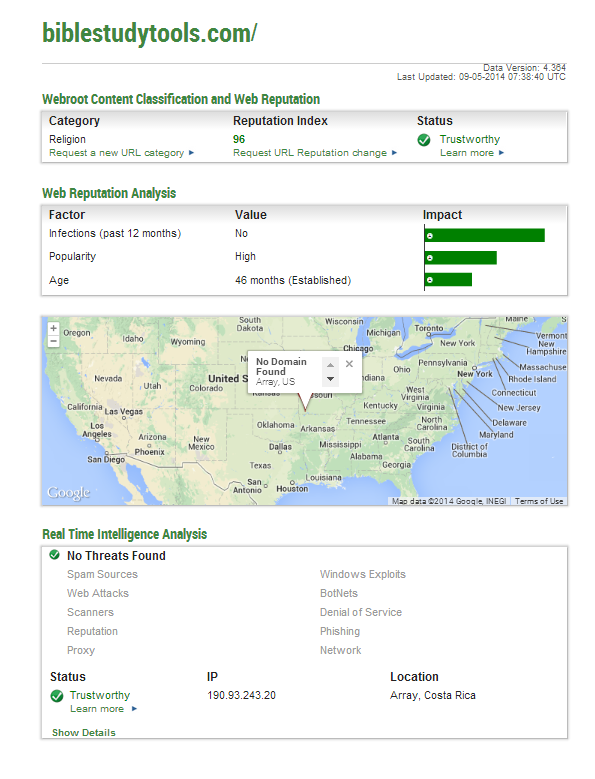
Now, on the same computer, Webroot Filtering Extension prevents me from accessing website BibleStudyTools. Webroot has been uninstalled and reinstalled at least 3 times and the problem still exists.
What would cause the “Internet Explorer has stopped working” error when accessing http://www.biblestudytools.com/ on one computer but not the other. This only happens if Webroot Filtering Extension is Enabled. Of course, after enabling IE11 must be closed and reopened for the problem to occur.
[Window Title]
Internet Explorer
[Main Instruction]
Internet Explorer has stopped working
[Content]
Windows is checking for a solution to the problem...
[Cancel]
Followed by:
[Window Title]
Internet Explorer
[Main Instruction]
Internet Explorer has stopped working
[Content]
A problem caused the program to stop working correctly. Windows will close the program and notify you if a solution is available.
[Close program]
I will open a case with support but Webroot has already been uninstalled and reinstalled.
Webroot Filtering Extension crashing IE11 (on one computer)




Login to the community
No account yet? Create an account
Enter your E-mail address. We'll send you an e-mail with instructions to reset your password.