Solved

WebRoot filtering extension shut off by FireFox

  • December 17, 2016
  • 8 replies
  • 489 views

Forum|alt.badge.img+10
FireFox version 50.1.0   Webroot ext 1.2.0.69
When I open Firefox this morning I was notified that FF disabled WR filtering extension because FF could not verify it.
This is from the FF site:
What can I do if Firefox disables an installed add-on?
If an unsigned add-on is disabled, you won't be able to use it and the Add-ons manager will show a message that the add-on could not be verified for use in Firefox and has been disabled. You can remove the add-on from Firefox and then reinstall a signed version from the Mozilla Add-ons site if one is available.
If a signed version is not available, contact the add-on developer or vendor to see if they can offer an updated and signed version of that add-on. You can also ask them to get their add-on signed.
 
The Mozilla add ons site doesn't list a verified version of WR filtering extension.
 
How do I fix this,and how does it affect the safety of of my web use with FireFox?

Best answer by rothie

I tried Burn Daddy's proceedure first,but the problem came back immediately.
I did the the complete remove and reinstall from Dermot's link to Sherry's post,and it seems to be working as usual now.
Thanks to everyone who posted and helped!


8 replies

Dermot7
Gold VIP
Forum|alt.badge.img+3
  • Gold VIP
  • December 17, 2016
Hello rothie,
 
Not having the extension active in Firefox will not decrease your security significantly, or enough to worry about.
 
Primarily, you will just not have the search annotations, but will have all the benefits of the Web Shield (anti-phishing etc) 
 
If you have a read of this thread  it may well provide your solution, and Sherry or Baldrick's post may be the answer. I don't have an up to date version of FF installed myself at the moment, but am sure a knowledgable member will help us with this.
 
Please let us know what the operating system is, and what version number of Webroot you have installed.
 
Hope this helps a little.
 

  • December 17, 2016
Hi rothie,
 
If I may add to the great advice from Dermot. While a clean install should do the trick (Sherry's suggestion found in the link Dermot provided) if you don't want to do that you could try another method that has been known to work without reinstalling. The directions are as follows:
 
 
  • Close down FF
  • Check there is no remaining instance of FF in the Processes tab of Task Manager. If there is, close it.
  • Go to WSA Advanced SettingsFirewall & Web Shield
  • Untick Activate Browser Extensions
  • Click the "Save" button
  • Open FF again
  • The Web Filtering Extension should now be uninstalled from your browser
  • Close down FF
  • Check there is no remaining instance of FF in the Processes tab of Task Manager. If there is, close it.
  • Go to WSA Advanced SettingsFirewall & Web Shield
  • Tick Activate Browser Extensions
  • Click the "Save" button
  • Open FF again
  • Firefox should now invite you to install the Web Filtering Extension. Tick the box to proceed with installation
If you're still having trouble then an uninstall/clean install would be what I'd suggest. (Instructions in Dermot's link to Sherry's post)
 
Please let us know either way how it goes. ;)
 
Thanks,
BD
 

RetiredTripleHelix
Gold VIP
Forum|alt.badge.img+56
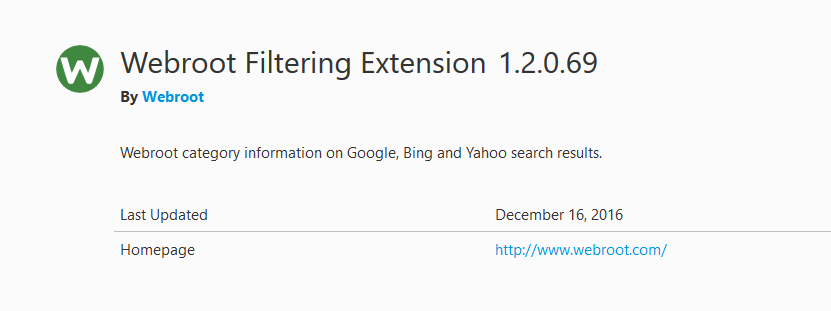
It's working fine here:


Ssherjj
Moderator
Forum|alt.badge.img+62
  • Moderator
  • December 17, 2016
Yes mine is working perfect as well on 3 systems! 🙂

Forum|alt.badge.img+10
  • Author
  • New Voice
  • Answer
  • December 17, 2016
I tried Burn Daddy's proceedure first,but the problem came back immediately.
I did the the complete remove and reinstall from Dermot's link to Sherry's post,and it seems to be working as usual now.
Thanks to everyone who posted and helped!

Ssherjj
Moderator
Forum|alt.badge.img+62
  • Moderator
  • December 17, 2016
That's great news! Thank you for letting us know!
 
Happy Holidays! 🙂

Dermot7
Gold VIP
Forum|alt.badge.img+3
  • Gold VIP
  • December 17, 2016
@ Happy to know how you got it sorted out, and very kind of you to get back to us. It often helps others seeing similar issues, and those trying to advise them.
 
Have a lovely Christmas there, and great to see your contribution to the Webroot Community. 😃

  • December 18, 2016
Thanks for letting us know, Rothie. The instruction I posted worked for me when I had this issue, but glad a reinstall fixed it for you.
 
Have a Happy Holiday.
 
BD