webroot health

  • November 28, 2015
  • 8 replies
  • 95 views

The other day I was concerned about some internet issue. I ran a webroot scan and all was well. I nonetheless contacted Dell support who ran some scans. All was ok. However, the technician said he saw evidence that the webroot services had been stopped. My question is how is this possible if the webroot scan did not signal there was a problem. If the technician was correct, how can I check on the health of the webroot scan to make sure all services are operating correctly. It may be that the Dell technician is unfamiliar with webroot and was incorrect.
Thanks,
Mary

8 replies

edwin_eekelaers
Popular Voice
Forum|alt.badge.img+6
As far as i know Webroot's Secure Anywhere only has one service running called WRSVC and that one's set to restart automatically if it would error out. Now i am unsure how far your technical skills go when it concerns a pc soplease elaborate on that. 
 
Are you proficient enough to run a command in DOS or computer management or are you totally new to that ( and thus not familiar at all with scripting & so ).
 
The next easiest way would be if you go into the control panel & open up computer management. Then look for the services part of the computer management and open it up.   the Webroot 's service should be nearly at the bottom of the services list. There you can check and see if its running.
 
A much faster way involves DOS though. Feel free to PM me with questions cause now you ended up in my field of expertise :D


  • Author
  • Fresh Face
  • November 28, 2015
Thanks for your reply, I will go the easy route as am not that technically savvy. So I will periodically check to see if the one webroot service is ever stopped and that should ease my mind. Scary world out there.
Mary

edwin_eekelaers
Popular Voice
Forum|alt.badge.img+6
Mary ( ? )
i just went into my computer on which i am local admin ( so i have enough rights ) and with my admin account i cannot stop the service . that makes me believe the Dell tech is not up to par with WSA's functionality. 
 
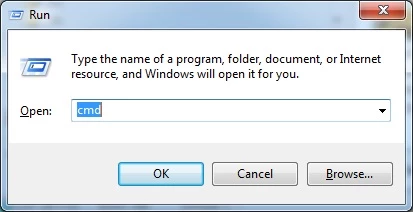
The easiest way to check is to hit the windows button on your keyboard combined with the R button . It should open up the run window like below


In there type cmd as you can see in the screenshot
 
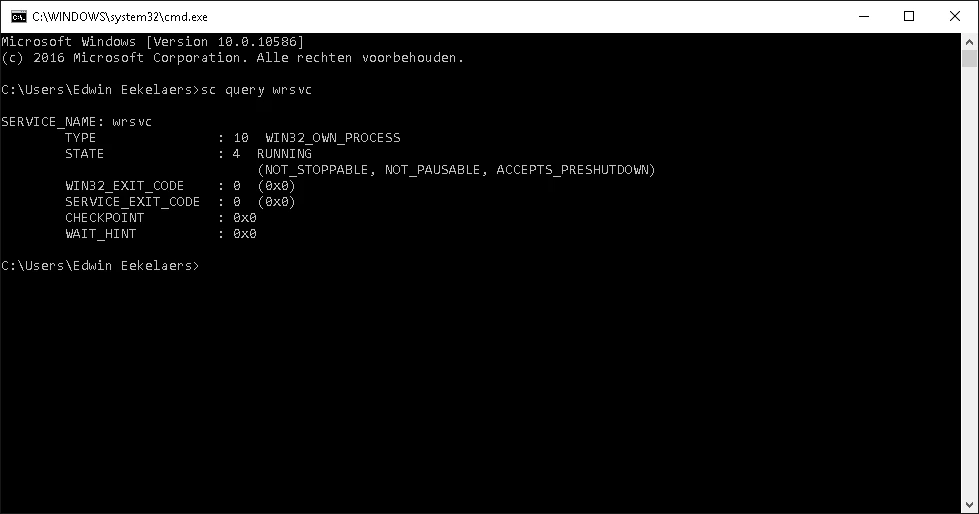
It opens up a DOS window like below


note that when you open it you will not see the comments in the screen above. You will just see the top 2 lines and then a prompt ( c: .... )
 
there issue the command
 
sq query WRSVCthen press enter and you will see the text as shown in the black screenshot.. You can see from my screenshot that the service is running. I tried to kill it and i cannot so...
 
IMO that's the easiest way for you as other ways involve browsing thru a few menus in the control panel where you might get lost.
 
Feel free to PM me if you require further assistance or if this is already too hard on you


shorTcircuiT
Gold VIP
  • Gold VIP
  • November 28, 2015
Hello there!
 
If I can add a little bit to what edwin_eekelaers has had to say.  There ARE at least a couple reasons I can think of in which the Webroot service would normally be stopped.
 
1) During a program upate.  While Webroot does not require big daily definition files, once in a while there is an update to the core program.  Most of the time you will not even see it when the update comes in as it does it in the background, BUT Webroot does need to shut down and restart itself very briefly (We are talking just a second or so) to load the new core program.
 
2) During computer startup, there are a couple of additional files that are often asked about.  They are set in the Startup for Windows, and do NOT remove them.  These processes check for updates for a few things like the browser extensions, and will then shut down after the upgrade check.
 
I hope this helps a bit!

edwin_eekelaers
Popular Voice
Forum|alt.badge.img+6
thanks ? for that bit of info. WSA's soo fast & smooth that i don't think the Dell tech was referring to that.

shorTcircuiT
Gold VIP
  • Gold VIP
  • November 28, 2015
@ wrote:
thanks @ for that bit of info. WSA's soo fast & smooth that i don't think the Dell tech was referring to that.
He may not have been, but it is possible.  If the Dell tech was not aware of how WSA works normally at computer startup, he may have seen that in had no clue about it.  At the very last, any tech looking at that sort of data needs to be aware of it so that they can determine if that is the cause or if they have more digging to do 🙂

acooldozen
Bronze VIP
Forum|alt.badge.img+36
  • Bronze VIP
  • November 28, 2015
(Type Security and Maint. in the search box)
The simplest way to check would be to open security and maintenance in the Control panel, Click on Security and it will tell you the status of Webroot.

RetiredTripleHelix
Gold VIP
Forum|alt.badge.img+56
@ wrote:
As far as i know Webroot's Secure Anywhere only has one service running called WRSVC and that one's set to restart automatically if it would error out. Now i am unsure how far your technical skills go when it concerns a pc soplease elaborate on that. 
 
Are you proficient enough to run a command in DOS or computer management or are you totally new to that ( and thus not familiar at all with scripting & so ).
 
The next easiest way would be if you go into the control panel & open up computer management. Then look for the services part of the computer management and open it up.   the Webroot 's service should be nearly at the bottom of the services list. There you can check and see if its running.
 
A much faster way involves DOS though. Feel free to PM me with questions cause now you ended up in my field of expertise :D
 
 
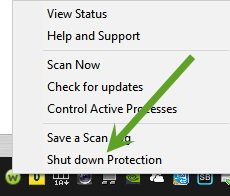
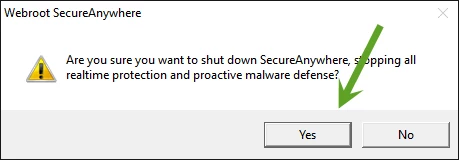
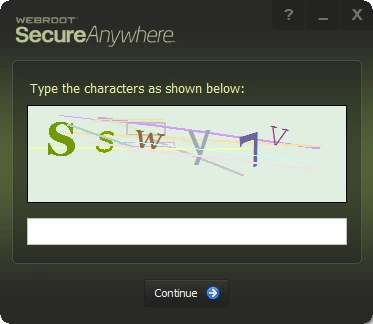
Well not quite right WSA runs 2 processes with a service and they can't be killed as they will return if someone or malware is attacking it's self protection. The only way WSA would not being running if you turned it off from the Right Click Context Menu from the Tray Icon and filling out the CAPTCHA window. So IMO the DELL Tech doesn't know how WSA works which is nothing new.
 
Daniel