
Solved
webroot scan

 +1
+1EVERY TIME I RUN A SCAN IT SHOWS 2 THREATS REMOVED. ARE THESE THE SAME 2 OUR 2 NEW ONES EVERY TIME
Best answer by BurnDaddy
Hello @lglomp ,
Welcome to the Webroot Community.
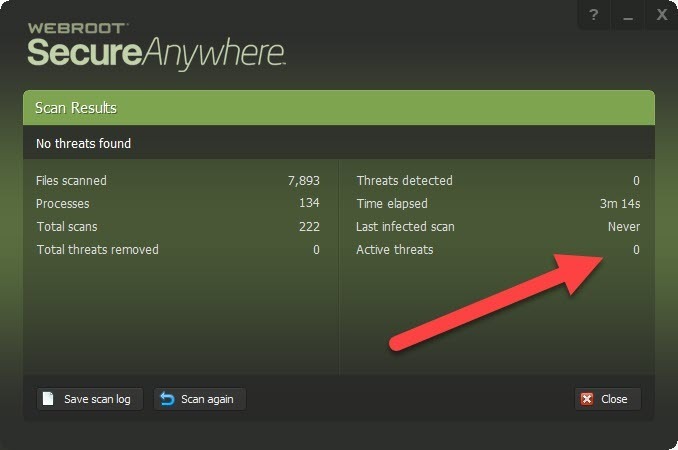
The number you are seeing is a running total of all threats Webroot has detected to date or since last install.
If you would like to reset your statistics you can do the following...
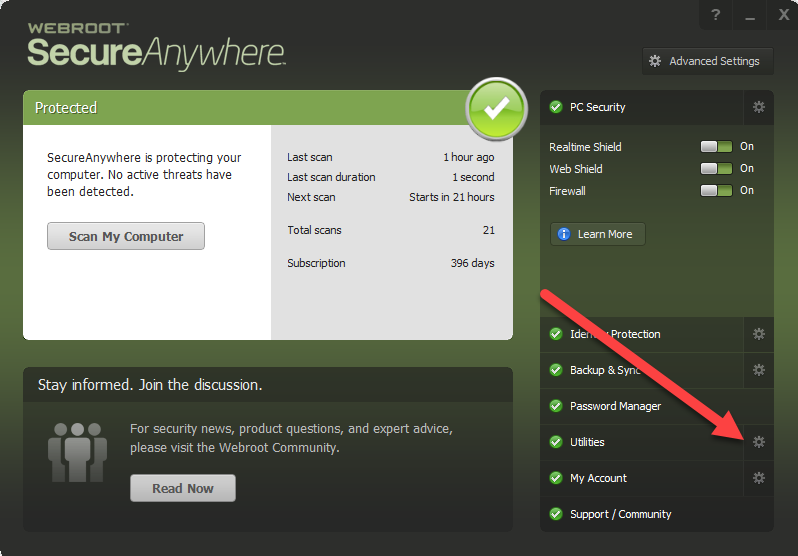
Open Webroot and click on the gear next to 'Utilities'.
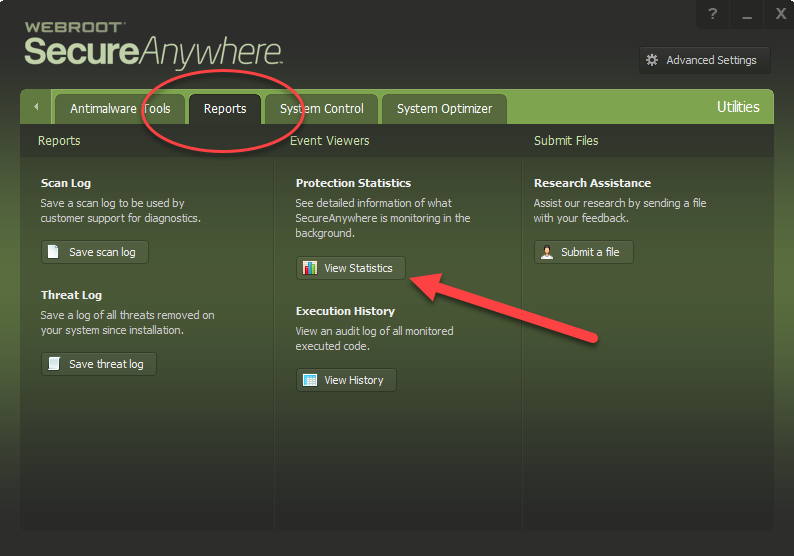
Then select the 'Reports' tab and click 'View Statistics'.
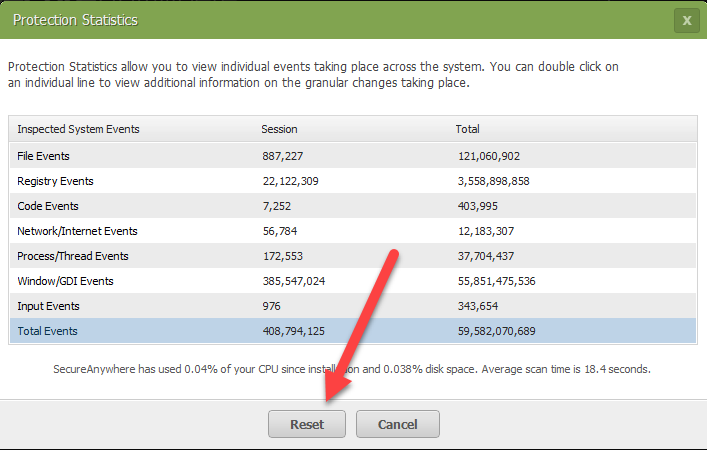
Then click the 'Rest' button at the bottom. Note that this will reset ALL of your statistics.
Hope this info helps. If you still have questions, please don't hesitate to get back to us. 😉
Welcome to the Webroot Community.
The number you are seeing is a running total of all threats Webroot has detected to date or since last install.
If you would like to reset your statistics you can do the following...
Open Webroot and click on the gear next to 'Utilities'.
Then select the 'Reports' tab and click 'View Statistics'.
Then click the 'Rest' button at the bottom. Note that this will reset ALL of your statistics.
Hope this info helps. If you still have questions, please don't hesitate to get back to us. 😉

Login to the community
No account yet? Create an account
Enter your E-mail address. We'll send you an e-mail with instructions to reset your password.