Solved

Webroot suddenly monitoring windows files

  • May 8, 2018
  • 6 replies
  • 90 views

ALEEF02
New Voice
Hi!
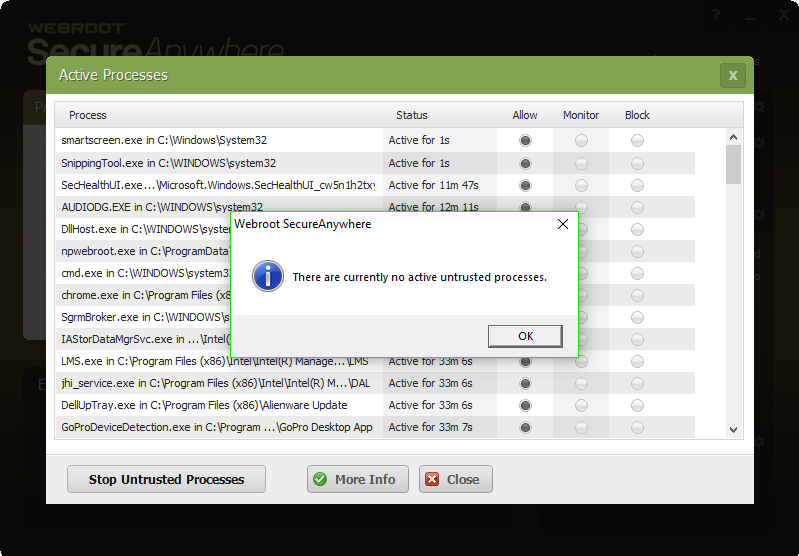
Today I noticed slower performance than normal and connection issues. I checked my router and other devices and they were all connected fine. I then checked Webroot's active process list to see that many system files were suddenly in the "monitored" section. Why is this happening? Is it a repeat of April 2017?
Best answer by BurnDaddy

Hi ALEEF02
 
Not sure what's going on with your system. I recommend that you submit a support ticket and let the experts at Webroot support take a look. If appropriate they can whitelist monitored files.;)
 
Cheers,

6 replies

ALEEF02
New Voice
  • Author
  • New Voice
  • May 9, 2018
It doesn't even fully allow task host. Also, just ran hitman pro and it says the system is clean 


  • Answer
  • May 9, 2018
Hi ALEEF02
 
Not sure what's going on with your system. I recommend that you submit a support ticket and let the experts at Webroot support take a look. If appropriate they can whitelist monitored files.;)
 
Cheers,

ALEEF02
New Voice
  • Author
  • New Voice
  • May 9, 2018
about 2 minutes before your reply, webroot self-ran a non-scheduled scan. After the scan, none of the files were monitored. I believe there was a problem server side similar to April of 2017 and was just fixed. Should I still submit a ticket? 


  • May 9, 2018
@ wrote:
about 2 minutes before your reply, webroot self-ran a non-scheduled scan. After the scan, none of the files were monitored. I believe there was a problem server side similar to April of 2017 and was just fixed. Should I still submit a ticket? 
If you continue to experience performance issues or suspect any other problems, I would. Sounds like just a temporary hiccup but it wouldn't hurt to get an expert opinion from them if you suspect that you're still having issues. Support is free with your subscription, too. 😉

ALEEF02
New Voice
  • Author
  • New Voice
  • May 9, 2018
I just checked my friend's computer (who lives 1000+ miles away) and his files have the same monitoring status. Although, as of 2 minutes ago, his haven't been fixed like mine

  • New Voice
  • May 9, 2018
Uh, oh!. It's looking like I won't purchase after my trial is up. Still undecided though. I checked on mine and none of the system files are "monitored".