

When I reboot recently, the shortcut to start Webroot appears each time I reboot, and the Webroot shortcut that was on my desktop has disappeared. I’ve also seen an indication that Webroot needs to scan my system, yet the scan never finds any errors or bad files. What’s going on?
Solved
Where's the Webroot shortcut?
 +3
+3Best answer by TripleHelix
Hello
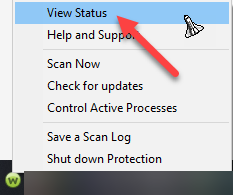
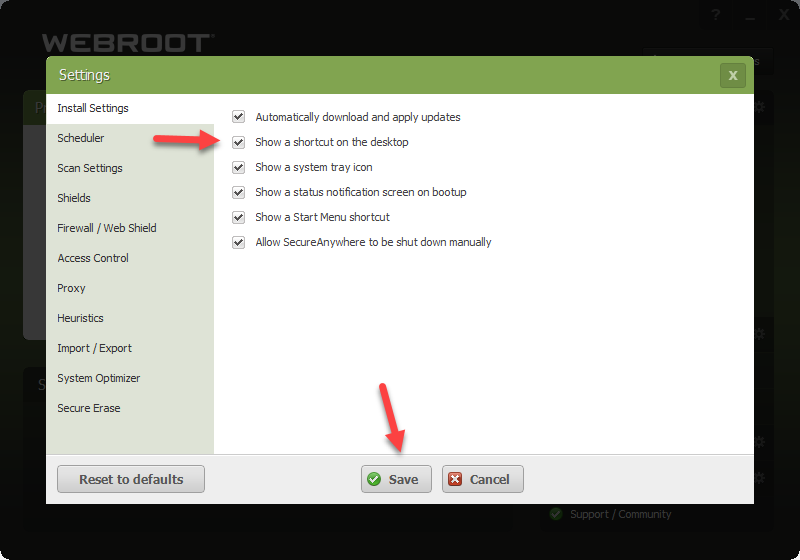
Open the WSA GUI from the Tray Icon down by the clock by right clicking on it and Click on View Status then click on Advance Settings and check the box and save then it will appear on your desktop! https://docs.webroot.com/us/en/home/wsa_pc_userguide/wsa_pc_userguide.htm#GettingStarted/UsingTheSecureAnywhereInterface.htm%3FTocPath%3DGetting%2520Started%7C_____4
HTH,



Login to the community
No account yet? Create an account
Enter your E-mail address. We'll send you an e-mail with instructions to reset your password.