Which setting ensures that webroot runs at startup?

  • June 8, 2016
  • 3 replies
  • 249 views

Which setting ensures that webroot runs at startup?

3 replies

Baldrick
Gold VIP
  • Gold VIP
  • June 8, 2016
Hi FernBert
 
Welcome to the Community Forums.
 
There is no user maintainable option to ensure that WSA starts at bootup...as it is security software it is assumed that if installed it needs to/must...so it just does.
 
If however you want to make sure that it scan on start up, as opposed to just monitoting in real time then you need to click on 'Advanced Settings' > 'Scheduler' > 'Scan Schedule' and make sure that the 'Scan on boot up if the computer is off at the scheduled time' setting is checked/ticked AND make sure that you set a scan time to be early in the morning when your system will be off.
 
Hope that helps?
 
Regards, Baldrick

RetiredTripleHelix
Gold VIP
Forum|alt.badge.img+56
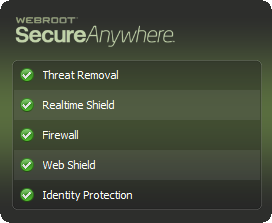
To add to what Baldrick said you should see this window on boot up in the bottom right corner just above the system clock!


http://www.webroot.com/En_US/SecureAnywhere/PC/WSA_PC_Help.htm#C13_Settings/CH13a_SettingInstallPreferences.htm
 
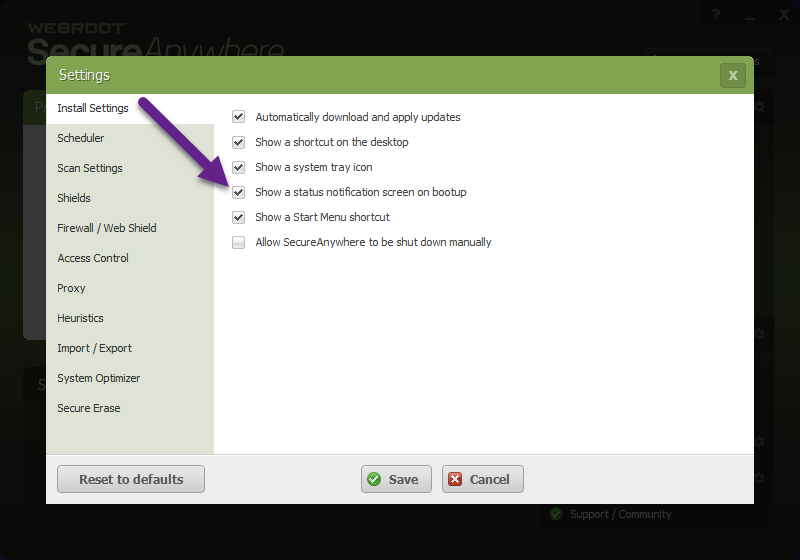
Show a status notification screen on bootupDisplays SecureAnywhere status when you boot up your computer.


Thanks,
 
Daniel 😉

Baldrick
Gold VIP
  • Gold VIP
  • June 8, 2016
Good point, Daniel...:D