Why can't I install Webroot to more than 1 device it says 5 installs? says can't validate code

  • November 21, 2015
  • 1 reply
  • 78 views

After installing Webroot Secure Anywhere ( for 5 devices) to my desktop pc I tried to download it again to my laptop and I get an error message.  The code can not be validated.  I have turned off the fire wall and disabled the antivirus software tha I had installed.What else do I need to do to install it.

1 reply

  • November 21, 2015
Hello ?
 
Welcome to the Webroot Community.
 
There should be no need to disable the Firewall and Webroot is designed to work alongside of other AV (although not necessary).
 
Please follow the steps closely to add Webroot to your laptop.

 
  • Make sure you have a copy of your 20 Character Alphanumeric Keycode! Example: SA69-AAAA-A783-DE78-XXXX
  • KEEP the computer online for Uninstall and Reinstall to make sure it works correctly
  • Download a Copy Here (Best Buy Subscription PC users click HERE)
  • Install with the new installer, enter your Keycode and don't import any settings if asked to as you can set it up as you like once it's done
  • Let it finish it's install scan
  • Reboot once again
Please be very careful to enter your key code exactly. DO NOT COPY/PASTE, please.

 
If it looks as though WSA has already installed on your laptop then simply try to enter your key code this way;
 
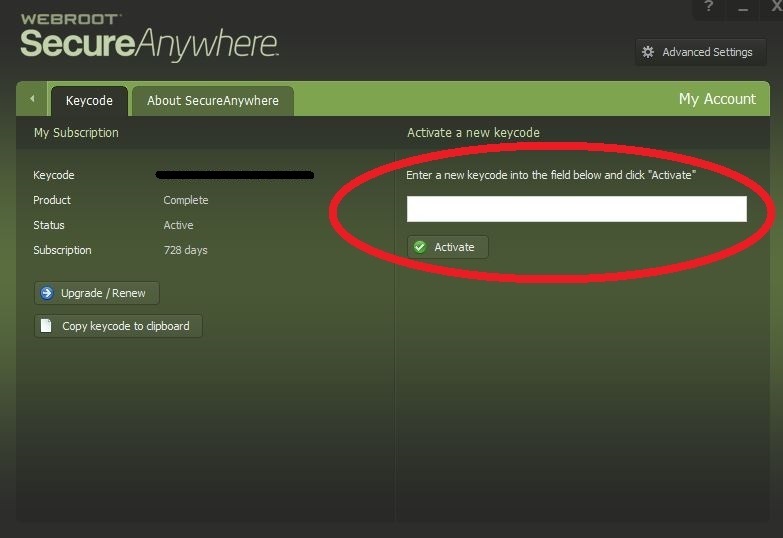
To and add the new key code, please do the following:
 
 
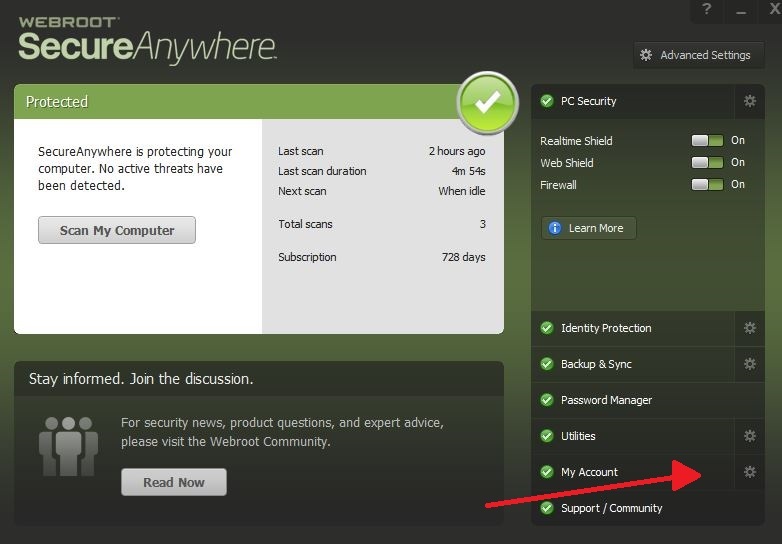
Open WSA PC interface. Click on gear next to My Account, enter key code and click Activate.


Please let us know how it goes. If you need additonal help we will be glad to help. :)
bd