Windows Defender. Does Webroot recommend turning it off?

  • August 17, 2015
  • 7 replies
  • 66 views

cliffm
New Voice
Forum|alt.badge.img+8
My only concern is that my resources keep overloading (i might have a bad hard drive, can't tell). Defender is one of the biggest offenders. Also the general rule of thumb is to not have more than one virus/malware software running at once. Does that apply to Windows combining with Webroot? Lastly, Windows will only allow me to turn off Defender temporarily. Anyway around that (if you reco I turn it off)?
Thanks!

7 replies

Ssherjj
Moderator
Forum|alt.badge.img+62
  • Moderator
  • August 17, 2015
Hi ?
 
Welcome to the Webroot Community,
 
WSA will co-exist very nicely with Windows Defender (that is the way that WSA has been designed from the outset).
 
Having said that WSA provides much, much better protection than Windows Defender and therefore there is no real point in running both. All that Windows Defender does is to add some drag to your system' s resources.
 
Please look here if you are comfortable using the registry. https://community.webroot.com/t5/Webroot-SecureAnywhere-Antivirus/How-to-Run-WSA-alongside-Windows-Defender-on-Windows-8-Windows-8/ta-p/23058
 
If you still have issues then please get back to us for additional assistance.
 
 
Kind Regards,


RetiredTripleHelix
Gold VIP
Forum|alt.badge.img+56
Hello and Welcome to the Webroot Community!
 
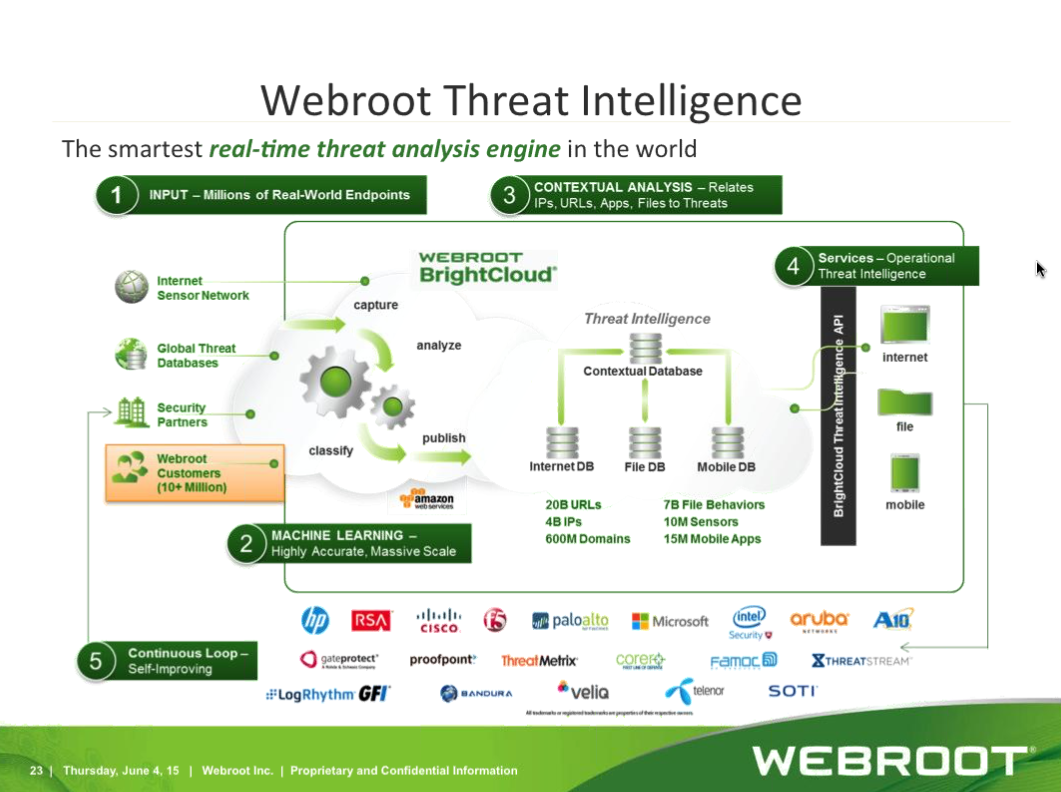
You don't need WD as WSA is much, much more than WD can ever be! http://www.brightcloud.com/platform/webroot-intelligence-network.php
 
Thanks,
 
Daniel ;)


D_J
Community Leader
Forum|alt.badge.img+7
  • Community Leader
  • August 17, 2015
I have to agree with Daniel.  
 
If that is not enough reasoning, I noticed that the WD anti-Malware engine is a real resource hog, at least on my systems.  So.. it is disabled on all of mine and with full faith in WSA I don't miss it.
 
Dave 

cliffm
New Voice
Forum|alt.badge.img+8
  • Author
  • New Voice
  • August 19, 2015
As mentioned in my original post I am having resource issues and that is why I want to disable WD. Dave, you say you disabled WD. Windows 10 only allows a temporary shut down of WD so how did you disable it?
 
 
Thanks
 
Cliff

RetiredTripleHelix
Gold VIP
Forum|alt.badge.img+56
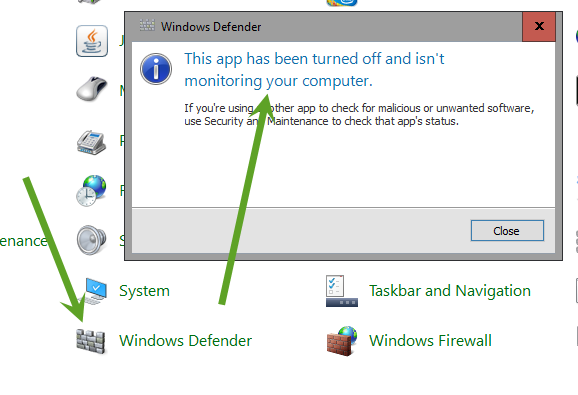
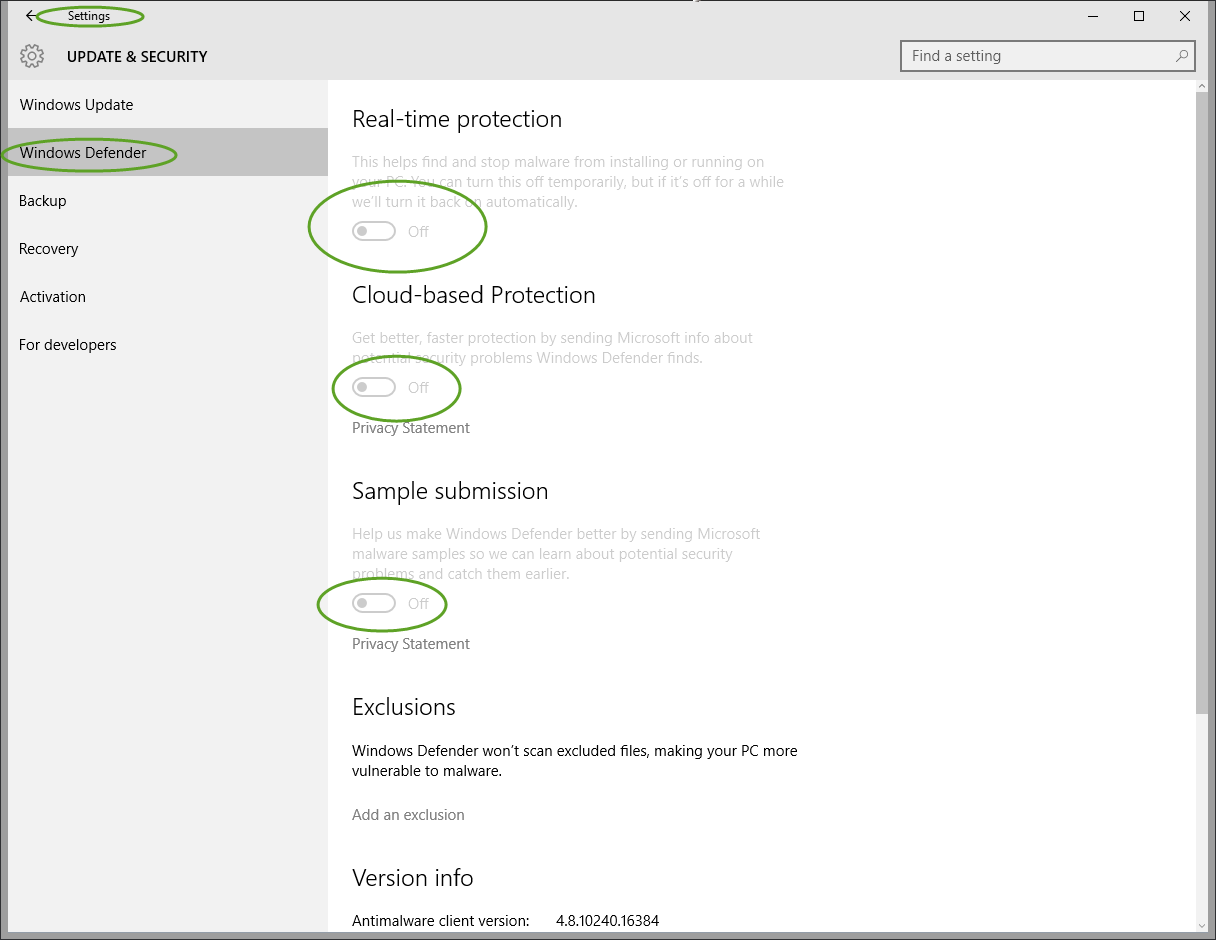
It should disable WD when you install WSA if not go to Control Panel>Windows Defender and uncheck all settings to turn it off.
 
Thanks,
 
Daniel ;)


cliffm
New Voice
Forum|alt.badge.img+8
  • Author
  • New Voice
  • August 24, 2015
When you disable it, a message pops up telling you it's only a temporary disable. But it's been aweek now after several re-boots and WD is still ff. And...my computer is acting better.

RetiredTripleHelix
Gold VIP
Forum|alt.badge.img+56
Make sure they are all turned off here.
 
Thanks,
 
Daniel ;)